
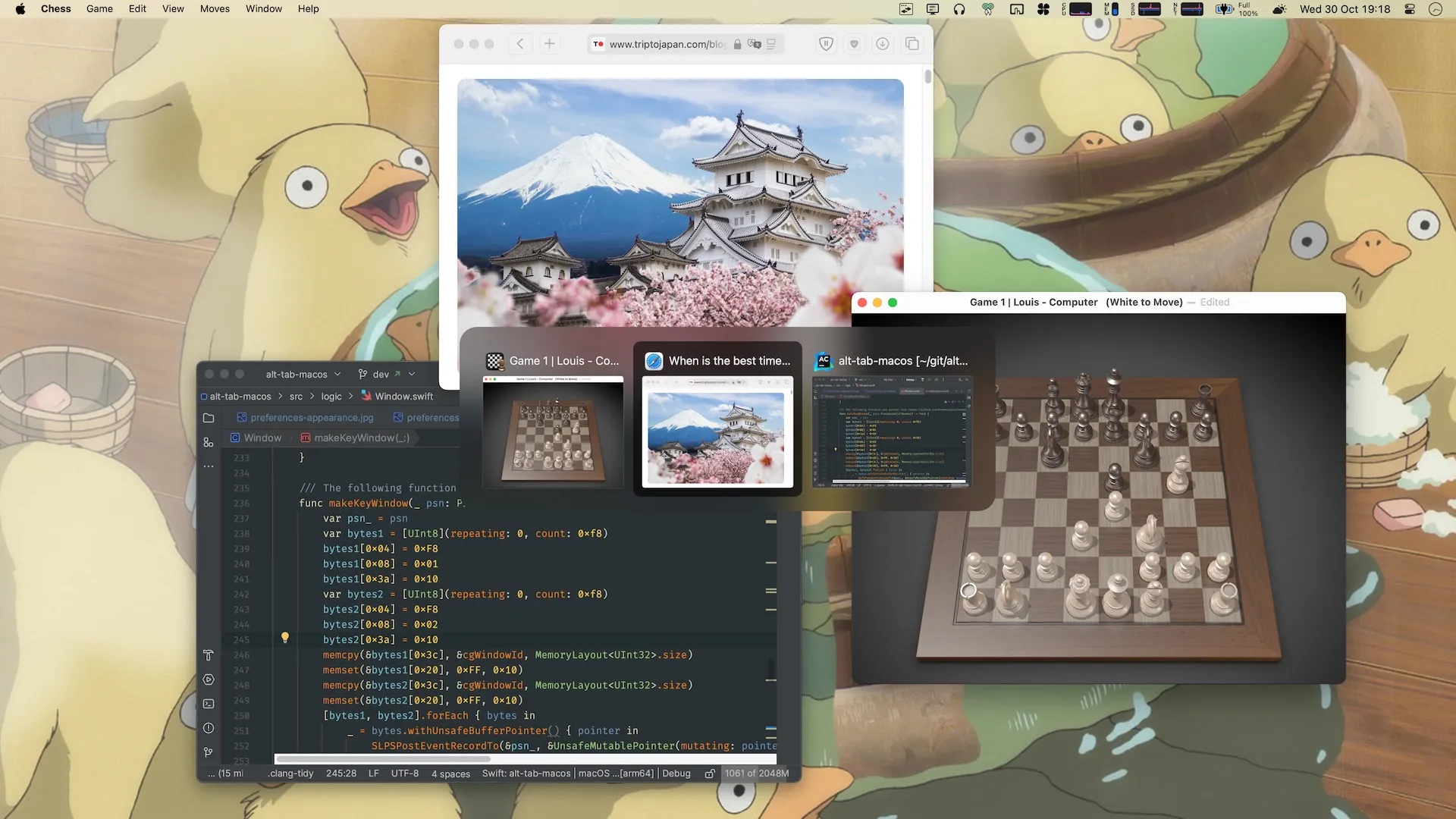
AltTab replaces macOS’s built-in ⌘⇥ application switcher with a Windows-style window picker that shows every open window across all Spaces and Desktops in a floating overlay panel. (Free, open-source)
The free switcher shows live thumbnail previews of each window’s contents. App-icon cards and a compact title-only list are AltTab Pro display styles. Users navigate with Tab and Shift+Tab or click any entry directly. The panel updates in real time as windows open, close, minimize, or change content. Unlike the default macOS switcher, AltTab lists individual windows rather than grouping them by application, making it straightforward to jump to a specific browser window, document, or terminal session.
Appearance and behavior are configurable through the preferences panel, accessible via the menu bar icon. Options cover panel and thumbnail size, row count, dark or light mode, title display format, and high-visibility accessibility settings for users who need stronger visual contrast. The default shortcut is ⌥⇥. AltTab Pro adds up to nine independent shortcut slots, each with distinct filtering behavior—for example, one shortcut can show all windows system-wide while another limits results to the current Space. A trackpad gesture shortcut is also available.
Application filtering excludes specific apps from appearing in the switcher entirely, only when minimized, or only when in fullscreen. This prevents cluttered panels when apps like Finder accumulate many background windows. AltTab integrates with macOS Accessibility APIs and requires the Accessibility permission to function; no Screen Recording permission is needed on macOS 13 or later.
System requirements: macOS 10.14.4 Mojave or later per alt-tab.app. Install via Homebrew (brew install --cask alt-tab) or direct download.
Pricing: Core app free, open-source (GPL-3.0). AltTab Pro is paid and unlocks extra styles and shortcut slots.
Limitations: Requires macOS Accessibility permission; apps with strict sandboxing may prevent their windows from appearing in the switcher; the menu bar icon cannot be hidden without disabling it in preferences; keyboard-first design offers no mouse-triggered window switching out of the box.
Alternatives: macOS built-in ⌘⇥ (switches between applications rather than individual windows, no thumbnail preview); Witch ($14.99 one-time, by Many Tricks, supports richer sorting and filtering rules including per-app configurations); DockDoor (free, open-source, shows window previews on Dock hover rather than via keyboard shortcut).
Suitable for users who frequently switch between many open windows across multiple Spaces, or those moving from Windows who prefer a visual, window-level picker over macOS’s default app-centric ⌘⇥ switcher.

