
DeskBlur
Paid menu bar app that blurs or dims everything behind your active window, with per-app and per-display settings. Needs macOS 26.
- Price
- $2.99 one-time
- Requires
- macOS 26 or later
- Runs on
- Not Listed
- Size
- 1.8 MB
- Around Since
- Not Listed
- Open Source
- No
- Last Checked
- 2026-11-16
7-day free trial, then a one-time $2.99 in-app purchase. No subscription.
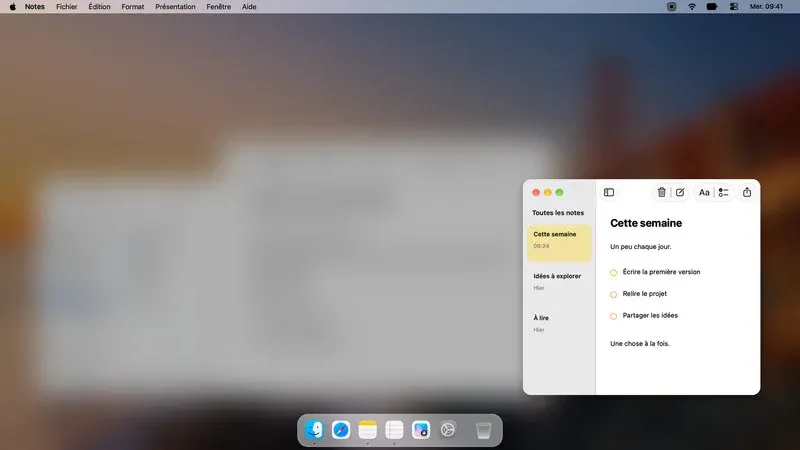
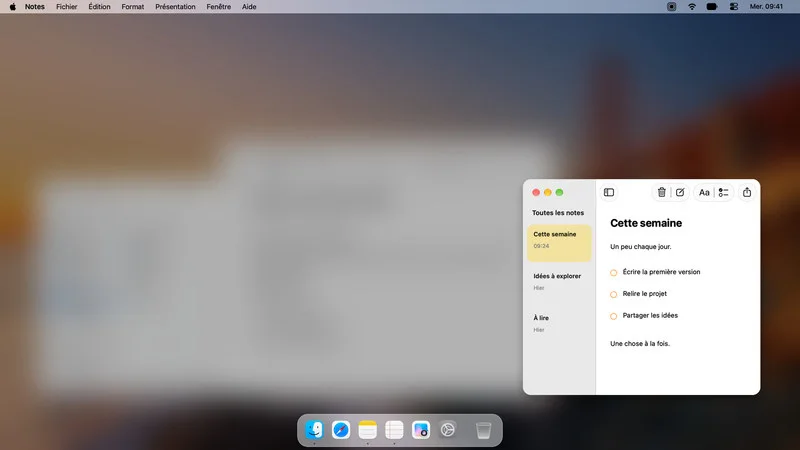 1 screenshot
At a Glance
Best For
Keeping attention on one window by blurring or dimming everything behind it.
The Catch
It needs macOS 26, and the effects stop after the 7-day trial unless you pay.
About DeskBlur
DeskBlur is controlled from a menu in the menu bar. It blurs or darkens everything behind your active window and follows the window as you switch apps.
Blur and darkening have separate sliders. You can set intensity per app, keep a different intensity for dark mode, choose how multiple displays behave, and set keyboard shortcuts. A hover option un-blurs content when the pointer leaves the active app. It also handles Stage Manager.
The developer says the native effects need no Screen Recording or Accessibility permission. The Mac App Store label lists no data collected.
The first version is a 7-day trial. After that the effects turn off until you buy the one-time $2.99 full version.
Sources checked on November 16, 2026: official site, Mac App Store listing. This is a review of publisher documentation, not a hands-on test.
FAQ
Does DeskBlur need Screen Recording or Accessibility access?+
No. The developer states that the native effects need neither permission.
How much does DeskBlur cost?+
The full version is a one-time $2.99 in-app purchase with no subscription. A 7-day trial comes first, and after it the effects turn off until you buy.
What can I adjust in DeskBlur?+
Blur and darkening have separate controls, with per-app intensity, a separate dark-mode intensity, multi-display options and keyboard shortcuts. Moving the pointer outside the active app reveals the content behind the blur.
What data does DeskBlur collect?+
The Mac App Store label says Data Not Collected, according to the developer.