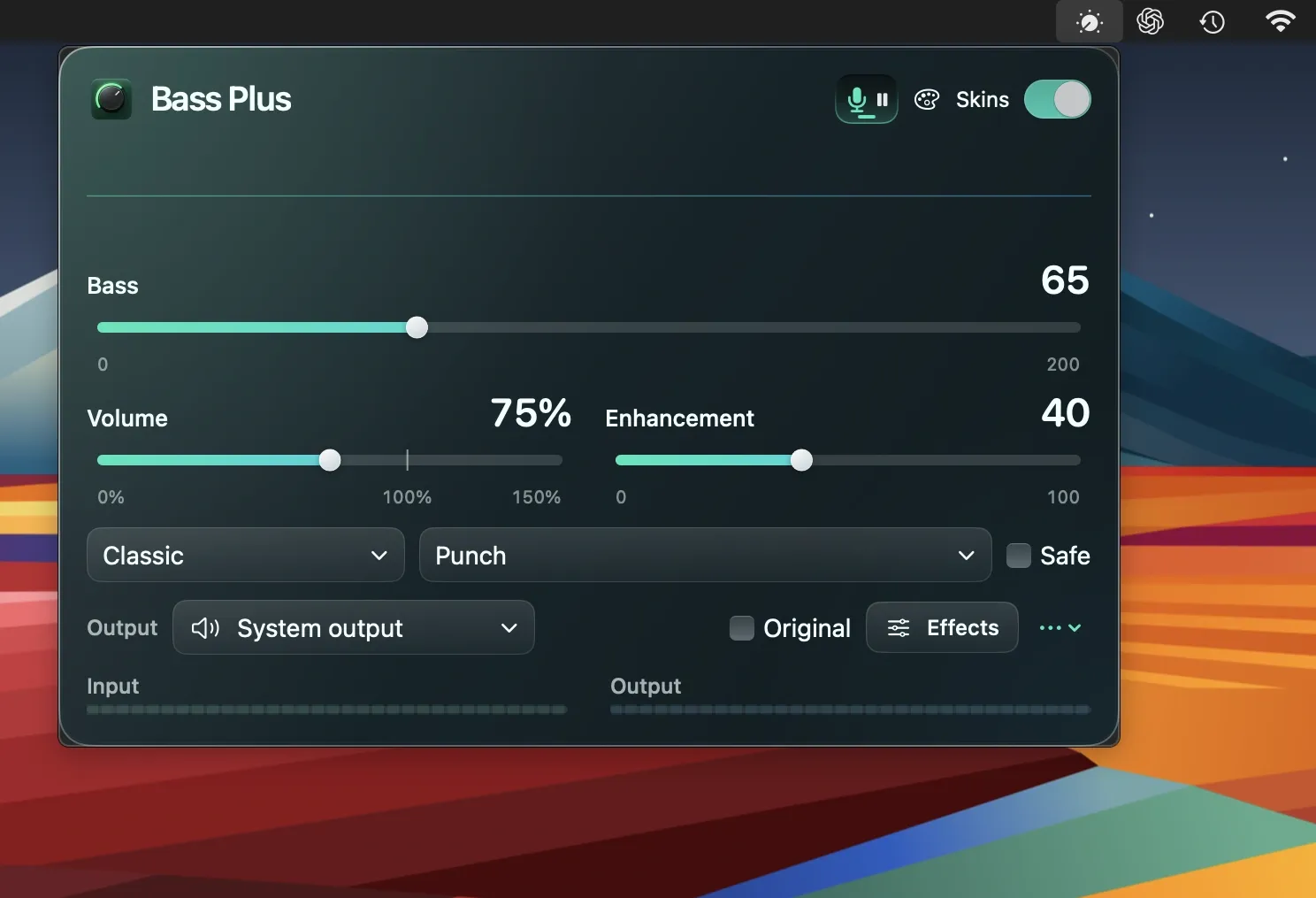
Bass Plus is a Mac menu bar app that adds bass enhancement controls and software volume amplification to any audio output on macOS. ($14.99, one-time; 7-day free trial)
The app provides a compact floating window or menu bar popover for adjusting bass level and character. Software amplification can push volume above the system maximum of 100%, with a Safe mode option that limits the gain to reduce the risk of audio clipping. Volume can be synced with supported system outputs so Bass Plus and the system slider stay in sync.
A notable feature is Dictation Pause: when a microphone-based voice input tool or macOS Dictation activates, Bass Plus automatically fades and pauses compatible music playing in Chrome or Safari, then resumes it when dictation ends. The feature requires Browser Automation permission and the browser’s “Allow JavaScript from Apple Events” setting to be enabled. Live streams, video calls, and some players are not supported.
The app includes 21 visual skins that react to the music currently playing, providing customizable aesthetics for the control window. All audio processing occurs locally on the device; the developer states no audio is recorded or uploaded.
System requirements: macOS 14.4 or later. App size is 2.2 MB. Available on the Mac App Store.
Pricing: Seven-day full trial; $14.99 one-time lifetime unlock. No subscription.
Limitations: Dictation Pause does not work with live streams, video calls, or all browser audio players. Protected content may prevent system audio capture. No support for adjusting EQ bands beyond bass.
Alternatives: Boom 3D ($19.99, one-time) offers a full multi-band equalizer and virtual surround. eqMac (free, open-source) provides system-wide EQ controls without a visual skin system. Silenz (free via Setapp) focuses on volume control rather than EQ.
Suitable for users who want simple bass enhancement and an automatic dictation-aware music pause without installing audio drivers.