
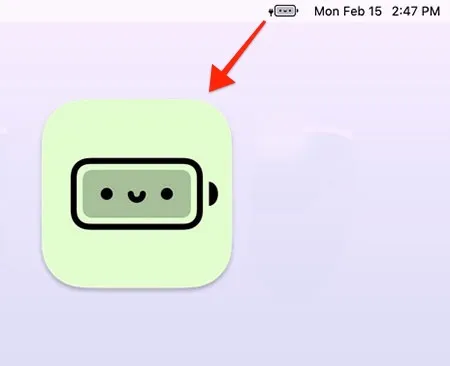
Battery Buddy replaces the standard macOS battery indicator with emoji-based representations. Developed by Neil Sardesai, the app displays battery levels using friendly face emojis instead of the default system icon with warning colors.
The app provides the same functional information as the standard battery indicator—percentage and charging status—through a lighthearted visual approach. The emoji representations update based on current battery level while maintaining visibility of actual power status. The design philosophy addresses the psychological response many users experience when viewing standard low-battery warning colors.
Battery Buddy operates as a lightweight, focused utility. The app consumes minimal system resources, requires no internet connectivity except for occasional update checks, and collects no user data. The application size is a few megabytes with negligible performance impact or additional battery drain.
System requirements
- macOS 11.0 (Big Sur) or newer
- Mac with battery (primarily tested on MacBook Pro)
- Free (no ads, in-app purchases, or subscription)
- Direct download from developer website
Limitations
- Designed for Macs with batteries; behavior on iMac or Mac Mini is untested
- Single-purpose utility without additional battery management features
- No customization of emoji styles or battery thresholds
- Does not replace system battery functionality, only visual representation
Alternatives
- Default macOS battery indicator: Standard system functionality
- Battery health apps (coconutBattery, AlDente): Focused on battery management rather than visual display
- Stats: Comprehensive system monitor including battery with customizable display
Suitable for users who prefer a lighthearted visual approach to battery monitoring and want to reduce the stress response associated with standard low-battery warning indicators.


