
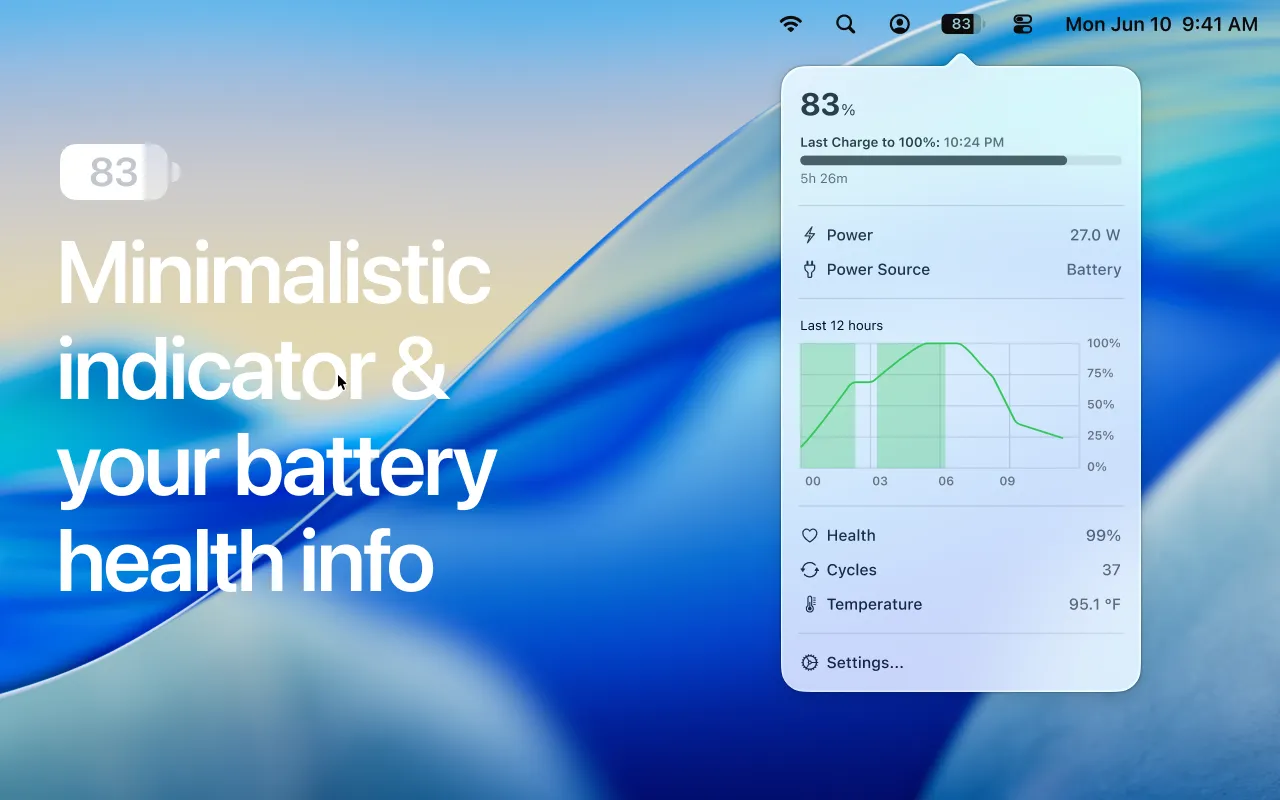
Bettery displays detailed battery information directly in the macOS menu bar, providing metrics beyond what the built-in battery indicator offers. The app shows charge percentage within the menu bar icon itself, eliminating the need to hover or click for the exact number.
Clicking the menu bar icon reveals comprehensive battery data: remaining time estimates for discharge and charge, current power consumption in watts, battery temperature, cycle count, and overall health assessment. The historical charge visualization feature tracks battery behavior over time, helping users identify usage patterns and degradation trends.
A notable feature is Low Power Mode status display. Users can see at a glance whether Low Power Mode is active, enabling informed decisions about performance versus battery life tradeoffs on newer macOS versions where this iOS feature is available.
The interface supports automatic light and dark mode adaptation based on system preferences.
System requirements: macOS 15.2 (Sequoia) or later. App size: 4.4 MB.
Resource usage: Approximately 15MB memory with negligible CPU impact.
Pricing: $9.99 one-time purchase via Mac App Store.
Privacy: No user data collection according to App Store listing.
Limitations: The macOS 15.2 requirement excludes users running Sonoma or earlier versions. The premium pricing positions it higher than some alternatives. No charge limit management or battery optimization features—purely a monitoring tool.
Alternatives: AlDente (freemium, includes charge limiting), coconutBattery (free basic version, broader macOS compatibility), Battery Health (similar monitoring focus). Users on older macOS versions should consider these alternatives.
Suitable for users who want comprehensive battery metrics at a glance without launching Activity Monitor or System Information, particularly those managing portable Macs and monitoring battery health over time.


