
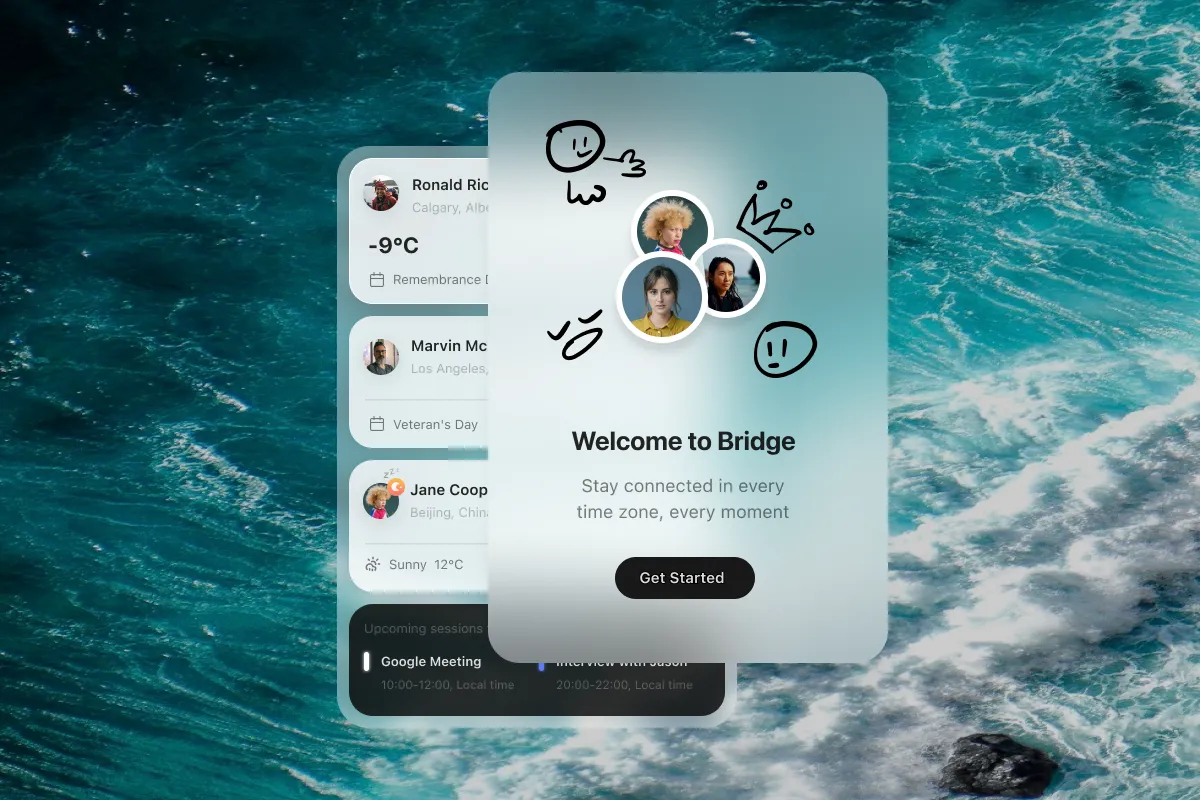
Bridge provides time zone tracking with contextual information about remote contacts, including local weather, holidays, and sunrise/sunset times. The app operates from the macOS menu bar, focusing on relationship-aware scheduling rather than abstract location tracking.
Users add people to the workspace by selecting their city, and Bridge calculates local time automatically. Beyond basic time display, the app shows current weather conditions, upcoming local holidays, and daylight status for each contact. This contextual information supports more considerate communication timing with remote colleagues, family, or friends.
The weather integration provides awareness of conditions affecting remote contacts. Holiday tracking displays local celebrations and observances that might affect availability. Sunrise and sunset indicators help users respect work-life boundaries when contacting people in different time zones.
The app collects no user data; all information remains local on the device. This privacy-focused approach allows users to store contact details without concerns about data harvesting or third-party access.
Family Sharing support allows up to six family members to use the app from a single purchase. The menu bar interface provides quick access without dedicated window management.
System requirements: macOS 15.0 or newer, 16.1 MB storage
Pricing: $2.99 (one-time purchase)
Limitations: The person-centric interface works best with smaller, close-knit groups rather than large organizational structures. No calendar integration for scheduling meetings across time zones. Users who prefer minimal, data-focused time zone displays may find the additional contextual information excessive for their needs.
Alternatives: Dato (comprehensive menu bar calendar with time zones), World Clock Pro (traditional multi-clock display), Clocker (free, open-source time zone tracker)
Suitable for users managing remote relationships across time zones who want contextual awareness beyond basic time calculations, particularly small distributed teams, remote workers with international contacts, or users coordinating with family and friends abroad.


