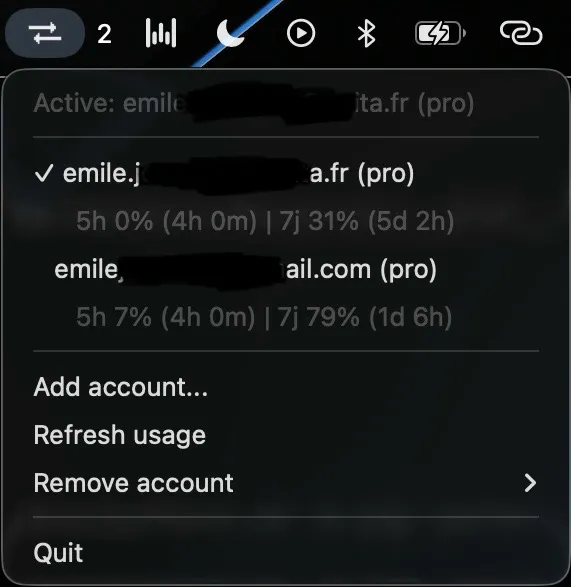
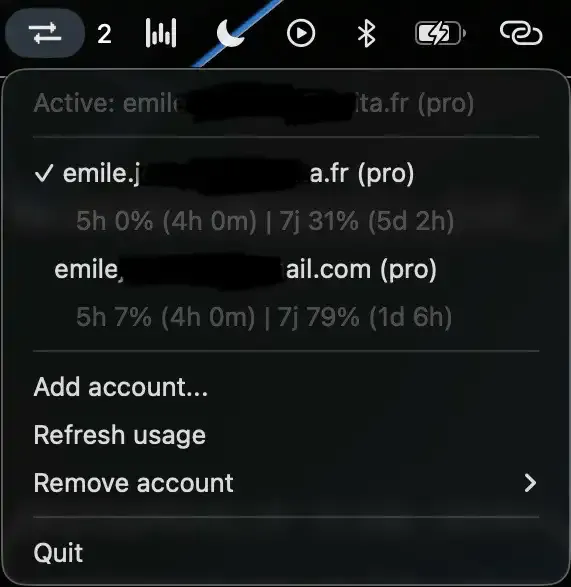
Claude Account Switcher is a macOS menu bar app that enables switching between multiple Claude Code and Codex CLI accounts without logging out or navigating to a browser. (Free, open-source)
The menu bar icon provides a dropdown listing all configured accounts for both Claude Code and Codex CLI. Selecting a different account activates it immediately in the terminal environment without interrupting open sessions or requiring a new terminal window. The app imports any accounts already logged in through the respective CLIs on first launch, so existing credentials transfer automatically.
A live usage display shows current rate limit consumption and remaining capacity for each connected provider. When one account reaches its usage ceiling, the automatic failover feature switches to the next available account with remaining capacity, reducing manual intervention during intensive API workflows.
Credentials are stored exclusively in the macOS Keychain, using the same secure enclave as Safari and system-level applications. No credentials are written to disk in plaintext or transmitted externally. New accounts are added through a terminal-based login flow that delegates authentication to the respective CLI tools.
System requirements: macOS 12 Monterey or later. Claude Code CLI required for Claude account management; Codex CLI required for Codex account management. Available via Homebrew or as a standalone .app (no Python installation required).
Pricing: (Free, open-source) — MIT license.
Limitations: Only supports Claude Code and Codex CLI accounts; does not manage web-based Claude sessions or API keys for other providers. Adding new accounts requires the CLI login flow in a terminal window. Automatic failover order follows the account list and is not configurable by priority.
Alternatives: No direct alternatives specifically for Claude Code account management; the native claude CLI login command handles single-account switching, and macOS Keychain provides limited credential storage overlap.
Suitable for users who maintain separate Claude Code or Codex CLI accounts across multiple organizations, personal projects, or usage-tier subscriptions.


