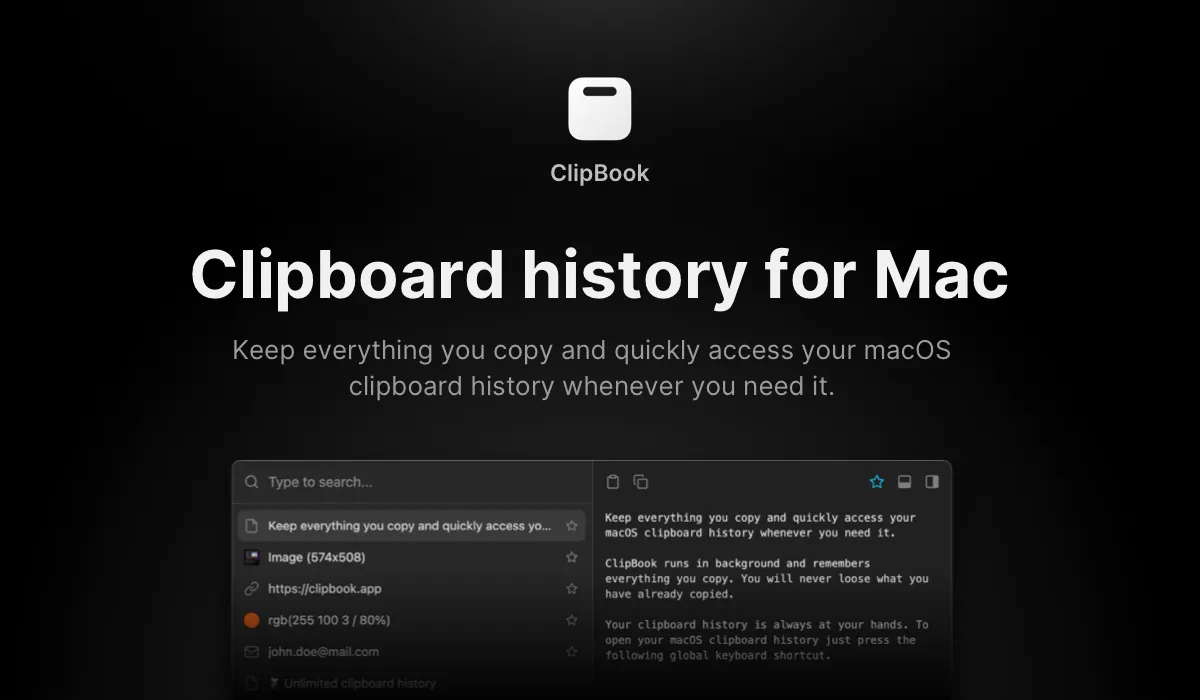
ClipBook stores and organizes clipboard history, allowing users to access previously copied content including text, images, files, links, colors, and emails. The app runs from the menu bar and provides a searchable interface for retrieving past clipboard items.
The preview pane (toggled with ⌘P) displays full content before pasting, useful for distinguishing similar items like URLs or code snippets. Keyboard navigation enables direct pasting with ↵ or double-click. Multi-item selection allows pasting multiple items in sequence. The “paste without formatting” feature strips styling from copied content, addressing common issues when pasting from PDFs or websites.
A notable capability is OCR text extraction from images using ⇧⌘C, enabling text copying from screenshots or image-based content. The app integrates with Raycast and Spotlight for workflow integration. Users can hide the menu bar icon and rely exclusively on keyboard shortcuts.
ClipBook is open source with the complete codebase available on GitHub under developer Vladimir Ikryanov. All clipboard data remains local—the app does not transmit clipboard contents. Privacy options include automatic history clearing on quit or Mac restart. Resource usage remains low at approximately 1% CPU and 100MB memory with extended clipboard history.
System requirements: macOS 14.0 (Sonoma) or later, compatible with Apple Silicon and Intel Macs.
Pricing: $9.99 lifetime license (single Mac), $14.99 (two Macs), $29.99 (five Macs). Free trial available. Source code available for self-compilation.
Limitations: The interface prioritizes keyboard navigation, which may present a learning curve for mouse-centric users. Performance with extremely large histories (tens of thousands of items) is unverified. The app does not include cloud sync for clipboard history across devices.
Alternatives: Paste offers visual clipboard history with iCloud sync. Maccy provides a free, open-source alternative with simpler functionality. Alfred includes clipboard history in its Powerpack. Raycast offers built-in clipboard history as part of its launcher features.
Suitable for users who frequently copy and paste across multiple applications and value local data storage with open-source transparency.


