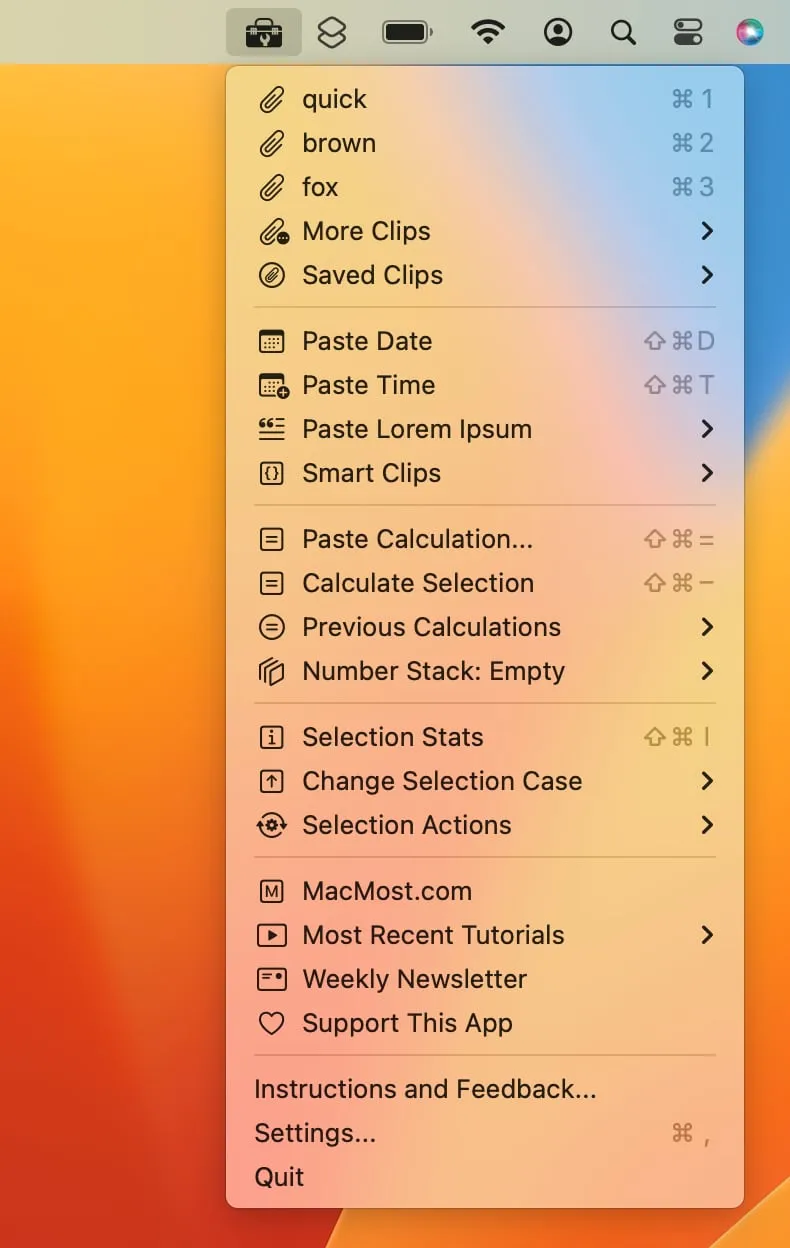
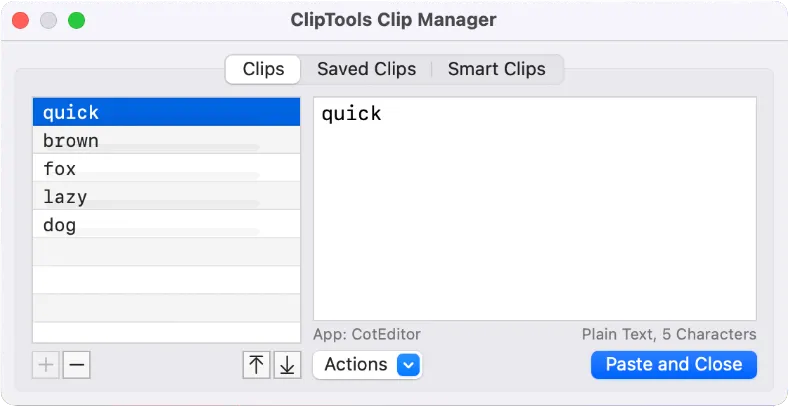
ClipTools is a menu bar status app that extends the standard macOS clipboard with persistent history, reusable saved clips, and a programmable Smart Clips system. (Free)
The clipboard history panel stores recent copies with a configurable limit, accessible directly from the menu bar. Saved Clips allow users to store frequently-used text snippets—email templates, code blocks, or standard replies—for one-click pasting. The Smart Clips feature enables clips with embedded functions: users can insert the current date or time, perform calculations, convert numbers to words, or apply text transformations without switching applications.
Additional text manipulation capabilities include case conversion, HTML entity encoding and decoding, URL encoding, line sorting, and Lorem Ipsum placeholder text generation. A Number Stack feature accumulates numerical values for running totals and simple calculations. The Group Paste function allows pasting multiple clips in sequence using custom separators. A dedicated Clip Manager window provides a full interface for organizing, editing, and searching stored clips. Global keyboard shortcuts are configurable for frequently used functions.
System requirements: macOS compatible; requires Accessibility permissions via System Settings > Privacy & Security > Accessibility to function. Available on the Mac App Store, version 1.5.2.
Pricing: (Free) — No in-app purchases or subscription required.
Limitations: ClipTools handles text and rich text only; image clipboard content is not supported. iCloud sync between multiple Macs is not available. No iOS or iPadOS companion app exists due to platform sandboxing constraints.
Alternatives: CopyClip provides simpler clipboard history without Smart Clips (Free). Clipbook ($7.99, one-time) offers a more visual clipboard manager with search. Pasta ($9.99/year) delivers a polished interface with iCloud sync support.
Suitable for users who need clipboard history combined with text transformation utilities and reusable snippet management, without requiring a dedicated full-screen clipboard manager application.


