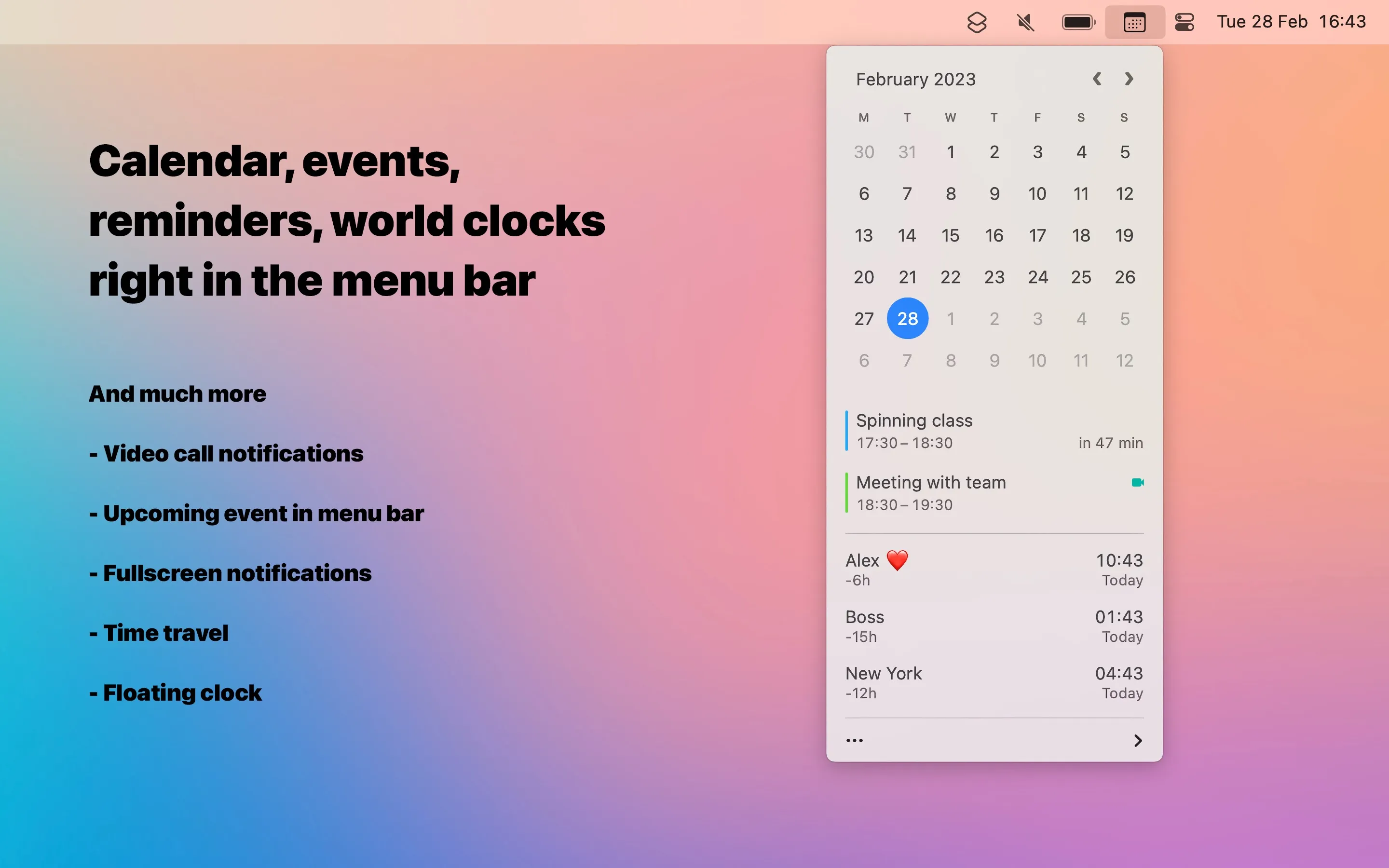
Dato is a menu bar clock replacement that combines customizable time display, calendar integration, and world time zone management. The app extends the standard macOS date/time element into a comprehensive time and scheduling tool.
The menu bar display is fully configurable: seconds visibility, 12/24-hour format, multiple time zones, and upcoming event indicators can all be customized. Clicking the menu bar item opens a dropdown with a calendar view and event list that integrates with the native macOS calendar system. All events from Calendar.app, Exchange, Google Calendar, or other configured services appear automatically without additional account linking.
A notable feature is the “time travel” slider that enables interactive exploration of different time zones, useful for scheduling across regions. The app displays multiple time zones simultaneously in the menu bar or dropdown, with customizable city labels and time formats.
Meeting notifications support over 50 video call services including Zoom, Teams, Meet, and FaceTime. Notifications can appear fullscreen with advance warning and include direct links to join calls. This integration addresses a common workflow need for users with frequent video meetings.
Despite the feature set, Dato maintains minimal resource usage with real-time updates for time zones and calendar sync running continuously in the background.
System requirements: macOS 15 Sequoia or newer. Available on the Mac App Store ($16, one-time) or via Setapp subscription.
Limitations: The extensive customization options require initial time investment to configure. Some features like time travel may be unnecessary for basic use cases. Users needing only simple calendar viewing may find the native Calendar app sufficient. The macOS 15 requirement excludes users on older systems.
Alternatives: Fantastical offers more comprehensive calendar features with natural language input (subscription model). Itsycal provides a simpler, free menu bar calendar. The native macOS clock and Calendar.app combination works for basic needs.
Suitable for users who work across multiple time zones, attend frequent video meetings, or want consolidated calendar access from the menu bar without opening separate applications.


