Day Progress displays remaining time in the day as a visual progress indicator rather than a traditional clock. The app provides ambient time awareness through abstract representation, showing percentage completion of user-defined schedules.
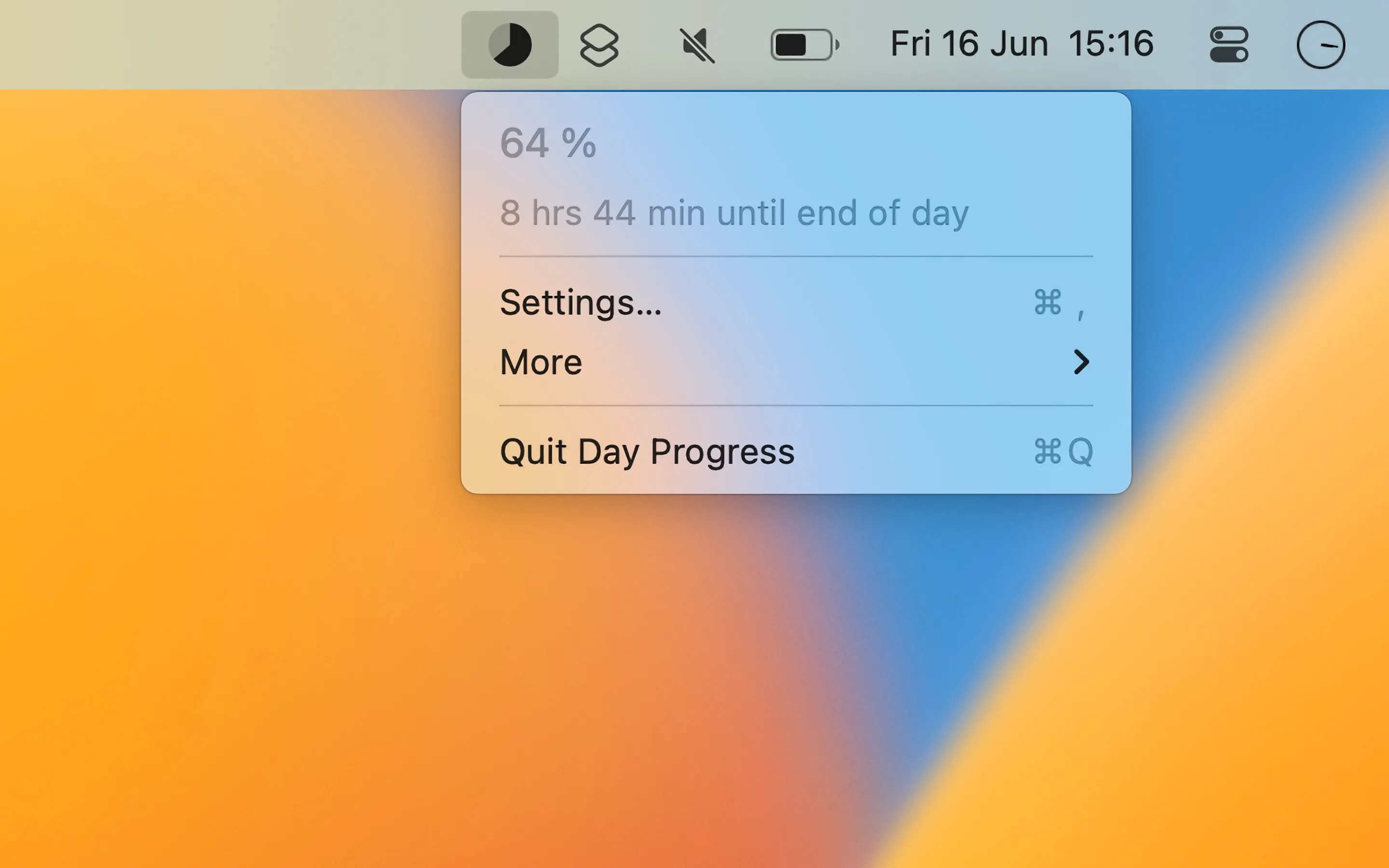
The menu bar shows a progress pie chart or bar with optional percentage display. At 3pm during a 9am-6pm schedule, the display shows 66% complete with “3 hrs 0 min until end of day” in the dropdown. This abstract approach offers time awareness without the precision of watching minutes pass.
Schedules are fully customizable with different time ranges for weekdays and weekends. Users can create multiple sequential schedules to track different portions of the day: morning routine, work hours, and evening time. The app handles schedules that extend past midnight, accommodating late-night work sessions.
Display options include progress pie or bar visualization, percentage, remaining time, or minutes left. The developer designed the app specifically as “an abstract clock instead of the system clock, to minimize anxiety around time awareness.”
Shortcuts integration enables automation based on progress thresholds. Users can create workflows that trigger at specific completion percentages, such as reminders when the workday reaches 80% or screen brightness adjustments as evening progresses.
Resource usage is minimal at approximately 45MB memory with negligible CPU impact.
System requirements: macOS 15 or later for current version. Older versions available for macOS 13 and 14. Available on the Mac App Store ($4.00, one-time purchase).
Limitations: The app focuses on ambient time awareness rather than task timing. It does not replace Pomodoro apps or countdown timers for users needing precise intervals or multiple simultaneous timers. No cross-device sync available.
Alternatives: Session or Focus provide structured Pomodoro-style work intervals. Traditional menu bar clocks offer precise time display. Toggl Track or Timing provide task-specific time measurement.
Suitable for users who prefer abstract time awareness over traditional clocks, or those seeking gentler visual cues about day progression without minute-by-minute precision.