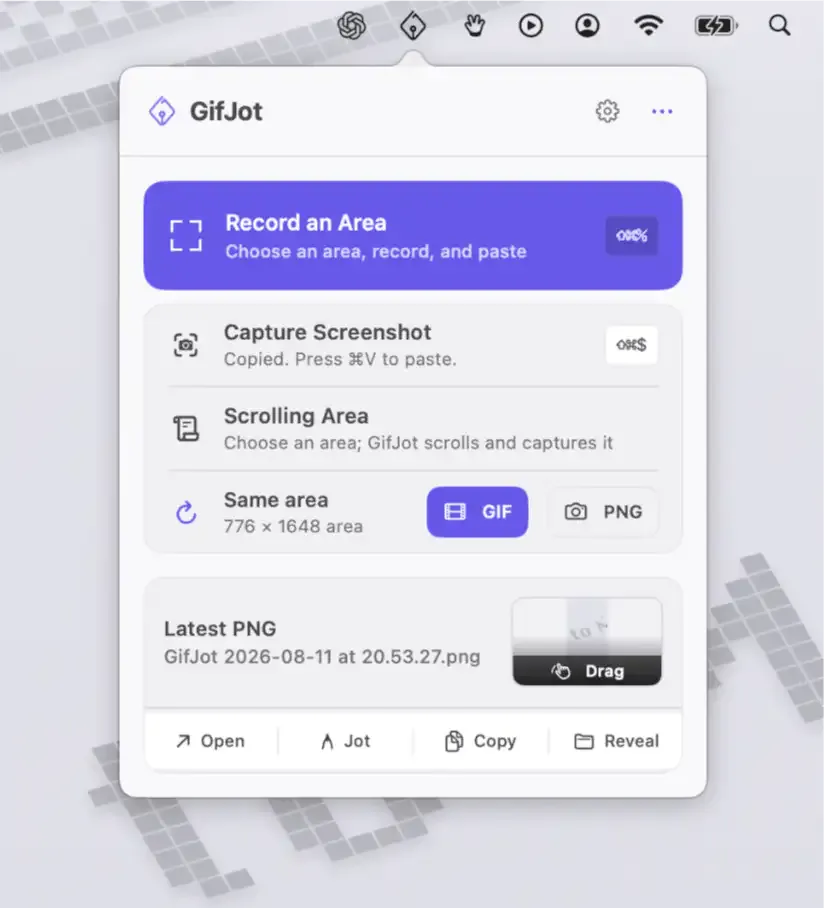
GifJot is a screen capture utility that records a selected area of the Mac screen as a GIF or PNG and places it on the clipboard for instant pasting. (Free, open-source)
The app sits in the menu bar and is invoked using keyboard shortcuts: ⌥⌘G for GIF recording and ⌥⌘S for PNG capture. A region selector appears, and recording begins as soon as the area is drawn. After capture, users can copy the result to the clipboard, save it locally, reveal it in Finder, or re-record the same area immediately. The Repeat Last Area feature removes the need to redraw the selection on subsequent captures of the same region—useful when iterating on a UI element or documenting a repeating workflow step.
GifJot includes a built-in Jot markup tool for adding basic annotations to captures before sharing. This makes it suitable for quick visual guides and bug reports where highlighting a specific element is necessary. All processing occurs on the device; no account is required, and no content is sent to external servers. The only network activity is an optional update check against the app’s GitHub repository.
System requirements: macOS 14 Sonoma or later. Apple Silicon required. App is currently in public beta (v0.1.16).
Pricing: (Free, open-source)
Limitations: Requires macOS 14 or later, excluding older systems. Intel Mac support is not confirmed. As a public beta, the feature set may change and stability is not guaranteed. Annotation capabilities are basic compared to dedicated tools like Skitch or CleanShot X.
Alternatives: CleanShot X ($29, one-time) offers a full-featured capture suite with cloud sharing; Kap (free, open-source) focuses on GIF and video recording with export options; Gifox ($14.99, one-time) provides GIF recording with frame rate and quality controls.
Suitable for users who need a lightweight, privacy-respecting tool for capturing and sharing screen regions as GIFs or PNGs without leaving the Mac.