
HashShot
Paid screenshot and screen recording app with a menu bar menu for area, window, scrolling and text capture, annotation, GIFs and automatic redaction.
- Price
- $25 one-time
- Requires
- macOS 14 or later
- Runs on
- Not Listed
- Size
- Not Listed
- Around Since
- Not Listed
- Open Source
- Not Listed
- Last Checked
- 2026-11-02
7-day free trial, no account needed. Updates are included for the first year; later update years are an optional $19.
 1 screenshot
At a Glance
Best For
Capturing, annotating and recording the screen from one menu bar menu.
The Catch
Updates stop after the first year unless you pay $19 per further year, and microphone recording needs macOS 15.
About HashShot
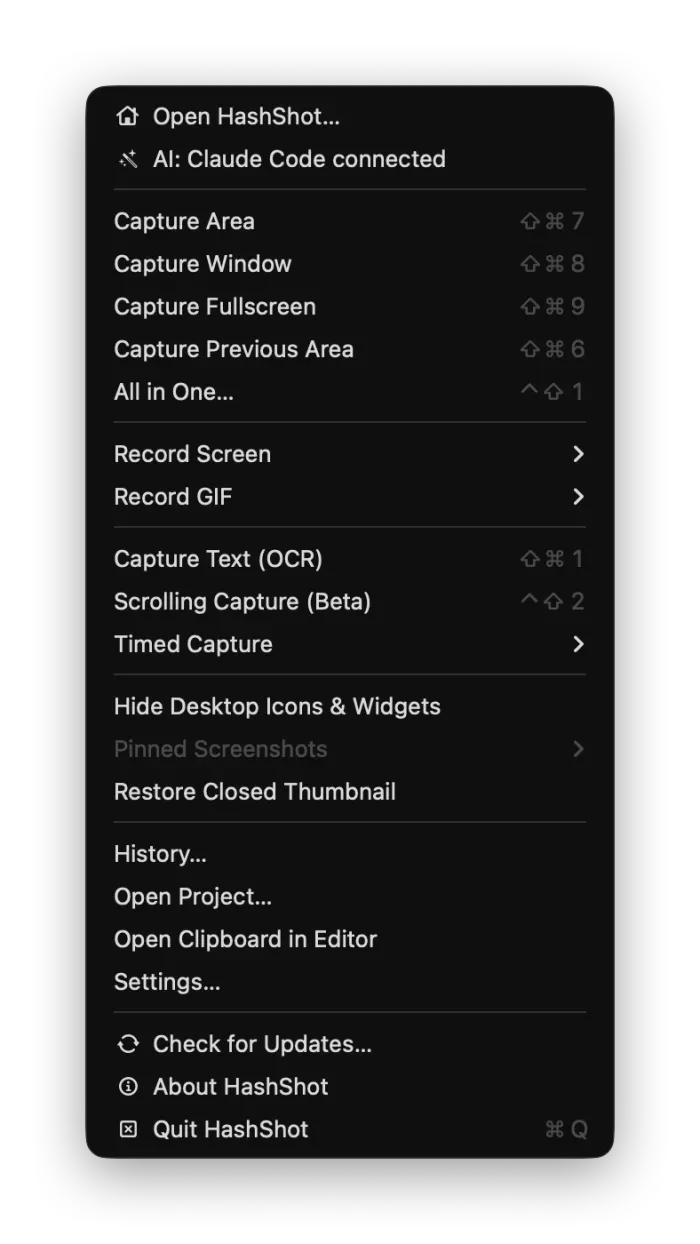
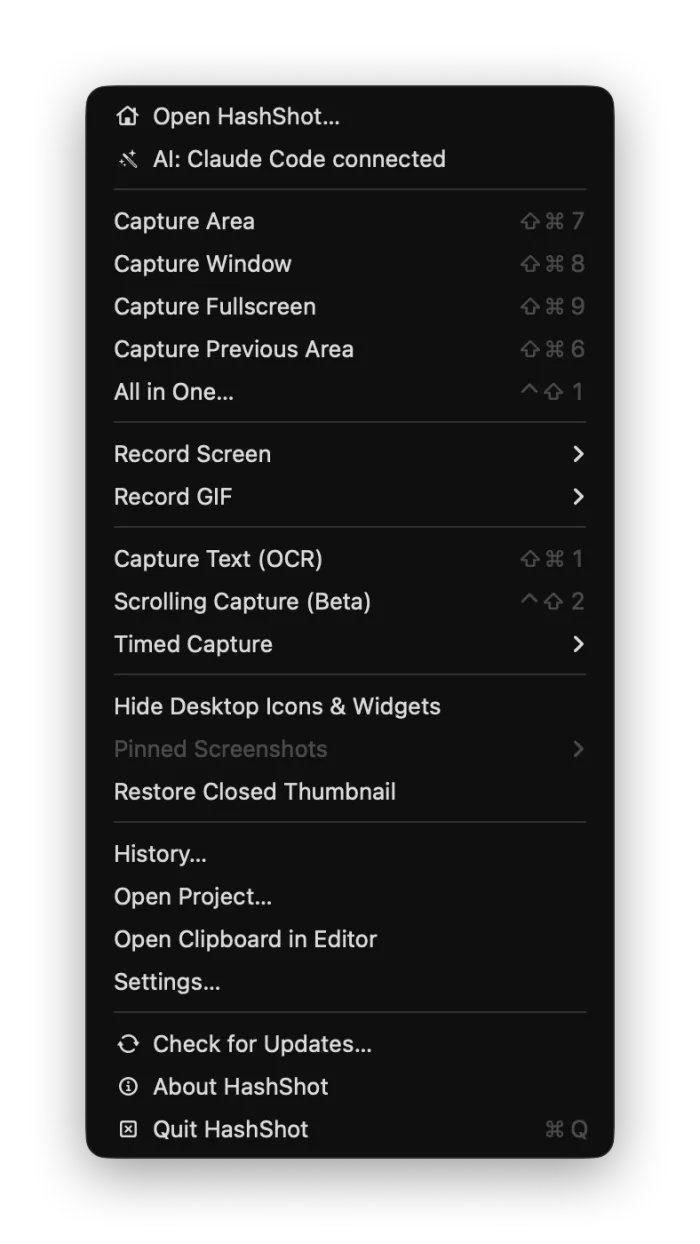
HashShot puts its capture tools in a menu bar menu. The menu lists area, window and full-screen capture, a repeat of the previous area, an All in One mode, screen and GIF recording, text capture with OCR, scrolling capture and timed capture. Each item has a keyboard shortcut.
Captures open in an editor with annotation tools, step badges, background styling and automatic redaction. The Studio mode records the screen with smooth pointer movement, zoom, a camera bubble and captions. The app also supports automation through Shortcuts, scripts and hashshot:// links, and it can work with AI agents over MCP. According to the website, it asks permission before an AI records or captures.
Files stay local. The website says captures, recordings, text and history stay in your Library folder, and the app contacts its server only for license activation, update checks and what you choose to send.
The trial lasts seven days and needs no account. After the first year of included updates, renewals are optional.
Sources checked on November 2, 2026: official site. This is a review of publisher documentation, not a hands-on test.
Consider These Alternatives
Different approaches to a similar job. Read each review before choosing.
FAQ
How much does HashShot cost?+
A one-time license costs $25 and comes with a 7-day free trial that needs no account. Updates are included for the first year, and each further year of updates is an optional $19.
Which capture modes does the menu bar menu offer?+
Capture Area, Window and Fullscreen, Capture Previous Area, All in One, Record Screen, Record GIF, Capture Text (OCR), Scrolling Capture (beta) and Timed Capture.
Does HashShot upload my captures?+
No. The website says captures, recordings, text and history stay in your Library folder. The app contacts the server to activate the license, check for updates and send only what you choose. Anonymous usage counts are shared only if you enable them.
Can HashShot record from the microphone?+
Yes, but microphone recording needs macOS 15 Sequoia or later. The app itself runs on macOS 14 Sonoma or later.