Hindsight provides instant replay functionality for Mac gaming, holding a rolling buffer of gameplay footage in memory so users can save a clip after an unexpected moment without recording entire sessions. ($19.99, one-time)
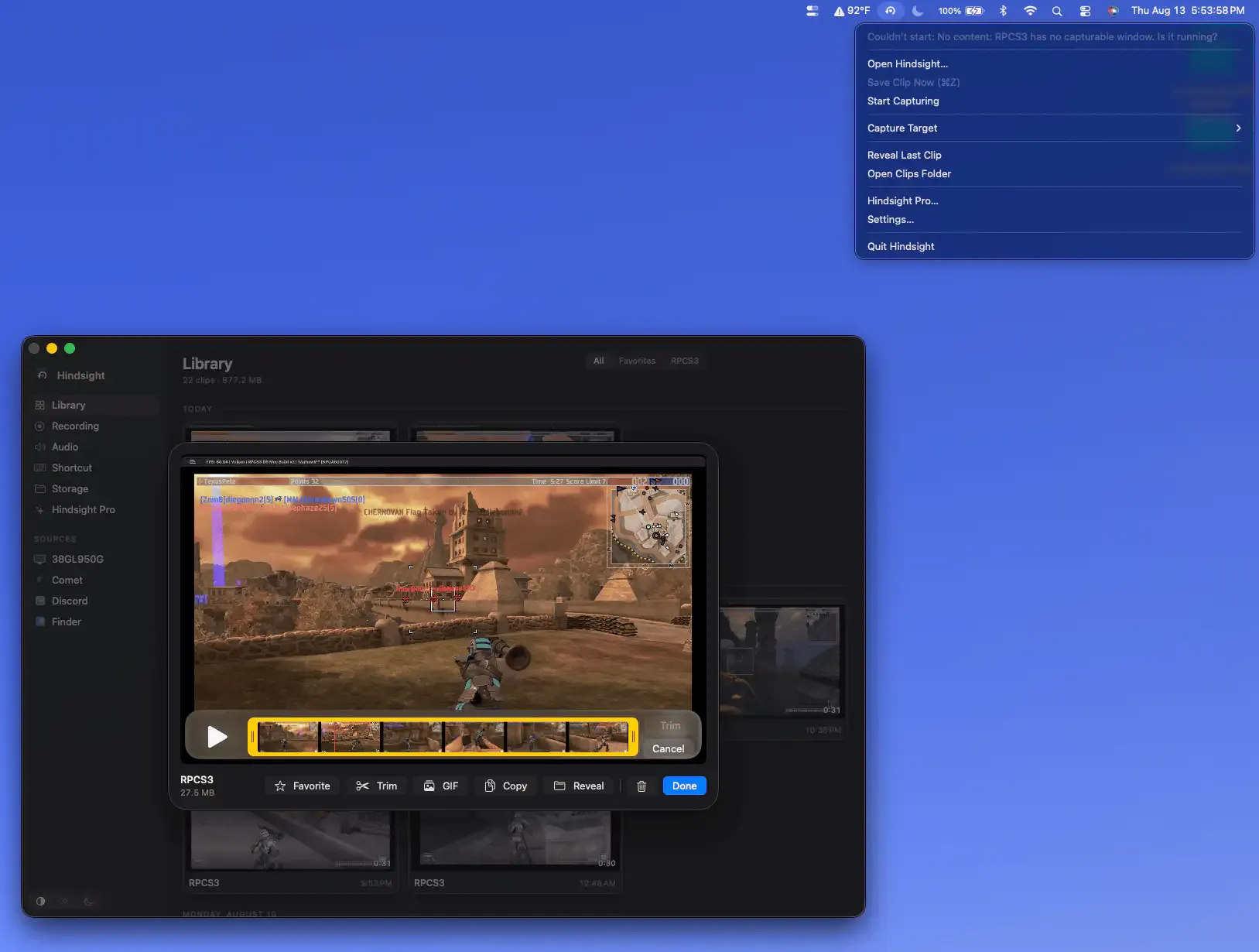
The buffer duration is adjustable from 15 seconds to 5 minutes. Video and audio are captured continuously from a selected game window or display using Apple’s hardware media engine. Pressing the configured global hotkey writes the buffered footage to disk as an MP4 file in under one second, with lossless trimming available without re-encoding. Game-specific audio isolation captures only the game’s audio track rather than system sounds or microphone input.
Clips are stored in a game-organized library accessible from the menu bar, grouping recordings by the captured application for easy browsing. GIF export is available for sharing short moments. The menu bar interface provides controls for starting and stopping the buffer, adjusting duration, and reviewing recent clips without launching a separate window.
Hindsight works with games running through Steam, CrossOver, Game Porting Toolkit, Parallels, emulators, and browser-based games. It does not require game-specific integration: capture operates at the window or display level, making it compatible with any game that renders to a standard macOS window.
System requirements: macOS 14 Sonoma or later. Supports Apple Silicon and Intel Macs. Screen recording permission required.
Pricing: $19.99, one-time (14-day free trial, no payment card required).
Limitations: Longer buffer durations increase RAM usage significantly. High-resolution capture at maximum duration may require 2–4 GB of available memory. No cloud upload or direct sharing integration is included. Recording only works with windowed or display capture, not with individual app layers.
Alternatives: OBS Studio (free, comprehensive recording but no instant replay buffer by default), QuickTime Player (free, built-in, manual recording only), ShadowPlay (NVIDIA hardware only, Windows-focused).
Suitable for Mac gamers who want automatic gameplay capture without pre-recording entire sessions, especially for titles running on Steam, emulators, or compatibility layers.


