
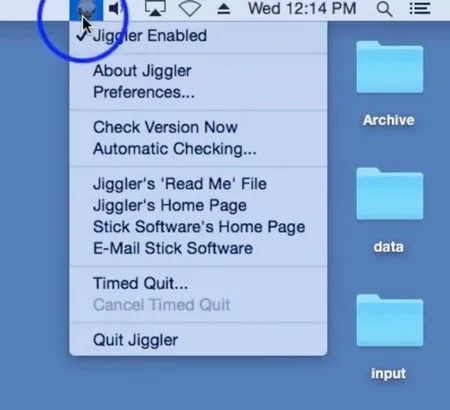
Jiggler is a free, open-source Mac utility that prevents the system from sleeping by simulating mouse movement at configurable intervals, offering trigger-based control for scenarios where manually adjusting Energy Saver settings is impractical. (Free, open-source)
The app provides multiple activation modes beyond simple interval-based jiggling. Users can configure Jiggler to activate only when the CPU is busy, while specific applications are running, during media playback in iTunes or Music, or whenever CD/DVD media is inserted. An idle detection mode skips cursor movement while the user is actively working, preventing interference during normal sessions.
Jiggler’s approach differs from macOS-API-based alternatives: it directly moves the mouse cursor rather than using system-level wake assertions. Version 1.10 introduced a “Zen jiggle” mode that performs imperceptible micro-movements to keep the system awake without visibly displacing the cursor position. This makes the tool suitable for environments where cursor drift would otherwise be disruptive.
The app includes a preferences panel for configuring intervals and activation triggers, and a timed quit feature that automatically closes Jiggler after a specified duration. Version 1.10 (released December 9, 2025) added macOS 26 (Tahoe) compatibility. Source code is maintained on GitHub under GPL-3.0 and accepts pull requests for useful features.
System requirements: Compatible with modern macOS versions; version 1.10 explicitly supports macOS 26 Tahoe. Requires Accessibility permissions to simulate mouse input. App size is approximately 1.5 MB.
Pricing: (Free, open-source) — GPL-3.0. No cost, no in-app purchases.
Limitations: Standard jiggling mode moves the cursor visibly (Zen jiggle mode reduces this). The codebase is approximately 15 years old, built in legacy Objective-C, and is not under active development. Apple Silicon native build is not explicitly confirmed. No Mac App Store distribution.
Alternatives: Amphetamine (free, App Store, uses system sleep assertions without cursor movement), Caffeine (simpler interface, also free), KeepingYouAwake (open-source, uses macOS power management APIs rather than cursor movement).
Suitable for users who need a lightweight, open-source sleep prevention tool with flexible app-specific and CPU-based triggers, particularly when App Store restrictions make alternatives unavailable.


