
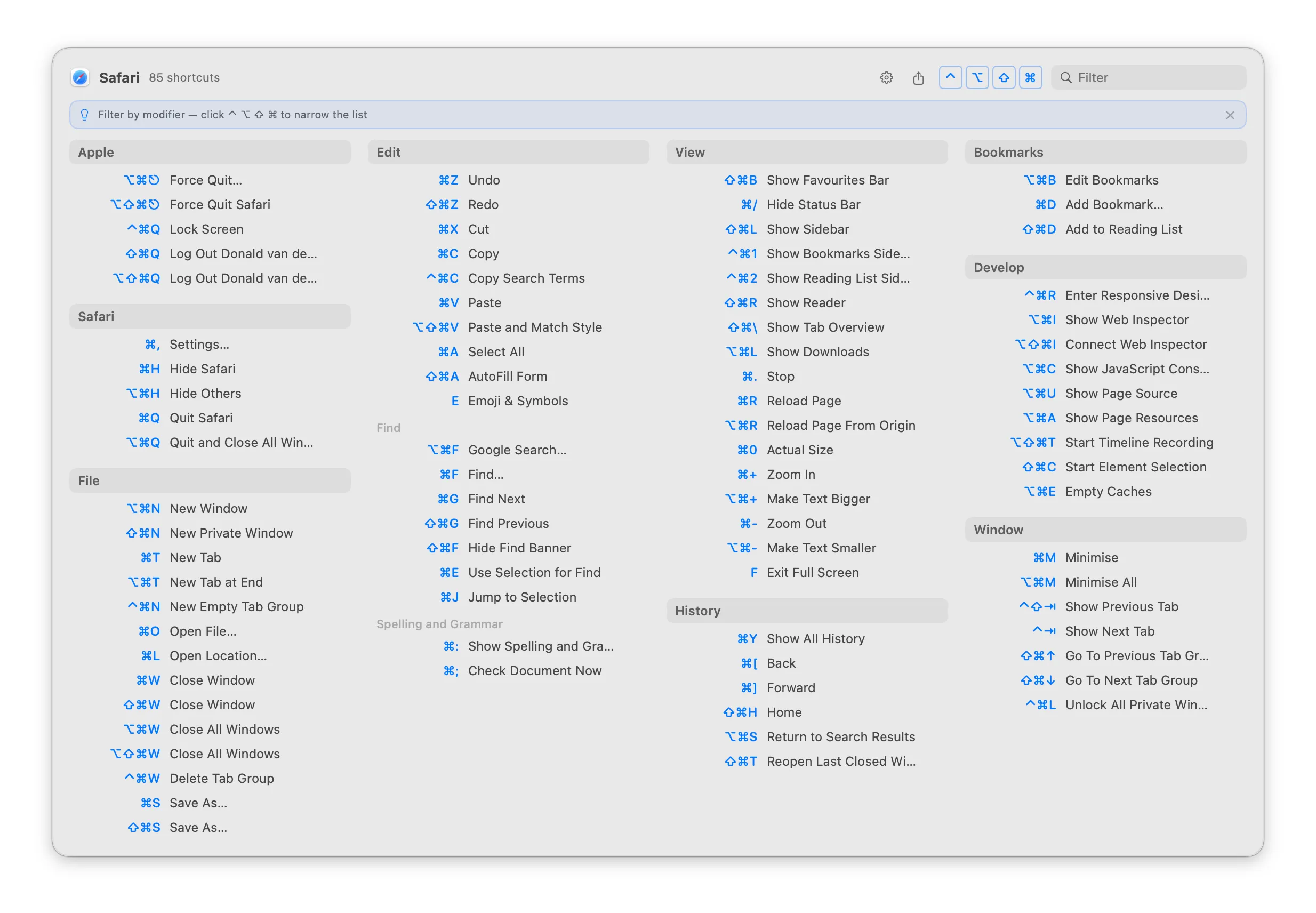
KeyMinder is a free, open-source menu bar app that surfaces all keyboard shortcuts for the currently active macOS application in a searchable popup. (Free, open-source)
Discovering keyboard shortcuts in an unfamiliar application typically requires visiting the app’s Help menu, browsing documentation, or installing a separate cheat sheet. KeyMinder addresses this by reading the frontmost application’s menu structure in real time and presenting every available shortcut organized by menu category. The popup is triggered by a user-defined hotkey or by double-tapping a modifier key.
The popup includes a search field that filters shortcuts as the user types, with Tab navigation to execute a matched command directly—eliminating the need to memorize the shortcut before using it. Modifier key filtering narrows the list to shortcuts using Control, Option, Shift, or Command, making it easier to scan for specific key combinations. A favorites pinning system allows frequently used shortcuts to be surfaced at the top of the list.
Additional capabilities include one-click shortcut execution from the popup, Markdown export of the current app’s shortcut list, and support for 16 interface languages. VoiceOver accessibility is supported. The app requires Accessibility permission to read application menu hierarchies.
System requirements: macOS 14 Sonoma or later. Accessibility permission required. Available via Homebrew or direct download (ZIP).
Pricing: (Free, open-source)
Limitations: Requires macOS 14 Sonoma or later, excluding Ventura and earlier. Shortcut discovery is limited to commands exposed through the application’s menu system; shortcuts defined outside menus (e.g., custom hotkeys in some apps) may not appear. Accessibility permission requirement may be a concern in managed or restricted environments.
Alternatives: CheatSheet (free) shows shortcuts on long-pressing ⌘ without requiring Accessibility permission. Rocket Typist includes a snippet and shortcut reference sidebar. The built-in macOS Help menu provides shortcut lookup within each app without additional software.
Suitable for users learning new productivity apps, power users cataloging shortcuts across multiple tools, or anyone who wants instant shortcut lookup without switching to documentation.


