PasteClip is a free, open-source clipboard manager for macOS that maintains a searchable history of copied content and provides keyboard-driven access to past clips. (Free, open-source)
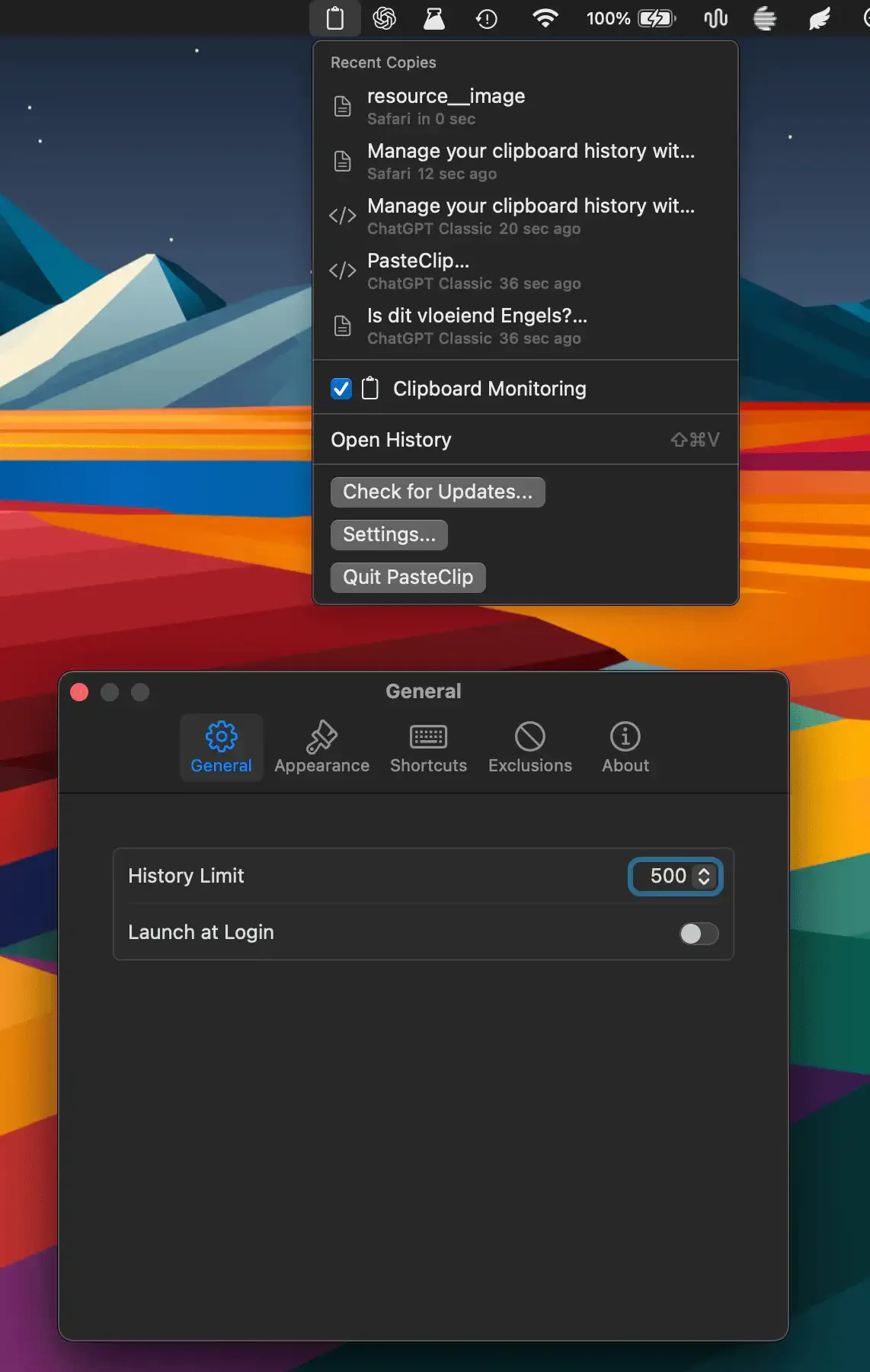
The app captures every clipboard entry including plain text, rich text, images, file references, code snippets, colors, and URLs. Pressing ⌘⇧V opens the history panel without changing the active app, allowing users to search, preview, and paste without losing focus on their work. Content type filtering lets users narrow results by category—for instance, showing only images or code entries within a given time range.
Quick Look preview is available by pressing Space on any selected clip, displaying the full content before pasting. Pinboards provide a drag-and-drop organization layer for frequently used items such as template text, API keys, or recurring snippets. The panel closes automatically after pasting, keeping the clipboard history out of the way when not in use.
All storage is local: PasteClip uses SwiftData for persistence with no cloud sync, no accounts, and no telemetry. Application exclusions allow users to prevent sensitive apps—such as password managers—from contributing to the history. Settings include configurable history size, keyboard shortcut customization, and launch-at-login control.
System requirements: macOS 14 Sonoma or later. Available via Homebrew tap (minsang-alt/tap/pasteclip) or direct download from GitHub Releases.
Pricing: Free, open-source (GPL-3.0).
Limitations: History sync across multiple Macs is not supported. The app is early-stage with 121 GitHub stars as of mid-2026, so some edge-case bugs may remain. No iCloud or LAN sync options are available.
Alternatives: Paste ($2.49/month, iCloud sync and iOS companion), CopyClip (free, simpler feature set), ClipBook (free for basic tier, more polished UI).
Suitable for users who want a privacy-focused, open-source clipboard manager with strong keyboard support and local-only storage, particularly developers managing code snippets and repetitive text.


