
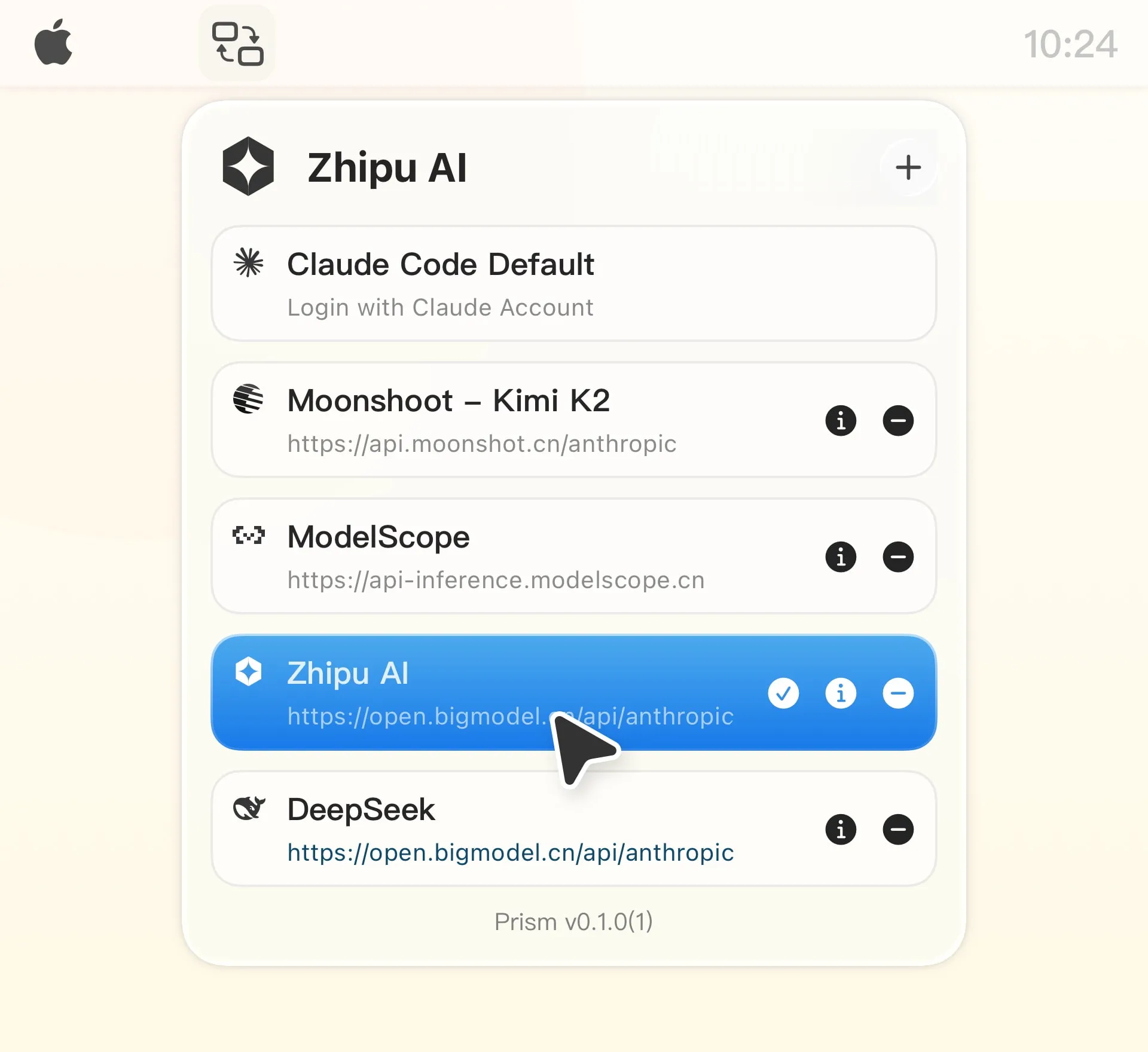
Prism enables one-click switching between Claude Code API providers from the menu bar, eliminating manual editing of ~/.claude/settings.json configuration files. Users select their preferred provider from the menu bar icon, and the app handles all configuration changes automatically.
The app supports multiple providers out of the box, including Zhipu AI, z.ai, Moonshot AI, DeepSeek, Aliyuncs, ModelScope, and others. Custom provider configuration is available for services not on the default list. Smart configuration management automatically detects and imports existing Claude Code settings, preserving API keys without manual re-entry.
Security implementation keeps all data local on the device using macOS sandbox security. API keys are stored only on the local machine with no external server transmission. Real-time sync detects external changes to configuration files, maintaining consistency if manual edits are made.
The interface is minimal, sitting in the menu bar without consuming Dock space. Performance impact is negligible. The app is free and open source with no subscriptions, tracking, or hidden costs. An optional donation link supports development.
System requirements include macOS 14.0 or later and Claude Code installation. Current version is 0.1.1, indicating early development stage with core functionality operational.
Limitations include exclusive focus on Claude Code users, meaning the app has no utility outside that specific workflow. The macOS 14.0 requirement excludes users on older systems. As early-stage software, feature depth may be limited compared to manual configuration flexibility.
Alternatives include manual JSON configuration editing or shell scripts for automated provider switching.
Suitable for users who regularly switch between different AI providers in Claude Code, work with multiple accounts, or need quick provider changes based on regional service availability or pricing considerations.


