
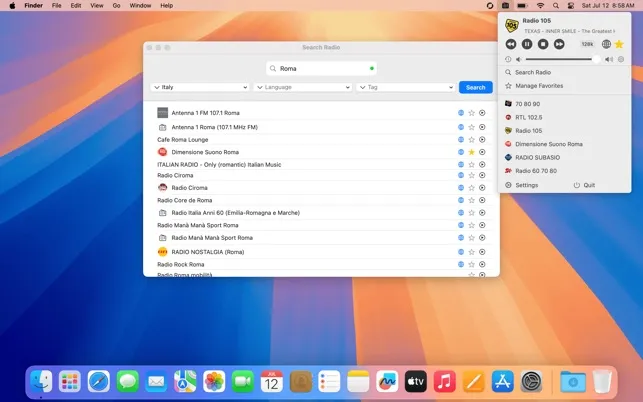
RadioBar provides access to over 50,000 radio stations worldwide directly from the Mac menu bar. The app addresses a common frustration with radio streaming on macOS: bloated music applications or browser tabs consuming system resources when users simply want straightforward radio access.
Stations are organized by country, language, and genre tags, enabling users to search for specific stations, browse by location, or explore different genres. The station discovery interface supports building a personalized collection of content across news, music, and international broadcasts.
A notable feature is the independent volume control that operates separately from system audio, allowing radio levels to be adjusted without affecting notification sounds or other applications. Current track information displays in the menu bar when available, and the app automatically logs the last 100 played songs for reference.
The favorites system supports up to 20 stations, providing a balance between choice and simplicity. An auto-shutdown timer enables the stream to stop automatically after a set duration without leaving background processes running, useful for falling asleep to radio.
Requirements include macOS 15.2 or later. The app supports 15 interface languages and custom notifications for track changes. At 828KB, RadioBar maintains minimal resource footprint.
Pricing is $2.99 (one-time) on the App Store with no subscriptions or advertisements.
Limitations include the recent macOS version requirement, which excludes older systems, and the 20-station favorites cap, which may feel restrictive for users monitoring many stations.
Alternatives include Radio Paradise (free streaming service with dedicated app) and Broadcasts (iOS/macOS app with curated stations).
Suitable for users who prefer traditional radio over algorithm-driven music services or want to explore international radio content with minimal system impact.


