
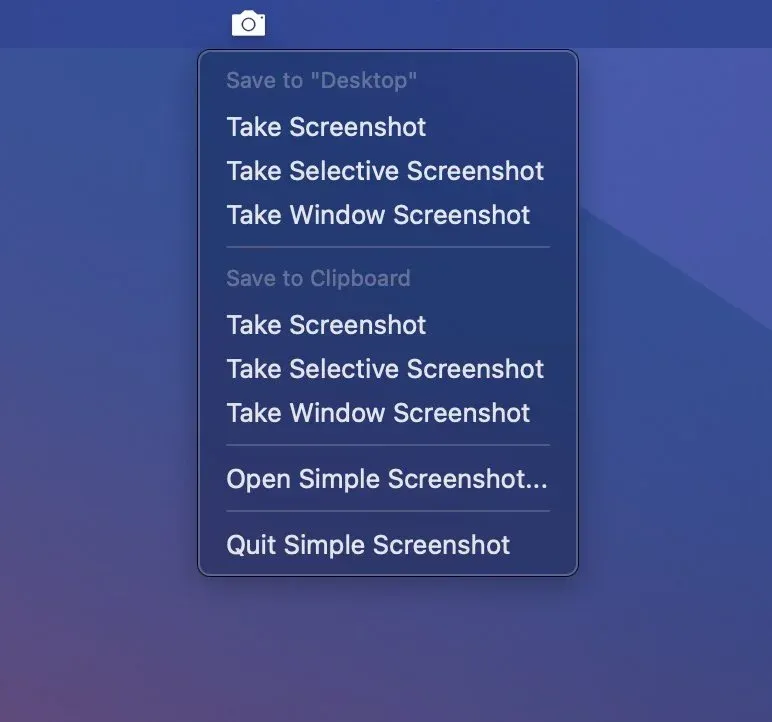
Simple Screenshot provides menu bar access to screen capture functions, replacing macOS keyboard shortcut combinations with a click-based interface for full screen, area, and window captures.
The app addresses the cognitive load of remembering screenshot shortcuts (Command-Shift-3, Command-Shift-4, etc.) by presenting all capture options through a unified menu bar interface. Users click the icon and select the desired capture mode rather than recalling specific key combinations.
Multiple capture modes include full screen, selected area, and specific window. Output destinations support custom folder locations or direct clipboard copying. Format options include PNG, JPG, PDF, GIF, and BMP, providing flexibility for different use cases.
Additional features include sound control to disable the camera shutter during video calls or quiet environments, automatic Preview launch for immediate annotation, and multi-monitor support with options to capture all connected displays or only the primary screen.
The app is optimized for Apple Silicon and runs efficiently on macOS Sequoia. The developer (Geenen ICT, Netherlands) offers bulk licenses for corporate and educational deployments.
Requirements: macOS 11.0 Big Sur or newer. Available on Mac App Store for $4.99 (one-time purchase) with all updates included.
Limitations: No cloud sync or screenshot history features; file management relies on Finder or user-configured systems. Adds a menu bar icon, which may concern users with crowded menu bars.
Alternatives: Native macOS shortcuts (free, requires memorization); CleanShot X ($29, extensive annotation and cloud features); Shottr (free, feature-rich with scrolling capture); Snagit ($62.99, comprehensive screen capture suite).
Suitable for users who take screenshots regularly but prefer visual menu selection over keyboard shortcuts, or who need quick access to format and destination options.
