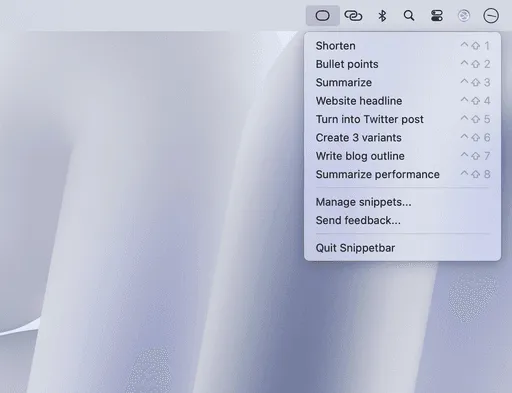
I spend far too much time copying text from one app, switching to ChatGPT, pasting it in with a prompt, waiting for the response, then copying that back to where I started. Anyone working with AI tools regularly knows this dance. Last week I found Snippetbar, and it eliminated the entire round trip.
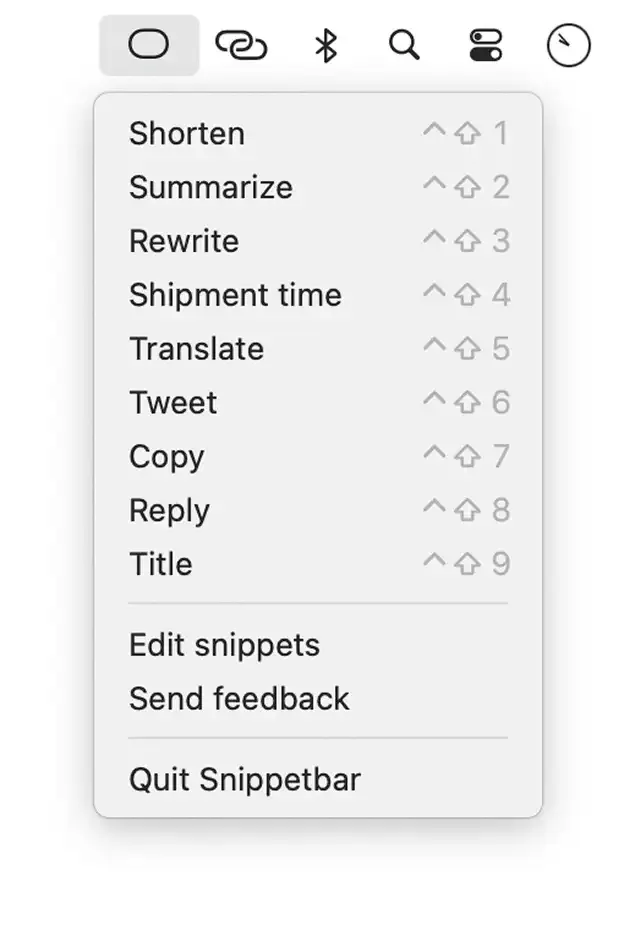
The concept is brilliantly simple. You create custom prompts in the app, and each one appears in your menu bar. When you need to process text, copy it to your clipboard, click your prompt, and paste the AI-processed result back wherever you need it. The whole workflow happens in seconds without leaving your current application.
What makes this work so well is the {clipboard} variable system. Your prompts can inject whatever you’ve copied directly into the AI request. I created one that says “Fix grammar and spelling in: {clipboard}” for cleaning up quick emails. Another reads “Summarize this in 3 bullet points: {clipboard}” for condensing long articles. The flexibility is remarkable once you start building prompts around your actual workflow.
The app comes with OpenAI integration built in, which means no fiddling with API keys or managing separate accounts. Martin Rariga, the developer, handles the API connectivity behind the scenes. Your snippets are stored locally on your Mac, and only the copied text gets sent to OpenAI when you execute a prompt. This approach balances convenience with reasonable privacy expectations for an AI tool.
I’ve been using this on my M2 MacBook Air for about two weeks now, primarily for writing tasks. When I’m drafting content, having instant access to reformatting, tone adjustment, or expansion prompts right in the menu bar has become second nature. The app uses minimal resources and stays out of the way until you need it.
One limitation worth noting: Snippetbar is Mac-only. If you work across Windows machines, you’ll need to find a different solution. The app also requires an active internet connection since it’s calling OpenAI’s API in real time. Offline processing isn’t an option here.
The pricing model is straightforward. Pay $19 once and you own it. No subscription, no recurring fees, unlimited snippet creation. For anyone running similar AI prompts repeatedly throughout the day, that’s a reasonable investment. Compare it to the time spent context-switching to web interfaces or managing separate AI tools.
After two weeks of daily use, what stands out most is how naturally this fits into my existing workflow. I’m not changing how I work to accommodate the tool. The tool simply intercepts a task I was already doing and makes it faster. That’s the mark of well-designed utility software.
If you’re already using AI for text processing and find yourself constantly switching between apps to do it, Snippetbar is worth trying. It won’t revolutionize your workflow, but it will quietly make a repetitive task much faster.


