SpaceBar is a free, open-source menu bar utility that adds customizable spacers and dividers to the macOS menu bar, helping users separate and group their icons for a cleaner, calmer appearance. (Free, open-source)
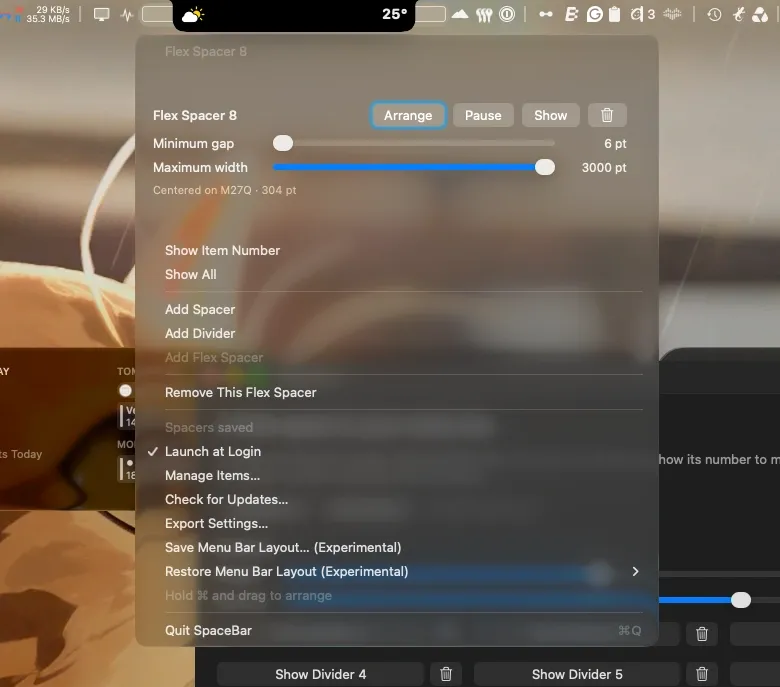
The core feature set includes fixed blank spacers, subtle visual dividers, and a single flex spacer that automatically adjusts its width as other menu bar items appear or disappear. Users position spacers by holding Command and dragging them into place, the same interaction used for rearranging any macOS menu bar item.
An experimental layout backup and restore feature allows saving and reloading spacer arrangements. The feature works with visible, identifiable icons but cannot restore missing or disabled items. macOS retains control over final icon placement, so some manual adjustments may be needed after a restore.
The app’s settings remain local on the Mac with no cloud sync or account requirement. The binary is Developer ID signed and notarized, and SHA256 checksums are published alongside each release for independent verification.
System requirements: Apple Silicon (arm64) Macs only; Intel Macs are not supported. The flex spacer feature requires Accessibility permission.
Pricing: Free and open-source. The developer accepts voluntary donations via Ko-fi.
Limitations: Intel Mac support is absent; the app runs only on Apple Silicon. The experimental layout restore cannot recover missing or disabled icons. SpaceBar does not hide icons, only adds spacing between them.
Alternatives: Bartender ($16, one-time) and Ice (free, open-source) both combine spacer functionality with icon hiding and more advanced organization features. Hidden Bar (free) provides simple icon hiding without spacing controls.
Suitable for users who want lightweight visual separation of menu bar items on Apple Silicon Macs without the overhead of a full menu bar manager.


