
AudioAnchor
Free, open-source menu bar app that keeps your Mac's sound output on a chosen device and switches it back when macOS moves it, including AirPods.
- Price
- Free
- Requires
- macOS 13 or later
- Runs on
- Not Listed
- Size
- Not Listed
- Around Since
- Not Listed
- Open Source
- Yes
- Last Checked
- 2026-11-09
Free, open-source (MIT license). No account.
License: MIT
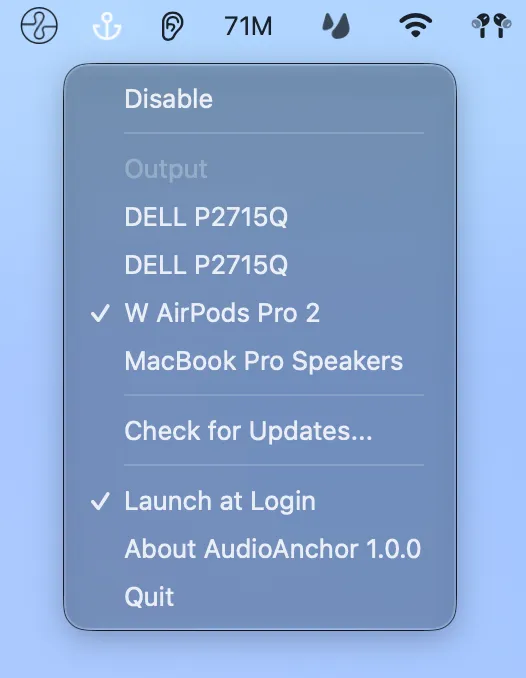
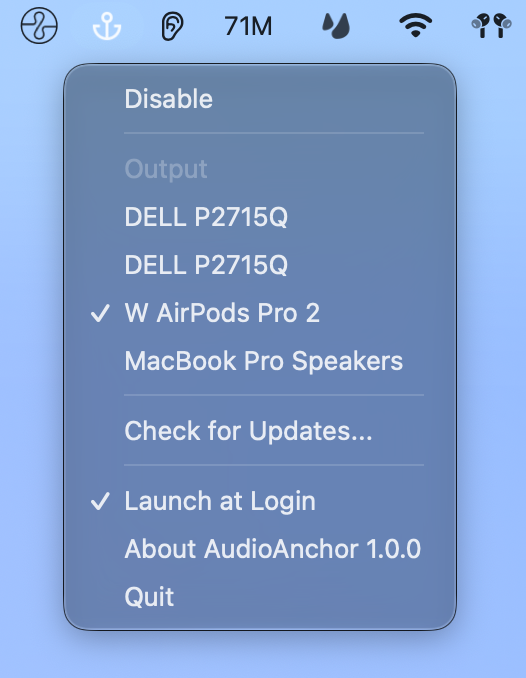 1 screenshot
At a Glance
Best For
Keeping Mac audio on your AirPods or another chosen output device.
The Catch
Devices are matched by name, and it only sets the system-wide default output, not per-app routing. Version 0.1.x does not update to 1.0 or later automatically.
About AudioAnchor
AudioAnchor puts an anchor icon in the menu bar. You pick one output device from the menu, and the app switches the output back to it whenever macOS moves it somewhere else. The case it targets is AirPods automatic switching, where your headphones jump to an iPhone and the next sound on the Mac plays from the built-in speakers.
Both the main output and the output for alerts and sound effects follow the anchored device. If the anchored device is a paired Bluetooth device that is not connected, AudioAnchor asks your Mac to reconnect it. You can disable anchoring from the menu without losing your choice. While it is disabled, choosing a device still switches to it once.
Install a signed and notarized release from GitHub, or use the Homebrew cask wata/tap/audioanchor. The app has a Launch at Login option and checks for updates itself. The README states that it has no account and no analytics. Version 1.0.3 is the latest GitHub release.
Sources checked on November 9, 2026: GitHub README and latest release. This is a review of publisher documentation, not a hands-on test.
Consider These Alternatives
Different approaches to a similar job. Read each review before choosing.
FAQ
What does AudioAnchor switch back?+
It sets the system-wide default output and the output for alerts and sound effects back to your anchored device whenever another output starts playing or the device list changes. It does not route individual apps to different devices.
Can AudioAnchor reconnect AirPods?+
Yes, if the anchored device is a Bluetooth device already paired with your Mac. AudioAnchor asks your Mac to connect to it, and macOS may ask for Bluetooth access the first time.
How do I install AudioAnchor?+
Download the signed and notarized build from GitHub releases, or run `brew install --cask wata/tap/audioanchor`. It checks for updates automatically.
Does AudioAnchor collect data?+
The README states there is no account and no analytics. The project is MIT licensed.