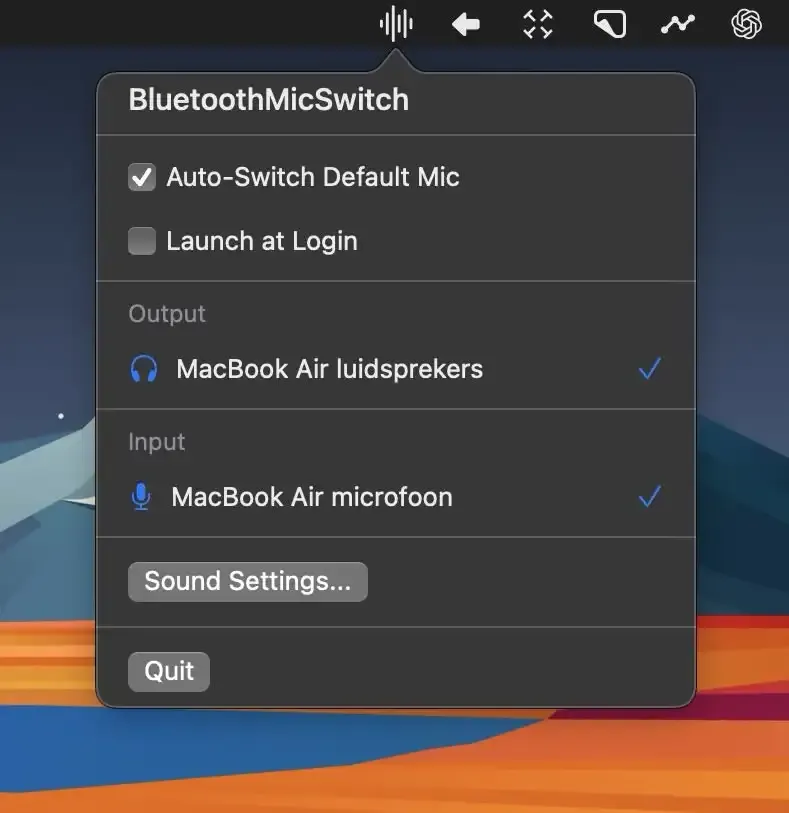
Bluetooth Mic Switch automatically routes audio input to the Mac’s internal microphone when Bluetooth headphones connect, solving a common audio quality problem during video calls.
The technical issue: Bluetooth has bandwidth limitations. When both input and output use Bluetooth simultaneously, the connection switches to a lower quality codec (typically HFP/HSP instead of A2DP), degrading both microphone quality and audio playback. By routing input through the Mac’s internal microphone while keeping Bluetooth for output only, the headphones maintain high-quality audio codec for playback while the built-in microphone provides clear voice capture.
The app monitors for Bluetooth headphone connections and automatically switches the system audio input device. A brief menu bar icon flash confirms the switch. The process works with AirPods, Beats, Sony, Bose, and other Bluetooth headphones. Users can configure the app to launch at startup for seamless operation.
Installation requires downloading the DMG from GitHub, moving the app to Applications, and granting audio device control permissions. Once configured, the app runs unobtrusively in the background with minimal resource usage.
System requirements: macOS (specific version requirements not documented; works with recent versions supporting standard audio routing APIs).
Pricing: Free, open-source. Source code available on GitHub.
Limitations: The Mac’s internal microphone picks up more ambient environmental sound than a close-proximity Bluetooth microphone. This approach works best for video calls and meetings; users recording audio or needing noise isolation should consider dedicated USB microphones. The automatic switching can be temporarily disabled via menu bar controls when needed.
Alternatives: Manual switching via Sound Settings (no app required), SoundSource (paid, broader audio routing control), Audio Hijack (paid, professional audio routing).
Suitable for users who frequently use Bluetooth headphones for video calls and want to avoid the manual process of switching audio input devices each time headphones connect.


