
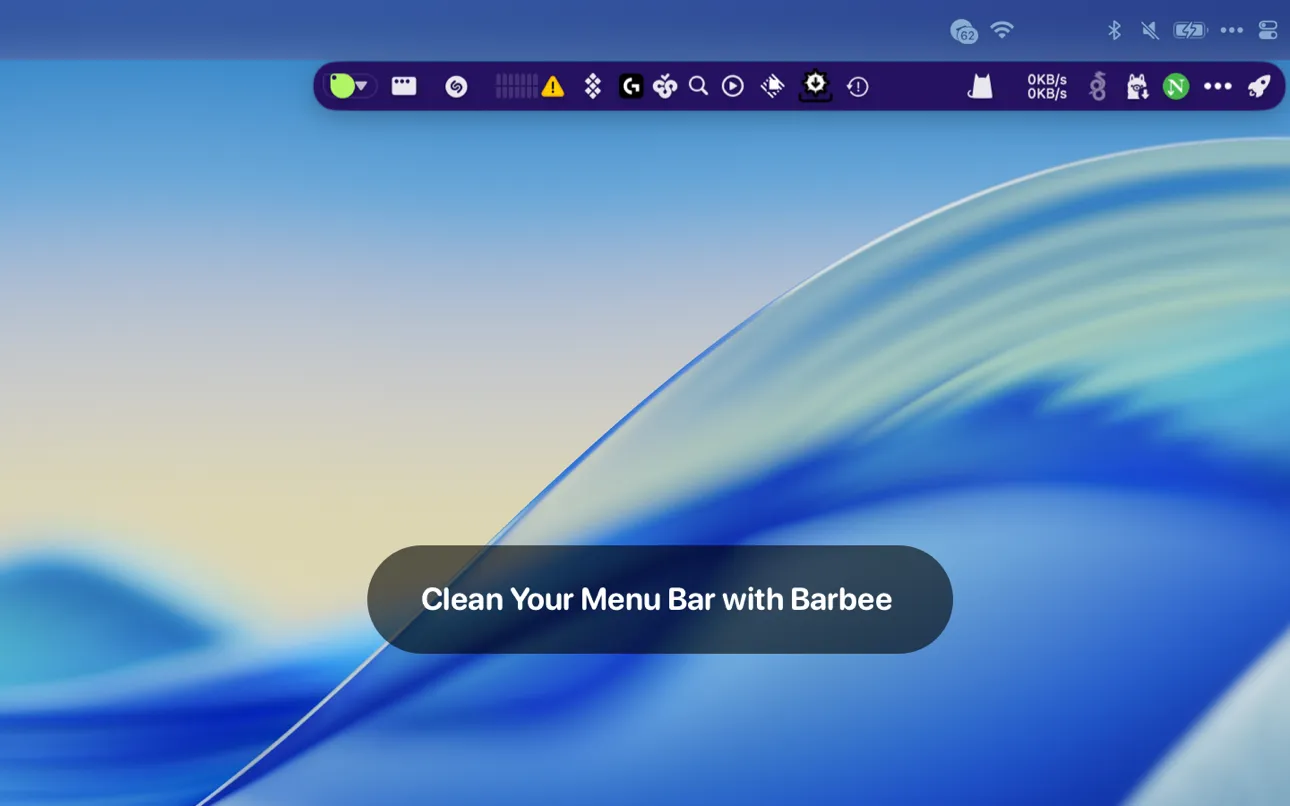
Barbee provides menu bar organization through smart hiding, automation triggers, and visual customization. The app addresses menu bar overflow by offering two operational modes: classic mode for simple show/hide functionality, and enhanced mode that adds a second menu bar row accommodating 20+ additional items.
The automation system enables context-aware menu bar layouts. Users can configure rules to show development tools when specific applications launch, hide communication apps during Focus sessions, or display system monitors when CPU usage exceeds defined thresholds. A Spotlight-style search (customizable keyboard shortcut) provides instant access to any menu bar item, including hidden ones.
Visual customization options include icon replacement with emoji or custom indicators, spacing reduction between items (potentially fitting 40% more items in the same space), and native support for macOS light and dark modes. The app is built with Swift and SwiftUI, ensuring native performance and system integration.
System requirements
- macOS 11.0 (Big Sur) or newer
- About 11MB disk space
- Runs entirely offline with no data collection
- Pricing: free download; $12.99 lifetime or $4.99/year (3-day free trial)
Limitations
- No AppleScript support for external automation workflows
- Keyboard shortcuts apply to sections only, not individual menu bar items
- Support limited to email and WeChat channels
Alternatives
- Bartender 6 (paid): More features including presets and AppleScript
- Ice (Free, open-source): Basic hiding without automation
- Hidden Bar (Free): Simple show/hide functionality
Suitable for users with 15+ menu bar items who need automated context-switching and visual organization beyond basic hiding functionality.


