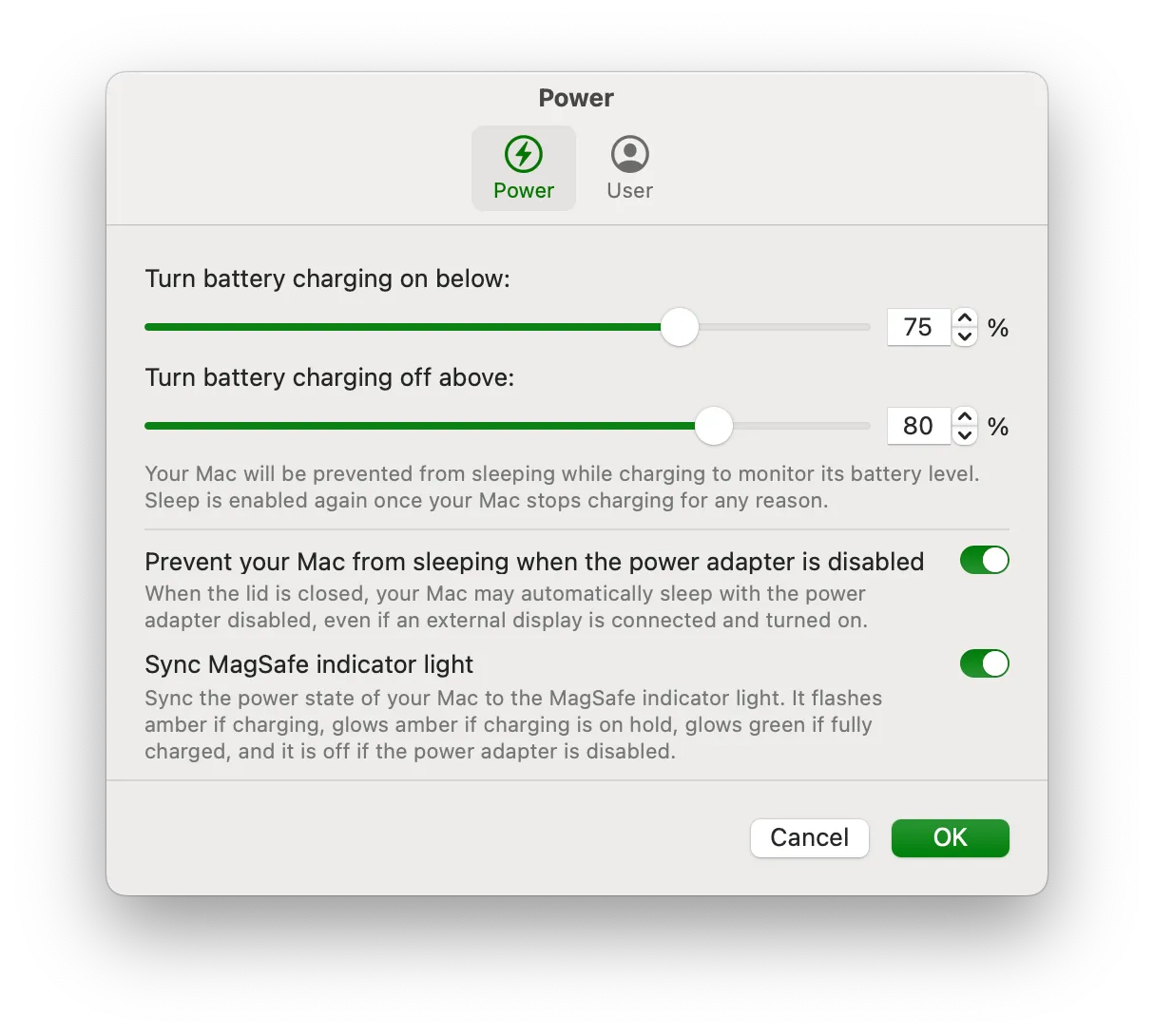
Battery Toolkit provided precise control over Apple Silicon Mac power states: upper and lower battery charge limits, disabling the power adapter without unplugging it, and manual charge commands from the menu bar. The GitHub repository was archived on 21 March 2026 and is read-only. The last release is 1.8 (August 2025). The author has noted that macOS 26.4’s system charging cap can make the tool largely ineffective.
The app allows setting a maximum charge level (minimum 50%) and a minimum discharge level (minimum 20%), creating custom charge cycles. When the battery reaches the upper limit, charging automatically stops. When it drops to the lower limit, charging resumes. Users can also manually disable the power adapter through the app without physically unplugging it, useful for forcing discharge cycles.
Before using Battery Toolkit, “Optimized Charging” must be disabled in System Settings > Battery, as the app requires direct control over the charging system. The menu bar interface shows current battery status and allows quick adjustments to charging parameters.
The source remains available under BSD-3-Clause. Historical installs used the GitHub zip (Battery-Toolkit-1.8.zip, not a dmg) or Homebrew (brew tap mhaeuser/mhaeuser then brew install battery-toolkit). The app is not Apple-notarized, so first launch goes through System Settings > Privacy & Security.
System requirements: Apple Silicon Macs only. Requires macOS Ventura (13.0) or later. Project archived 21 March 2026.
Limitations: No further updates. macOS 26.4 system charging limits can override the app. The interface is minimal. Manual battery management requires understanding of lithium-ion behavior. Apple’s Optimized Charging already covers most users. Releases are zip archives, not dmg files.
Alternatives: AlDente offers similar charge limiting with a more polished interface and additional features. Apple’s built-in Optimized Charging handles battery management automatically for users who prefer a hands-off approach.
Suitable only as a historical reference or for users still running older Apple Silicon macOS versions who already have a working copy. New users should prefer a maintained charge limiter such as AlDente.


