
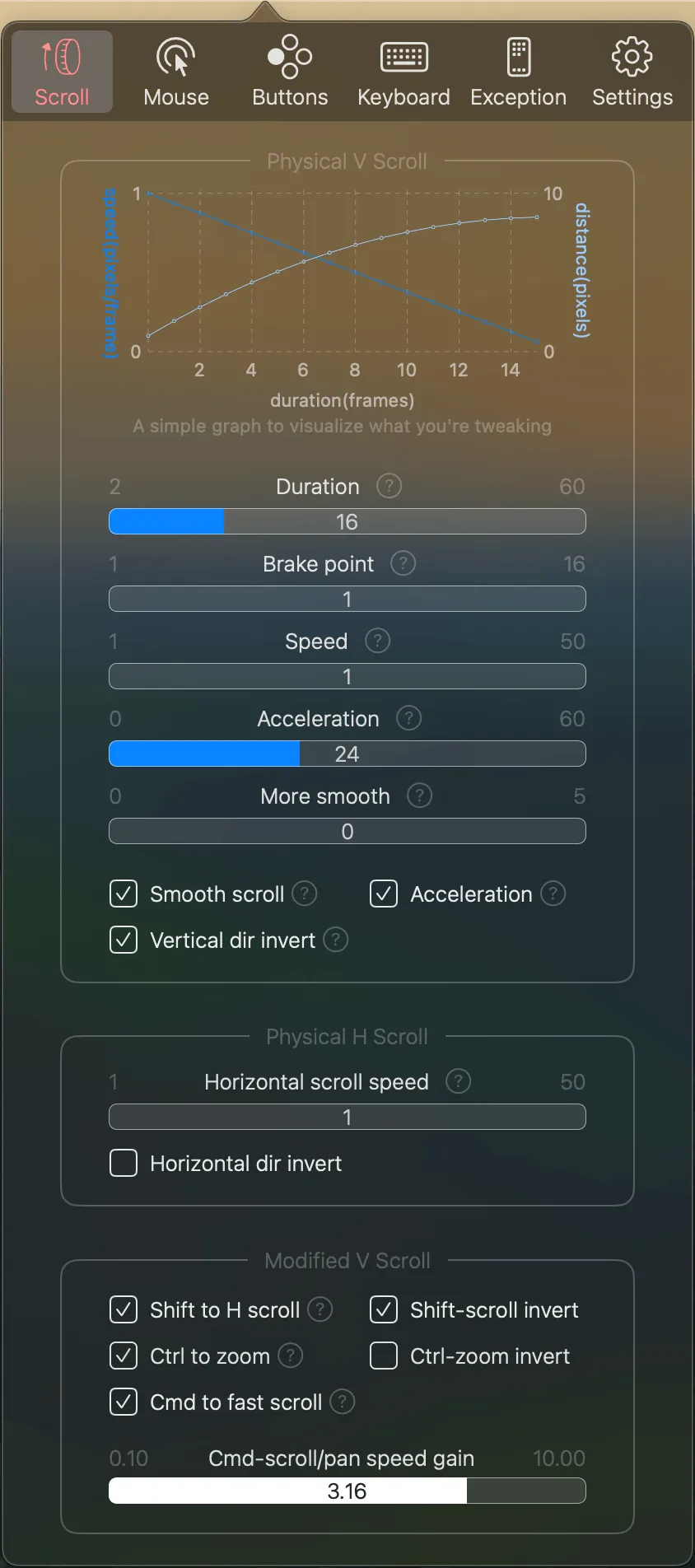
BetterMouse provides smooth scrolling, precise cursor control, and comprehensive button mapping for third-party mice on macOS. The app serves as a lightweight alternative to manufacturer software like Logitech Options, addressing macOS’s native limitations with external mice.
The scrolling system offers configurable duration, direction, and acceleration settings. Users can enable discrete scrolling with or without acceleration, or use mouse drag panning for scroll-wheel-free navigation. The cursor control separates acceleration from speed—something macOS handles poorly by default—allowing users to disable acceleration entirely or fine-tune it precisely. An FPS counter verifies mouse polling rate performance.
For Logitech MX Master series mice, BetterMouse provides deep hardware integration: DPI adjustment, onboard profile management, thumbwheel configuration, and vendor-defined button mapping. The app includes built-in Unifying and Bolt receiver pairing tools, potentially eliminating the need for Logitech Options entirely.
Button mapping supports every action type (click, drag, hold, hold-scroll) with keyboard shortcut assignments and modifier key combinations. The per-app settings feature enables different configurations for specific applications. Additional keyboard customization includes hotkey mappings and physical key-to-key substitutions.
System requirements: macOS 14.0 Sonoma or newer. Intel and Apple Silicon compatible. App size: 3.4MB.
Resource usage: Approximately 50-80MB memory, minimal CPU impact. No extensions, drivers, or hidden background agents. Apple-notarized app with no network access beyond essential functions.
Pricing: $7.99 one-time purchase (5 activations). 7-day free trial with full functionality.
Limitations: Advanced hardware-specific features (DPI adjustment, profile management) optimized primarily for Logitech devices. Other mouse brands receive scrolling improvements and button mapping but may lack brand-specific settings.
Alternatives: SteerMouse ($19.99, similar features), Logitech Options (free, higher resource usage), Mac Mouse Fix (free, open-source, basic features).
Suitable for users who want improved third-party mouse behavior on macOS without the resource overhead of manufacturer software, particularly Logitech MX Master series owners seeking a privacy-focused, lightweight alternative.


