I got on a video call with a distributed team last month and my voice sounded like I was speaking through a tin can. The room went quiet, someone politely muted me, and I spent the next minute frantically switching audio settings while the call continued without me. The culprit turned out to be a well-known Bluetooth limitation: when macOS uses the same Bluetooth connection for both audio playback and microphone input, it drops to a lower-quality codec that degrades both the mic and the headphones simultaneously. I had no idea this was happening until it embarrassed me in front of eight colleagues.
That incident pushed me to actually fix my Bluetooth setup rather than just live with it. After a few weeks of experimenting, I’ve settled on four small menu bar apps that address the recurring Bluetooth problems macOS never bothered to solve properly.

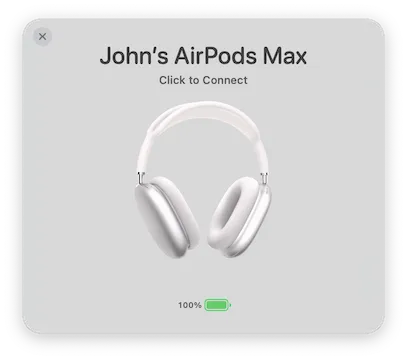
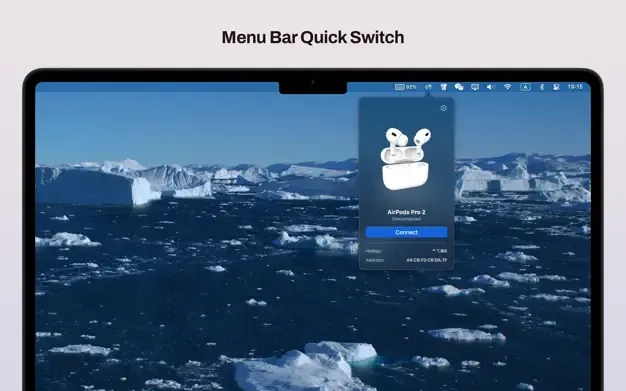
The first problem is device switching. If you own multiple Apple devices, you’ve probably experienced AirPods connecting to the wrong one—usually your iPhone when you wanted your Mac. AirBuddy ($9.99, or included with Setapp) brings iOS-style AirPods connection popups to macOS, showing battery status the moment you open the case near your Mac. More usefully, it adds a Magic Handoff feature that lets you transfer Bluetooth devices between Macs on the same network with a right-click, without the tedious disconnect-reconnect cycle. I use this daily when moving between my MacBook Air at my desk and a second machine—transferring my headphones takes one click instead of a two-minute Bluetooth negotiation. AirBuddy also monitors battery levels for connected iPhones, iPads, Magic accessories, and Apple Watches from the menu bar, which has saved me from dead headphones in more meetings than I care to admit.

If your Bluetooth setup includes non-Apple hardware—gaming controllers, Sony or Bose headphones, a third-party keyboard—Sharptooth ($4.99) fills the gap. It assigns custom hotkeys to specific devices, so pressing a defined keyboard shortcut connects your headphones without touching the mouse or opening System Settings. The menu bar popover shows live battery percentages and signal strength for everything paired, which helped me discover that my wireless keyboard was sitting at 8% battery before it died mid-sentence. The 3D device visualization is a small touch that makes it easier to distinguish between two similar-looking devices. Sharptooth works efficiently with up to six or eight hotkeys before combinations start feeling crowded, which covers most setups.

The third problem is subtler but genuinely annoying: a sleeping Mac that keeps connecting to nearby paired devices. My laptop, closed and sitting on the desk overnight, would sometimes pick up my Bluetooth speaker and interrupt whatever was playing through it. Bluesnooze (Free, open-source) solves this with a simple approach—it automatically disables Bluetooth when your Mac goes to sleep and re-enables it on wake. There’s no configuration beyond “launch at login.” The app uses private macOS APIs to control Bluetooth state, which means it’s incompatible with the “Allow your Apple Watch to unlock your Mac” feature. If you use Apple Watch to unlock, you’ll have to choose between the two. For everyone else, Bluesnooze installs via Homebrew (brew install bluesnooze) and then completely disappears from your attention.

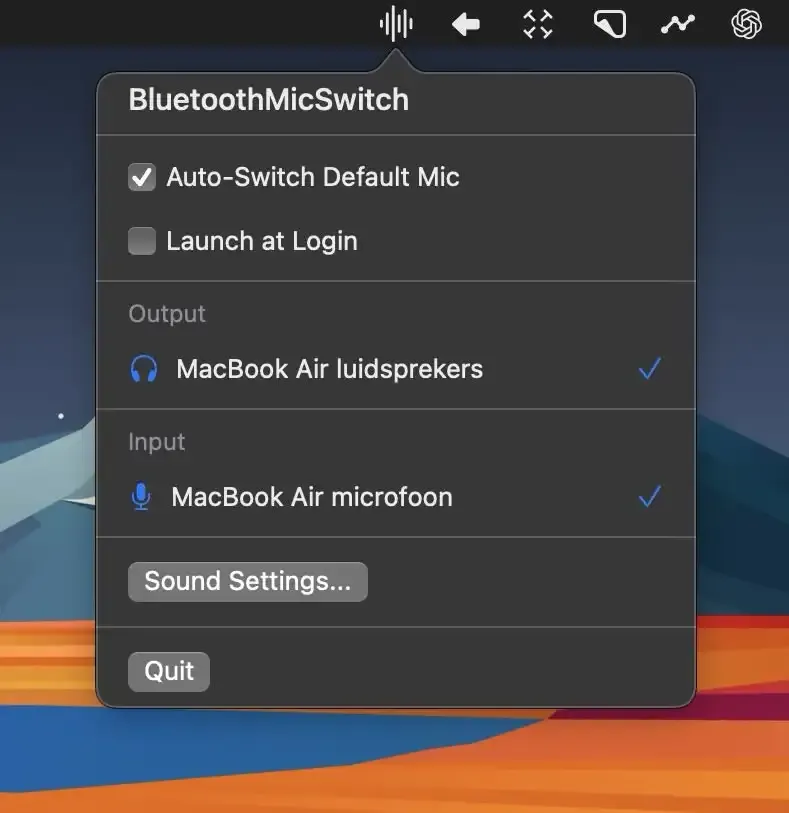
The fourth app addresses the audio quality problem that started all of this. Bluetooth Mic Switch (Free, open-source) automatically switches your audio input to the Mac’s built-in microphone whenever Bluetooth headphones connect. The technical explanation is straightforward: Bluetooth doesn’t have enough bandwidth to handle both high-quality audio output and microphone input simultaneously. When both are active, macOS downgrades to a lower codec, making headphones sound worse and the mic sound worse at the same time. By routing input through the internal microphone, headphones stay on the high-quality codec for playback. The trade-off is that the internal mic picks up more ambient sound than an in-ear microphone—acceptable for video calls, less ideal for voice recording. After installing this, I’ve had zero call audio complaints, and the app itself uses negligible resources and requires no ongoing attention.
These four apps address different failure modes, so most setups won’t need all of them. AirBuddy makes sense if you’re deep in the Apple ecosystem with AirPods and multiple Macs. Sharptooth is better suited for mixed hardware environments where you need hotkey-driven switching. Bluesnooze is for anyone who’s had a sleeping Mac interrupt their Bluetooth speaker. Bluetooth Mic Switch is for anyone who’s ever been told they sound bad on a call while wearing Bluetooth headphones. At a combined cost of under $15 for the paid options—with two of the four being completely free—the value is hard to argue with. macOS Bluetooth mostly works, but these apps handle the parts it doesn’t.