
Callulu
A mindfulness-focused menu bar app providing eight visual cues to guide work rhythm without timers, tracking, or notifications.
- Price
- Free
- Requires
- macOS 13 or later
- Runs on
- Apple Silicon / Intel
- Size
- 11 MB
- Around Since
- 2026
- Open Source
- No
- Last Checked
- 2026-10-31
Both editions are free; the direct edition is pay what you like on Gumroad, and the Mac App Store edition has optional tips.
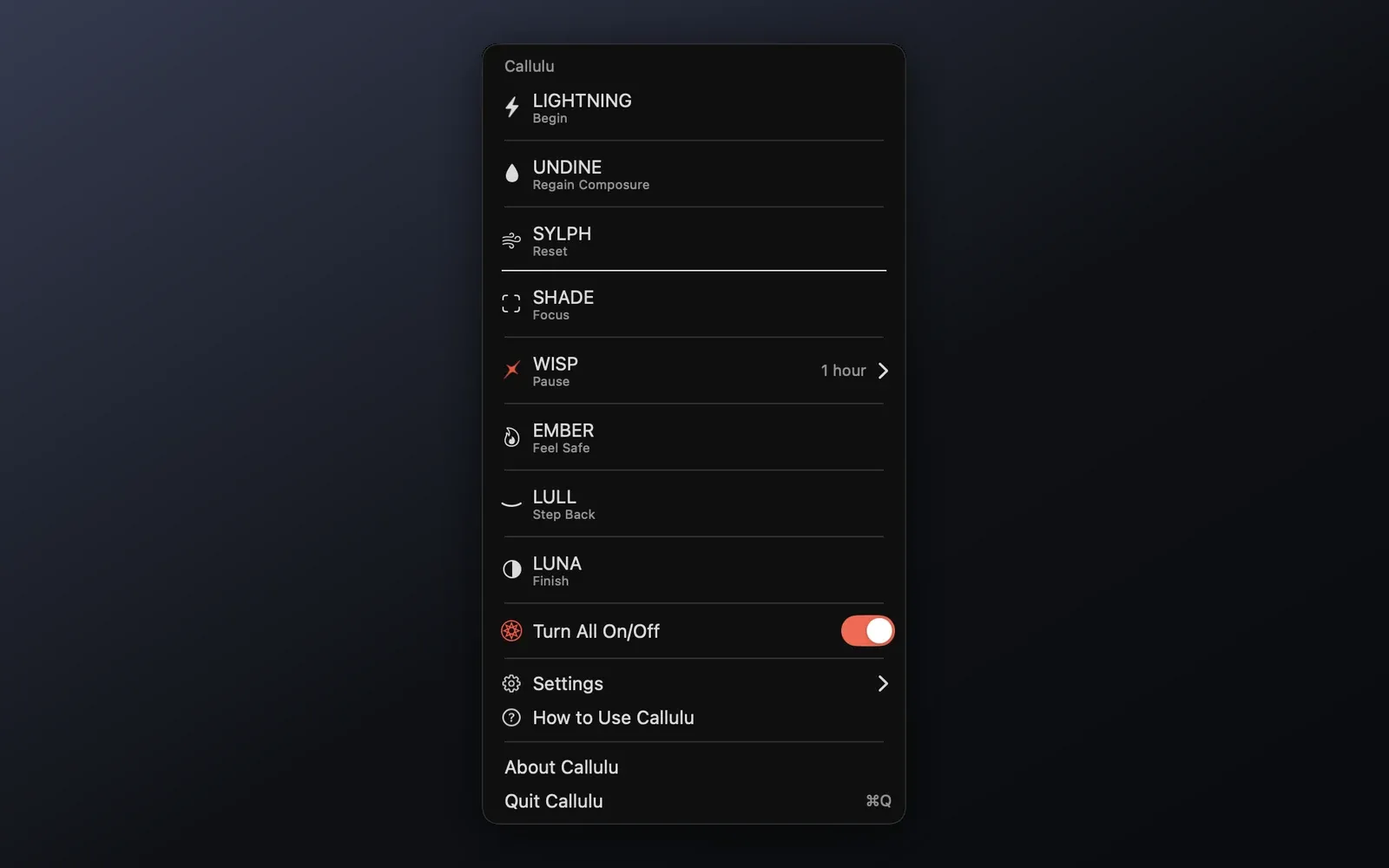
 1 screenshot
At a Glance
Best For
Pacing a workday with quiet visual cues instead of timers.
The Catch
Keyboard shortcuts are only in the direct edition and need Input Monitoring permission.
About Callulu
Callulu is a macOS menu bar app that provides eight screen-based visual signals to help users manage their workday — without timers, tracking, or push notifications. (Free)
The eight cues cover distinct work states: LIGHTNING signals the start of work, SHADE and WISP support deep focus, EMBER and UNDINE signal rest periods, LULL and SYLPH help with composure, and LUNA marks the end of the workday. Each cue produces a screen overlay effect rather than an alert window, keeping disruption minimal.
Users can customize each cue’s effect strength, screen position, and accompanying sound. The direct edition includes keyboard shortcuts for triggering any cue instantly, useful for interruption recovery. The LUNA cue supports scheduled activation, allowing it to fire automatically at a configured time. Callulu supports multiple displays and requires no account or network connection.
The design avoids productivity data collection entirely — no session tracking, no analytics, and no syncing. The app stores only user preferences locally on the device.
System requirements: macOS 13 Ventura or later. Compatible with Apple Silicon and Intel Macs.
Pricing: Free. The direct edition is pay what you like through Gumroad (enter 0 for free); the Mac App Store edition is free with optional tips.
Limitations: The App Store edition lacks keyboard shortcut support and the scheduled LUNA trigger available in the direct edition. There is no iOS companion app and no cross-device sync.
Alternatives: Lungo (simple menu bar session tool for focus), Time Out (scheduled break reminders with screen overlays), Mela-inspired dimming via Night Owl. No direct equivalent matches the cue-based, notification-free approach; the built-in macOS Focus modes provide limited overlap through notification filtering.
Suitable for users who prefer ambient, cue-driven work rhythm tools over timer-based productivity systems.
FAQ
What does Callulu do?+
Callulu provides eight distinct visual cues — LIGHTNING, SHADE, WISP, EMBER, UNDINE, LULL, SYLPH, and LUNA — that appear on screen to signal different work states: starting, focusing, pausing, regaining composure, stepping back, resetting, and finishing the day. It has no timers, notifications, or activity tracking.
Is Callulu free?+
Yes. Both editions are free. The direct edition from nowthy.com is pay what you like through Gumroad (enter 0 to get it free), and the Mac App Store edition is free with optional tip in-app purchases that change nothing in the app.
How do I install Callulu on macOS?+
Callulu is available directly from https://nowthy.com/ or from the Mac App Store. The app requires macOS 13 Ventura or later and runs on Apple Silicon and Intel Macs.
Does Callulu run on Apple Silicon?+
Yes. Callulu runs natively on Apple Silicon (M1, M2, M3, M4) and Intel Macs.
How do the visual cues work in Callulu?+
Each cue is a customizable screen overlay with adjustable effect strength, position, and optional sound. The direct edition includes keyboard shortcuts for activating each cue on demand. The LUNA cue can be scheduled to trigger automatically at a set time, such as end of workday.