
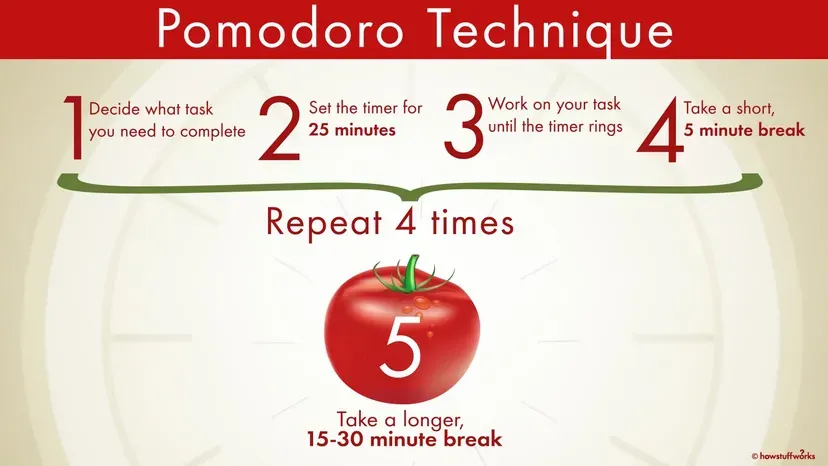
TimeMate provides Pomodoro timer functionality from the macOS menu bar with minimal design and automated workflows. The app implements the classic Pomodoro Technique with 25-minute focus sessions, 5-minute short breaks, and 15-minute long breaks, though every interval is fully customizable.
A notable feature is automatic cycle management. Once a timer starts, the app handles the entire sequence of focus sessions, short breaks, and long breaks without requiring manual intervention. This automation eliminates the friction of clicking through each transition, allowing users to maintain concentration.
The menu bar integration displays current timer status at a glance, with the entire interface accessible via one click. The minimal footprint ensures TimeMate complements rather than competes with other menu bar utilities. Notifications are deliberately gentle, signaling transitions without disrupting flow state.
The app is available on the Mac App Store and supports both English and Vietnamese languages. As a native macOS application, TimeMate maintains minimal resource consumption suitable for continuous operation without battery drain or system slowdown.
TimeMate is completely free with no in-app purchases or premium tiers. The app is fully open source under the MIT license with code available on GitHub. This transparency provides confidence in security and long-term viability, as the community can continue development if needed.
The app is developed by HomieLab, an independent developer who created TimeMate from personal need rather than commercial ambition. The GitHub repository shows active development with clear documentation. The developer accepts donations through Ko-fi to support continued development.
Limitations include the exclusive focus on timer functionality. Users requiring detailed productivity analytics, task management integration, or extensive customization options may prefer more comprehensive solutions like Session or Focus.
Alternatives include TomatoBar for open-source Pomodoro timing with JSON logging, or Focus for feature-rich productivity management. Suitable for users who want reliable Pomodoro timing without configuration overhead, particularly remote workers, developers, and writers maintaining focus across extended periods.


