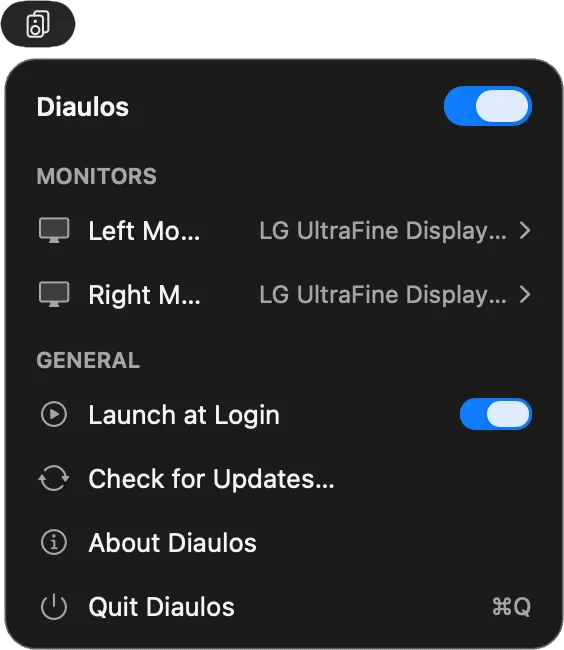
Diaulos routes the left channel of any stereo audio output to the left display’s built-in speakers and the right channel to the right display, delivering spatial stereo audio across a dual-monitor Mac setup. (Paid, one-time)
The app creates a private aggregate audio device that macOS routes system audio through, splitting the two stereo channels between the two physical outputs. This process requires no virtual audio drivers or third-party software beyond Diaulos itself. The aggregate device is hidden from Audio MIDI Setup and other audio applications, so existing audio workflows and preferences remain unaffected.
Standard macOS volume and mute keyboard controls function normally across both displays. The app introduces approximately 2.7 milliseconds of latency at 48 kHz, consistent with other software-based audio routing solutions and imperceptible for music or video playback. Auto-launch at login keeps the routing active across restarts without manual intervention.
Diaulos requires a one-time System Audio Recording permission on first launch, which macOS requests through the standard privacy prompt. The app is published by Penpoint Consulting and operates without transmitting audio or user data externally.
System requirements: Apple Silicon Mac, macOS 14.4 or later. Two output devices with built-in speakers required. One-time System Audio Recording permission.
Pricing: (Paid, one-time. Perpetual household license. Exact price at https://diaulos.app.)
Limitations: Requires Apple Silicon; Intel Macs are not supported. Effective stereo separation depends on the physical distance and placement of both monitors—monitors positioned side by side at typical desk distances provide moderate stereo width. Monitors with poor speaker quality will limit the audio improvement regardless of channel separation. The System Audio Recording permission is required, which some users may consider a sensitive entitlement.
Alternatives: No direct alternatives provide identical channel-split routing without additional software. Rogue Amoeba Loopback ($109, one-time) can configure similar multi-device audio routing with greater flexibility. BlackHole (free, open-source) provides virtual audio pass-through but requires manual Audio MIDI Setup configuration. The built-in macOS aggregate device tool in Audio MIDI Setup provides the underlying capability but requires manual configuration without a menu bar interface.
Suitable for users with a dual-monitor setup whose monitors have built-in speakers and who want genuine stereo separation across displays without configuring Audio MIDI Setup manually.


