
DiskPress
Free up Mac storage without deleting files using native compression and APFS deduplication, with background monitoring and CLI support.
- Price
- $9.99
- Requires
- macOS 10.15 or later
- Runs on
- Apple Silicon / Intel
- Size
- 2.6 MB
- Around Since
- 2026
- Open Source
- No
- Last Checked
- 2026-10-31
$9.99 on the Mac App Store.
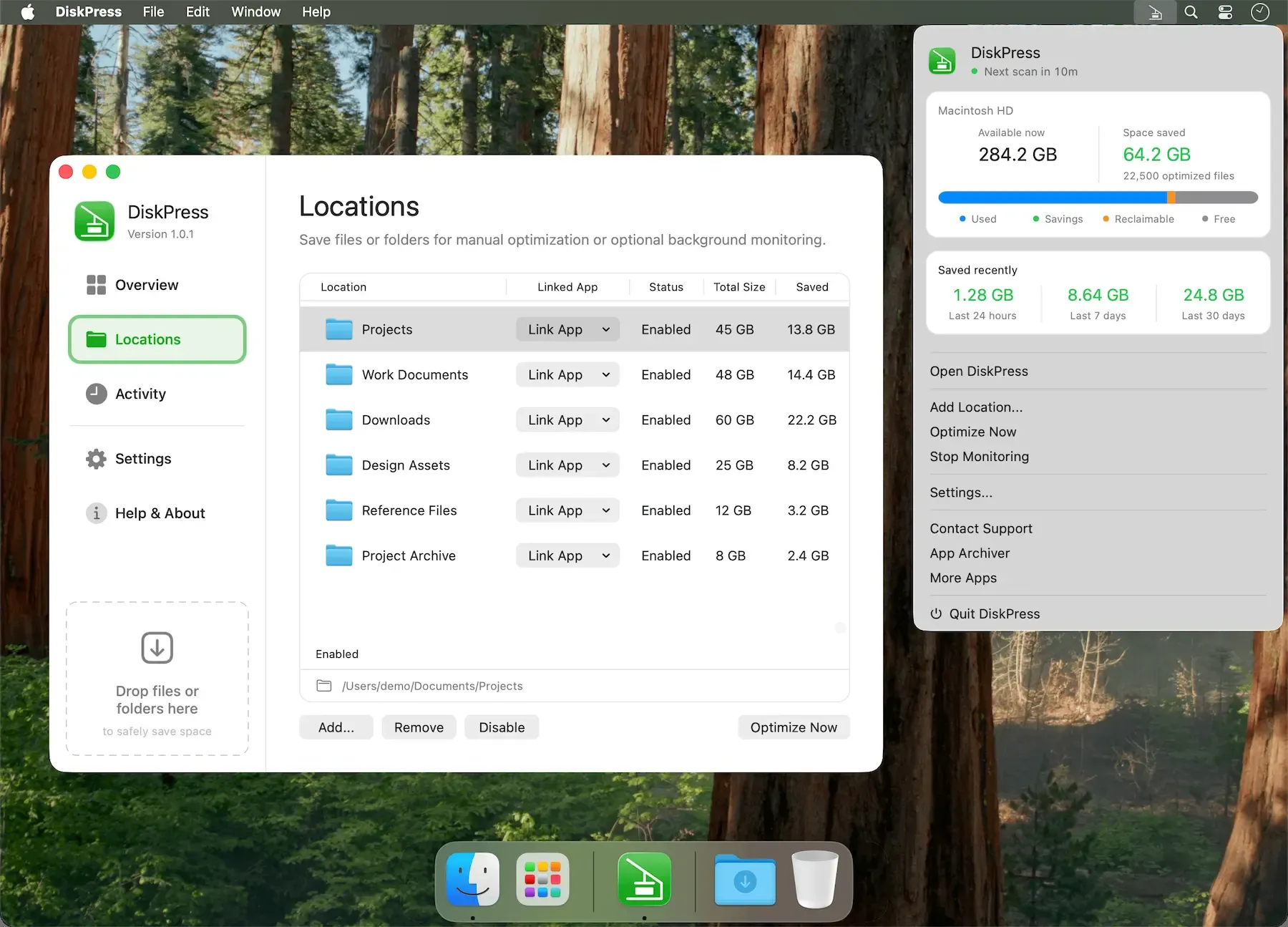
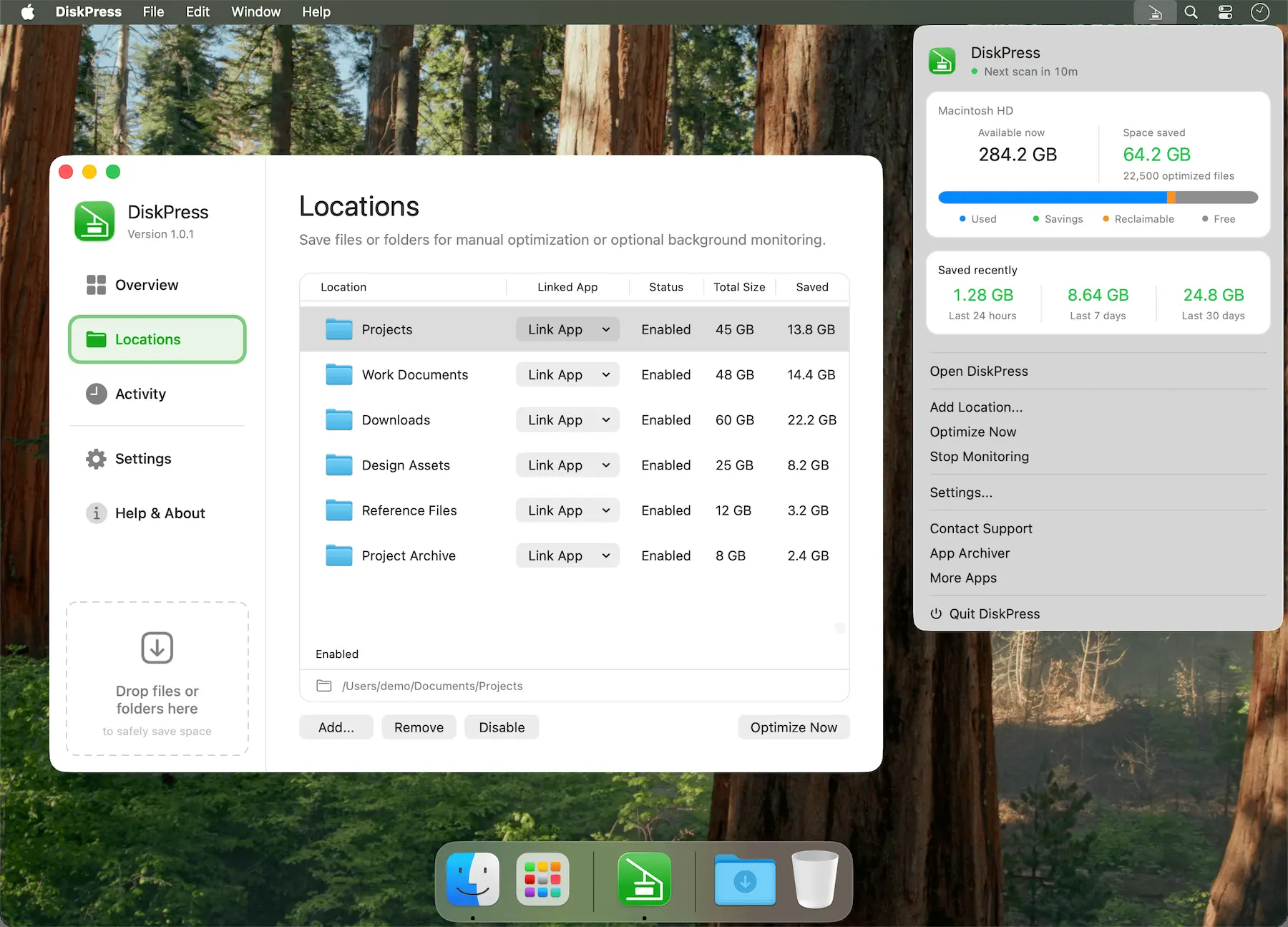 1 screenshot
At a Glance
Best For
Reclaiming disk space by compressing and deduplicating files in place.
The Catch
Deduplication only works on identical files within the same APFS volume, and cleanup profiles delete matching files.
About DiskPress
DiskPress is a Mac menu bar storage optimization tool that combines native file compression and APFS deduplication to reclaim disk space without deleting or moving files. ($9.99, one-time)
The compression engine targets supported file types and can achieve storage reductions of up to 50% on applicable content. APFS deduplication uses the file system’s copy-on-write mechanism to identify and eliminate redundant data blocks across enabled folders, reducing space consumed by duplicate files without merging or altering them from the user’s perspective. Files remain accessible in their original locations and open in associated applications normally after processing.
DiskPress runs background monitoring with adjustable CPU profiles to limit system impact during active use. A command-line interface supports integration with automation scripts and developer workflows. Customizable exclusion rules automatically bypass archives, media files, and executable binaries. Per-file activity logs allow review of the result of each compression or deduplication operation. All file processing occurs locally with no data uploaded.
System requirements: macOS 10.15 (Catalina) or later; requires APFS-formatted volumes for deduplication. Works offline.
Pricing: ($9.99, one-time.) Available on the Mac App Store.
Limitations: APFS deduplication applies only to APFS-formatted volumes; older HFS+ drives are unsupported for deduplication. Compression gains are zero for already-compressed formats including JPEG, MP4, and ZIP files. Pricing is not listed on the developer’s website without visiting the App Store.
Alternatives: OmniDiskSweeper (identifies large files for manual deletion, no compression); Disk Diag (free disk usage analysis without compression); CleanMyMac X (broader system cleaner with storage optimization features).
Suitable for users with APFS volumes who want automatic, non-destructive storage reclamation through compression and deduplication without managing file archives manually.
FAQ
What does DiskPress do?+
DiskPress reduces Mac storage usage by applying native file compression and APFS deduplication to user-selected folders. Files remain in their original locations and open normally; no files are deleted or moved.
Is DiskPress free?+
DiskPress costs $9.99 (one-time purchase) on the Mac App Store. No subscription is required.
How do I install DiskPress on macOS?+
Download DiskPress from the Mac App Store at https://apps.apple.com/app/apple-store/id6800504458. Requires macOS 10.15 (Catalina) or later. APFS-formatted volumes are required for the deduplication feature.
Does DiskPress run on Apple Silicon?+
Yes. DiskPress is compatible with Apple Silicon and Intel Macs running macOS 10.15 Catalina or later.
What file types does DiskPress compress or deduplicate?+
DiskPress compresses supported file types including documents and other compressible data. Archives, media files (JPEG, MP4), and executables are automatically excluded. APFS deduplication works across any file type by eliminating duplicate blocks at the file system level.