
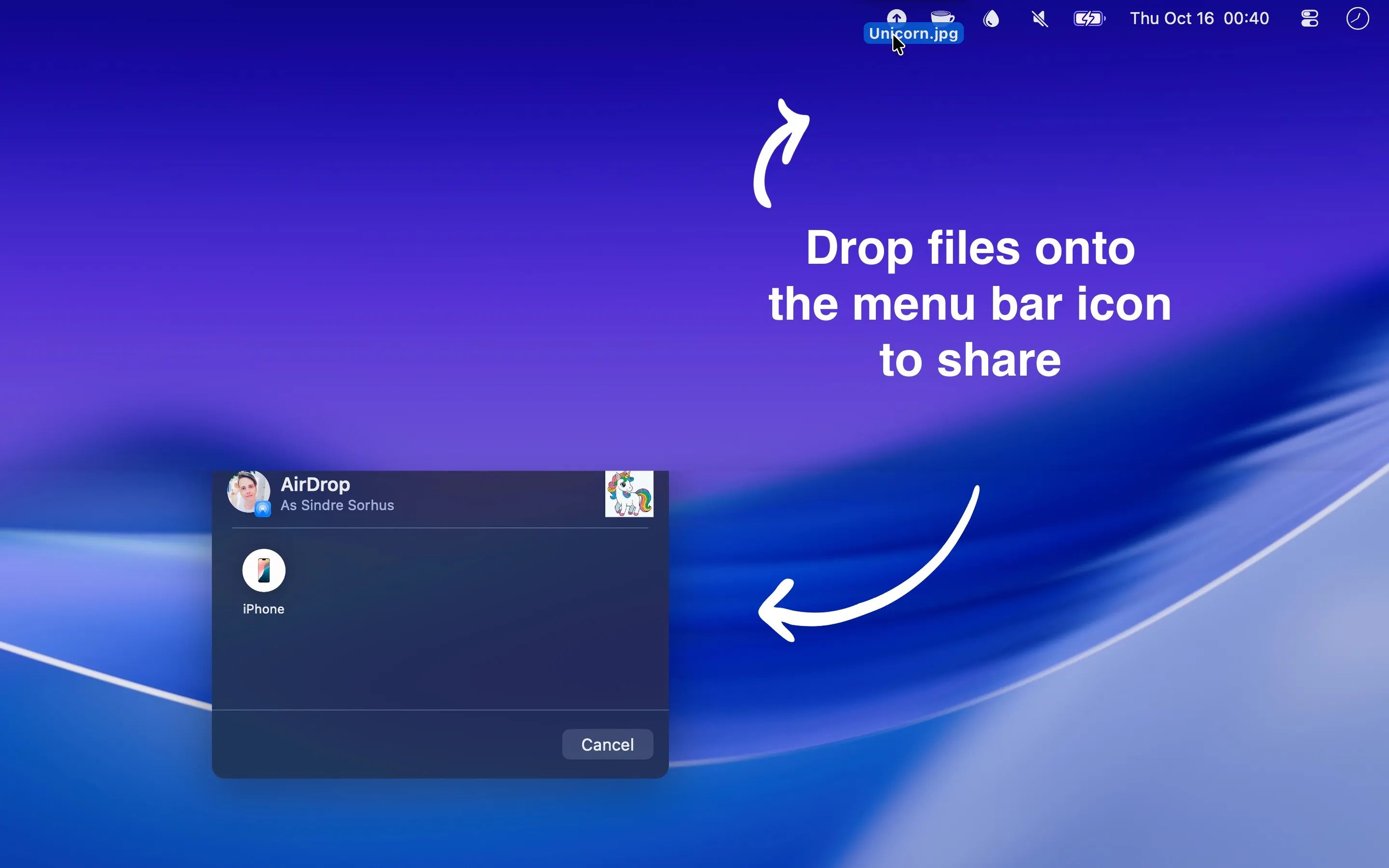
Menu Drop accelerates AirDrop file sharing by providing a drag-and-drop target in the menu bar. Instead of right-clicking files, navigating the Share menu, and selecting AirDrop, users drag files directly onto the menu bar icon to trigger the native AirDrop device picker immediately.
The app functions as a shortcut to macOS’s native AirDrop functionality rather than a replacement. It intercepts the drag action and presents the standard device selection interface, maintaining full compatibility with existing AirDrop settings and device visibility configurations.
A notable design decision involves network permissions. Menu Drop has zero network entitlements, meaning the app cannot access the internet under any circumstances. This architecture prevents any possibility of data transmission beyond the local AirDrop interaction, providing transparency for privacy-conscious users.
The current version requires macOS 26 or later. An older 0.9.0 release supports macOS 15+ for users on earlier systems. The app is available free on the App Store, with a non-App Store version also available for direct download. The non-App Store version updates approximately annually.
Menu Drop does not allow preselection of specific AirDrop targets. Each transfer presents the full device picker, requiring manual destination selection. Device discoverability depends entirely on system-level AirDrop settings; visibility issues indicate system configuration rather than app limitations.
The utility comes from developer Sindre Sorhus, whose macOS utilities consistently focus on single-purpose functionality rather than feature accumulation. This approach results in minimal resource usage and straightforward operation without configuration complexity.
For users transferring files between devices frequently, particularly in workflows involving multiple Macs and iOS devices, Menu Drop reduces repetitive menu navigation. The time savings compound across dozens of daily transfers.
Suitable for users who rely heavily on AirDrop for file sharing between Apple devices and want to eliminate the multi-step Share menu navigation for each transfer.


