
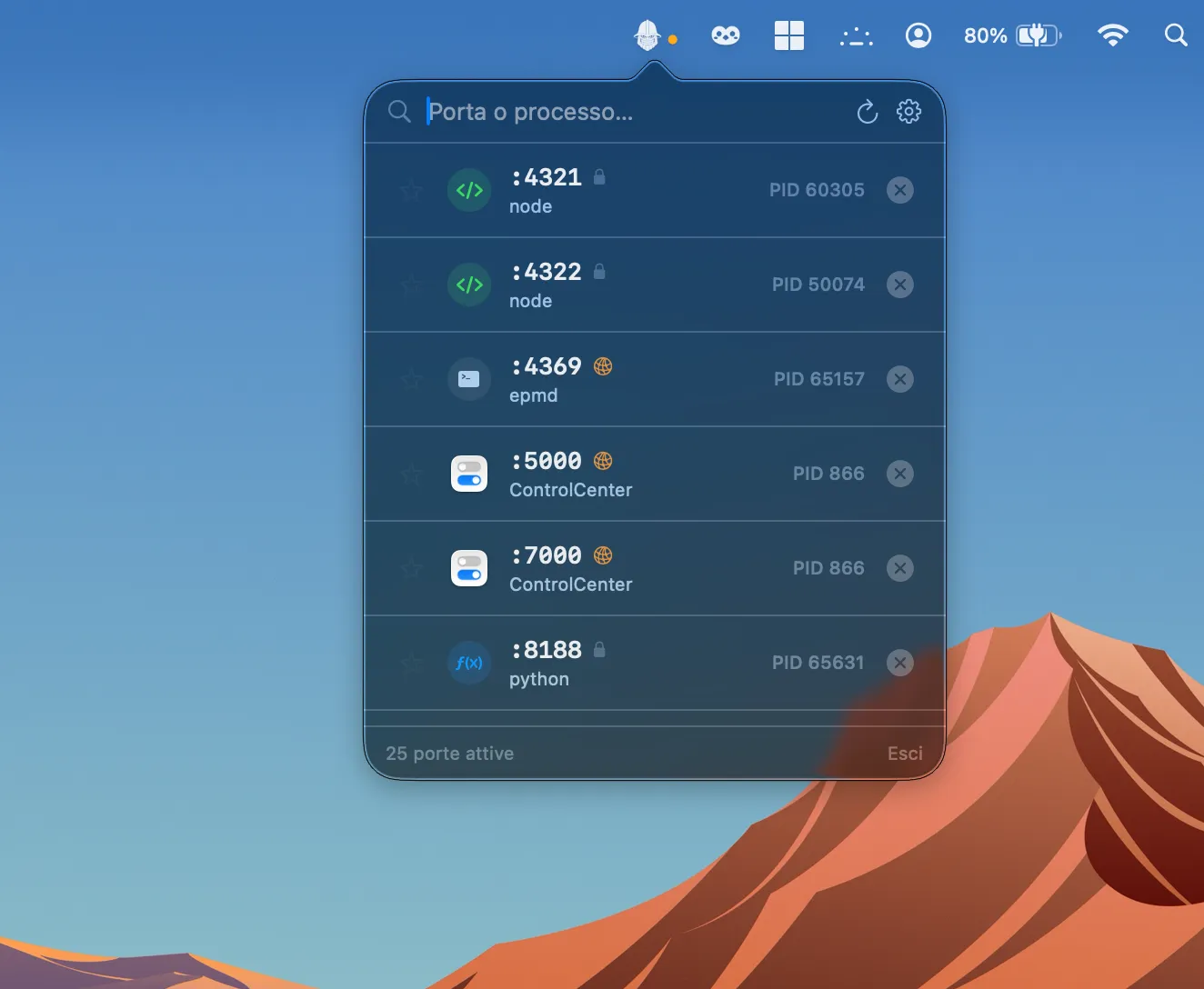
Doorry is a menu bar utility for macOS that monitors all open network ports and provides one-click process termination without requiring Terminal access. (Free)
The menu bar icon provides immediate visual access to a live list of processes currently listening on ports. Each entry shows the process name, port number, and connection type, allowing developers to identify unexpected listeners at a glance. The app distinguishes between ports bound to localhost only and those exposed over the local network, giving a clearer picture of what services are reachable from other machines on the same network.
Users can terminate any listed process directly from the menu bar with a single click, replacing the need for lsof -i, kill, or Activity Monitor workflows. A configurable global hotkey makes it possible to open the port list without reaching for the mouse. The app also delivers notifications when the port landscape changes — new listeners appearing or existing ones closing — useful for tracking the state of development servers, background daemons, or third-party software.
Doorry includes an auto-update mechanism and is developed by Altumdream as an independent project. The app is described as lightweight and private, with no data collection or network telemetry.
System requirements: macOS (specific minimum version not published by the developer). Available as a direct download from the developer’s website; not on the Mac App Store.
Pricing: Free to download and use. Optional support via Ko-fi.
Limitations: The macOS minimum version requirement is not documented, which may create uncertainty for users on older systems. As a non-App Store app, users must explicitly allow the app in System Settings > Privacy & Security after the first launch. No iOS or iPadOS companion app is available. The feature set covers port inspection and termination but does not provide deeper network traffic analysis or firewall controls.
Alternatives: Little Snitch (outbound connection monitoring with firewall rules, $45 one-time) offers broader network visibility. Netiquette by Objective-See (free, open-source) provides a similar port and network connection overview with a focus on security analysis. The built-in lsof -i and netstat commands cover the same information via Terminal.
Suitable for developers who need a quick, GUI-based way to audit and kill listening processes without context-switching to Terminal.


