
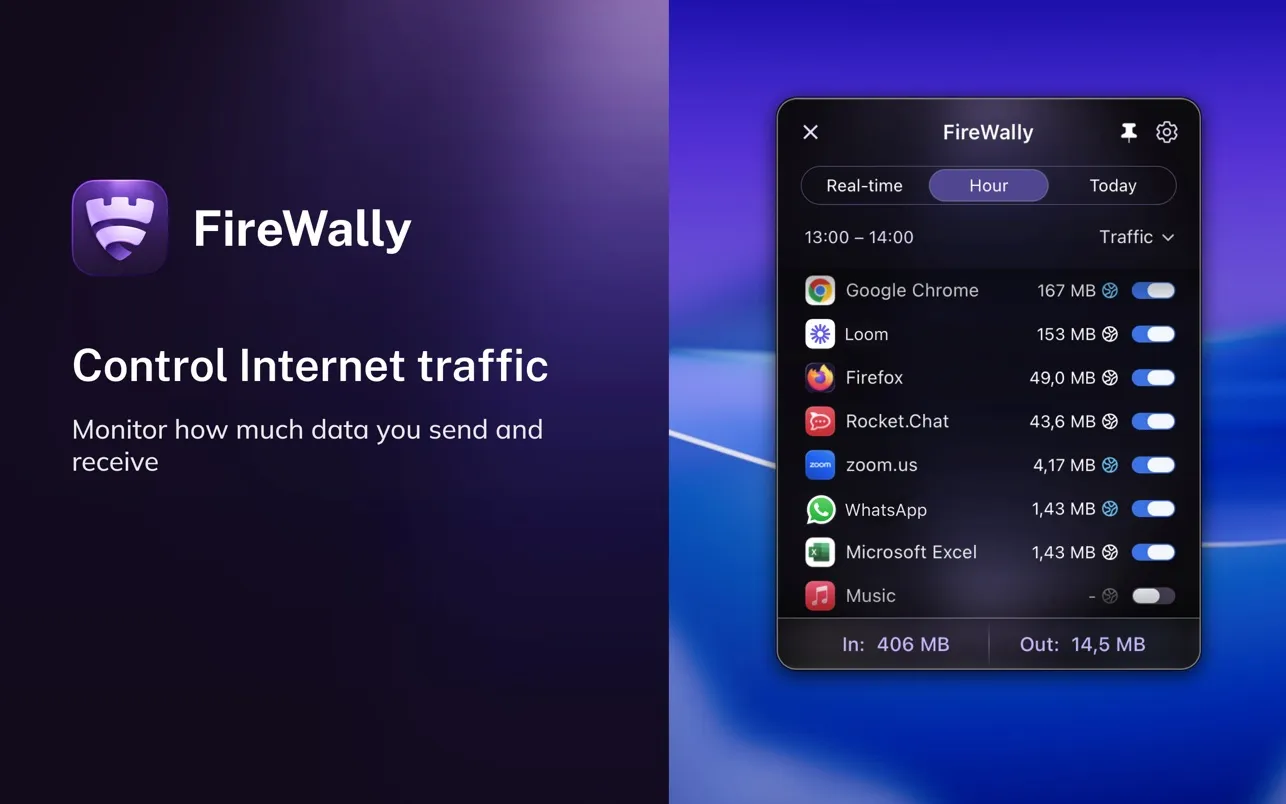
I’ve always been curious about what my Mac apps are really doing behind the scenes. Which ones are phoning home? What data are they sending? Like many users concerned about privacy and security, I know there are command-line tools to monitor network activity, but they’ve always felt a notch above my comfort level for daily use.
FireWally brings network monitoring to the menu bar with an interface that actually makes sense. Developed by Nektony LLC, this free app shows you in real time which applications are connecting to the internet, what domains they’re reaching out to, and how much data they’re transferring. The standout feature is its use of Apple Intelligence to explain network activity in plain language, turning cryptic domain names and IP addresses into understandable descriptions of what’s happening and why.
The core functionality centers on visibility and control. Click the menu bar icon and you see a clean list of apps currently accessing the network, with separate counters for inbound and outbound traffic. You can drill down into any app to see its connection history, view detailed traffic statistics for the past hour or current day, and examine exactly which servers it’s contacting. When you spot something suspicious or simply don’t want an app connecting anymore, you can block it with a single click.
What sets FireWally apart from other network monitors is how it handles the explanation layer. Rather than presenting you with raw network data that requires technical knowledge to interpret, it processes connection information and provides context. When you see an app reaching out to a particular domain, FireWally explains what that service is and why the app might be using it. This bridges the gap between technical monitoring tools and accessibility for users who aren’t network engineers.
I’ve been evaluating FireWally on my Mac Mini M4, and the app strikes a good balance between functionality and system impact. It sits in the menu bar without consuming excessive resources, though monitoring all network activity does require system permissions that some users might find extensive. The interface follows macOS design patterns and supports both light and dark modes.
The app is completely free with no ads or in-app purchases, which is notable for security software. Nektony states clearly that FireWally only counts traffic volume and never reads the actual content of data being transmitted, addressing a valid concern about privacy when using network monitoring tools. The app requires macOS 13.0 or newer and weighs in at 17 MB, making it compatible with recent Mac models.
FireWally works well for identifying background network activity and understanding which apps are particularly chatty. I’ve used it to spot apps making unexpected connections and to verify that certain utilities are behaving as advertised. The ability to block specific apps from accessing the internet is straightforward, though power users should note this is application-level blocking rather than fine-grained per-domain control.
The App Store reviews are limited but positive, with users particularly appreciating the Apple Intelligence integration and clean interface. The app supports ten languages beyond English, including French, German, Spanish, Russian, and Simplified Chinese, making it accessible to a broad user base.
There are some limitations to consider. Users accustomed to advanced firewall tools like Little Snitch will find FireWally more basic in terms of rule configuration and granular control. The app focuses on monitoring and simple blocking rather than complex firewall policies. For users who simply want to know what their apps are doing and have the option to stop unwanted connections, this simplicity is actually a strength rather than a weakness.
FireWally represents the kind of security tool I wish existed more often: free, privacy-respecting, and accessible without requiring a networking degree to operate. If you’ve ever wondered what your Mac applications are doing when you’re not looking, or if you want a straightforward way to monitor and control network access, this app deserves a spot in your menu bar.


