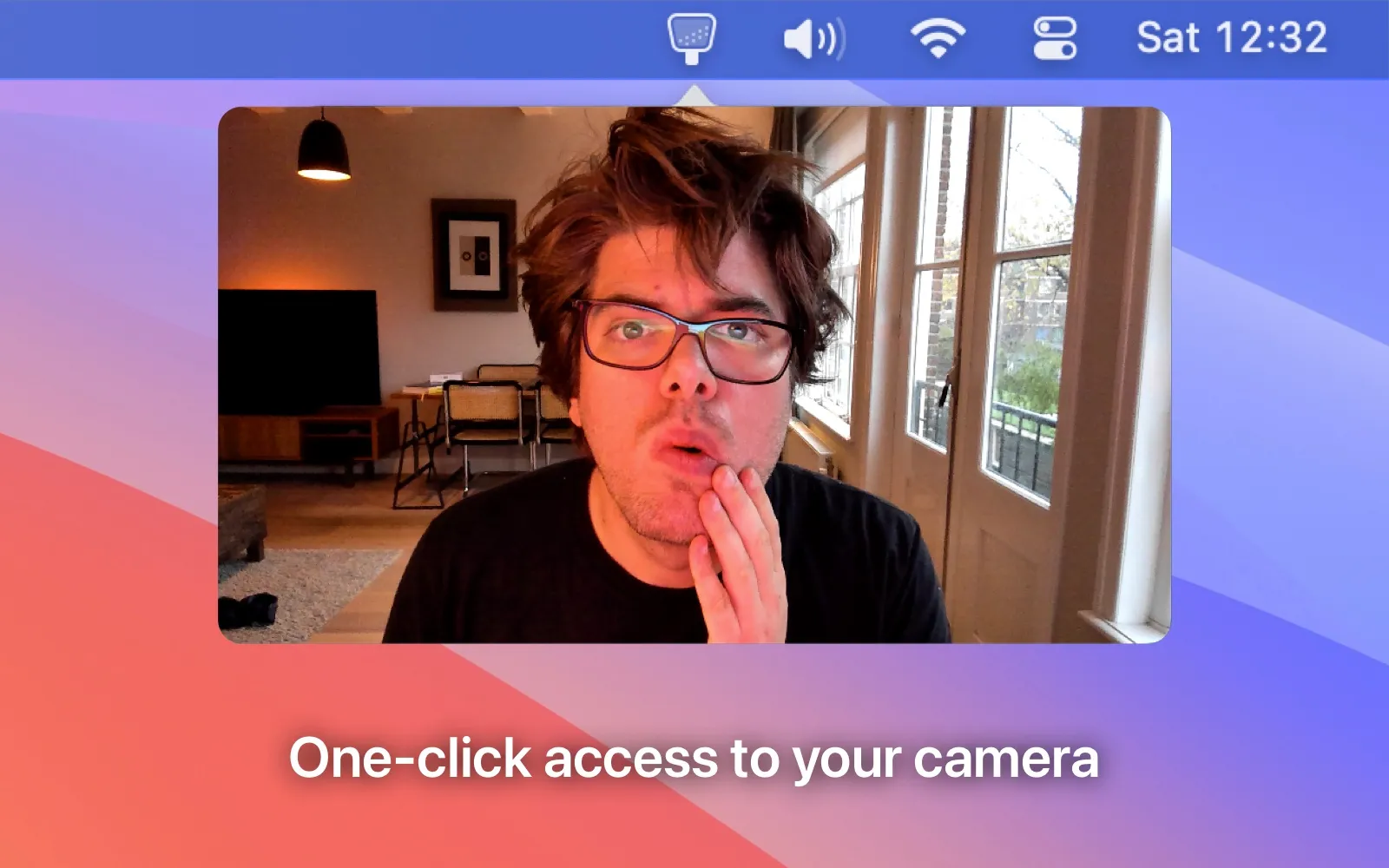
Hand Mirror provides instant camera preview access from the Mac menu bar, eliminating the need to launch Photo Booth or navigate System Preferences before video calls. A single click displays the camera feed in approximately half a second, significantly faster than system alternatives designed for broader purposes.
The free version displays a clean, resizable camera preview window that shows exactly what others see on video calls. The window stays on top of other applications by default, allowing users to check appearance while launching conferencing software. Image quality matches the actual camera output, providing accurate feedback on lighting and framing.
Hand Mirror Plus adds several enhanced features. Mic Check displays real-time audio input levels for microphone testing. The window becomes freely positionable anywhere on screen with custom size options. MacBook Pro users gain “Notch Trigger” functionality—tapping the notch area instantly activates the camera preview.
The app operates with complete privacy. No cloud sync, analytics, or data transmission occurs—all functionality remains local. Standard macOS camera permissions apply with no additional data access. The developer maintains active development with regular updates.
Resource usage is minimal: negligible CPU consumption when idle and low usage during active camera preview. A legacy version supports older macOS versions for users who cannot upgrade.
System requirements
- macOS 12 (Monterey) or later (legacy version available for older systems)
- Compatible with built-in and external cameras
- Free version available; Hand Mirror Plus is a paid upgrade with increasing price as features are added
Limitations
- Cannot improve poor lighting or low camera quality—displays actual camera output only
- Limited external camera controls beyond basic activation
- No virtual background or image enhancement features
- Plus version pricing increases over time, favoring early adopters
Alternatives
- Photo Booth - Built-in macOS app with effects but slower launch
- Camo - Uses iPhone as webcam with enhancement features
- OBS Studio - Full streaming software with preview capabilities
Suitable for users who take frequent video calls and want instant camera verification without navigating system utilities or launching full applications.


