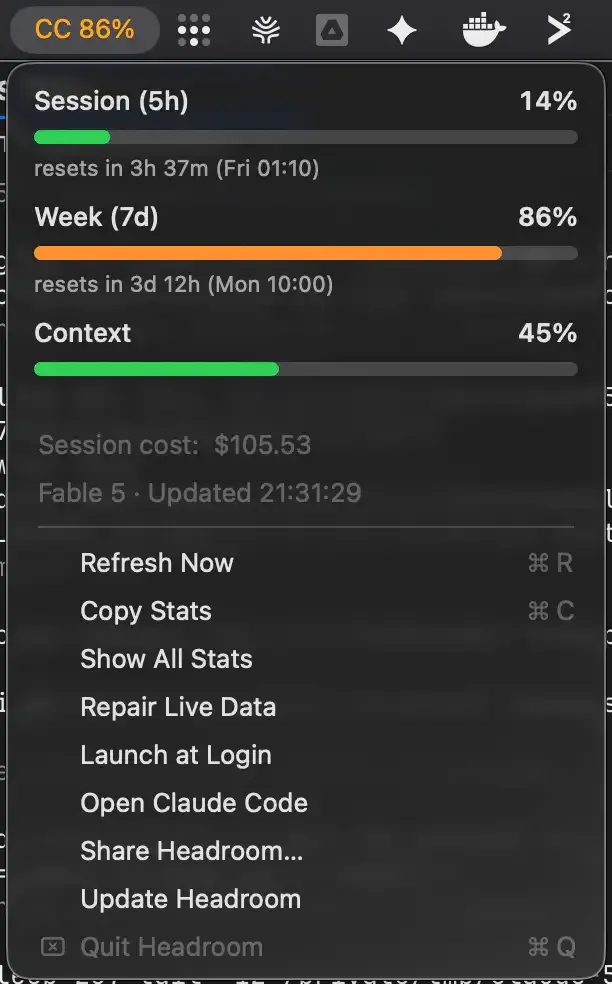
Headroom is a macOS menu bar monitor for Claude Code usage. It displays session (5-hour) and weekly (7-day) usage limits as compact percentage indicators directly in the menu bar, with color-coded alerts as limits approach. (Free, open-source)
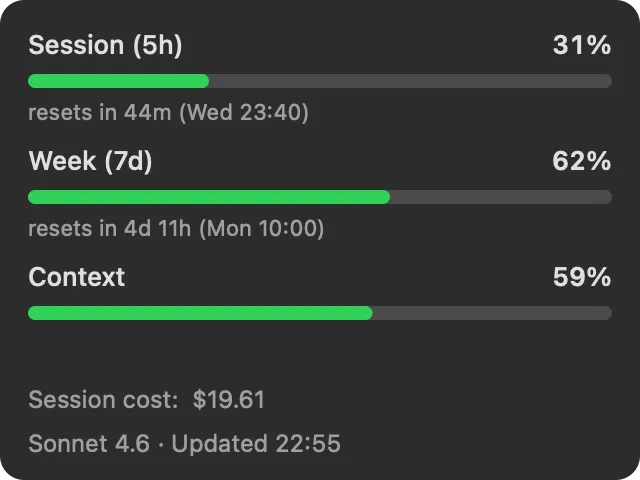
The menu bar display shows two percentages simultaneously in a compact format such as CC 10%·65%, representing session and weekly usage respectively. Clicking the menu bar item opens a dropdown panel with detailed meters, reset countdown timers, active model name, context window fill percentage, and session cost where the plan includes cost reporting. Pace forecasts estimate time to limit exhaustion at current usage rate.
Color coding changes from neutral to amber at 70% usage and red at 90%, with macOS native notifications firing at both thresholds. Notification thresholds are configurable. Context window tracking helps identify when a session’s context is filling up, which can affect response coherence before a hard reset becomes necessary.
The app reads data locally from ~/.claude/headroom-usage.json, written by a Claude Code status-line hook. No API keys, server connections, or authentication are involved. The total download is approximately 267 KB built with AppKit and Foundation only, with minimal CPU and memory usage during continuous operation.
System requirements: macOS 13.0 Ventura or later. Universal binary (Apple Silicon and Intel). Requires Claude Code to be installed and active. Install via Homebrew (brew install --cask patwalls/tap/headroom) or direct download.
Pricing: (Free, open-source, MIT license)
Limitations: Requires Claude Code to be configured with the Headroom status-line hook; the app shows no data without it. Exclusively monitors Claude Code—usage from Claude.ai web or the Claude API is not tracked. Context window tracking is display-only; the app does not interact with or control Claude Code sessions.
Alternatives: Claude Usage Systray (available in this directory) provides overlapping Claude usage monitoring with a different UI approach. No direct equivalent exists for Claude Code-specific session and weekly limit tracking outside of terminal-based status line solutions.
Suitable for users who rely on Claude Code daily and want at-a-glance visibility into session and weekly usage limits without switching away from their current application.


