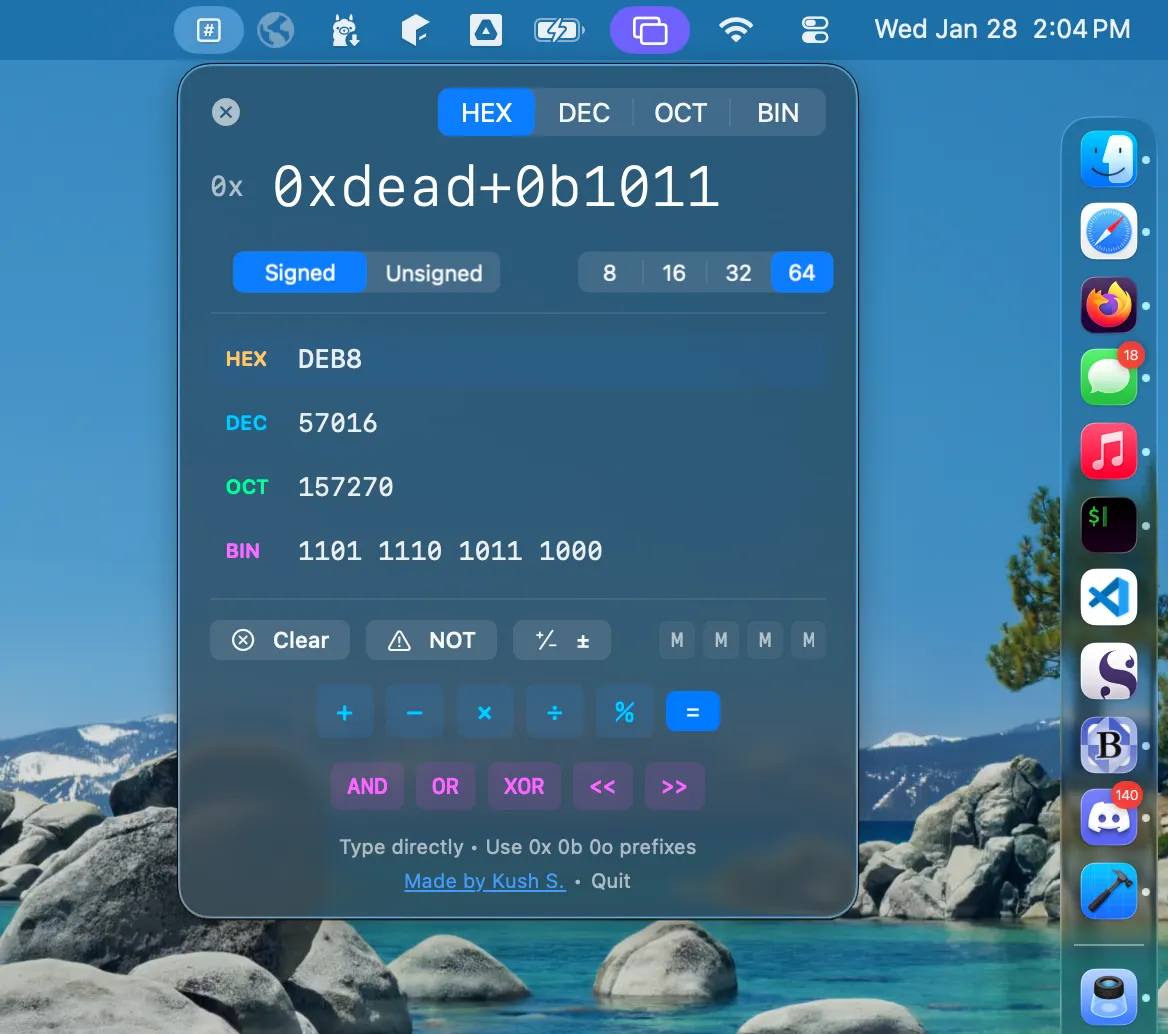
Hexa is a programmer’s calculator that lives in the Mac menu bar, providing instant conversion between hexadecimal, decimal, octal, and binary number systems. (Free, open-source)
The app displays all four number bases simultaneously as the user types, eliminating the need to switch between tabs or open a separate calculator. Live expression evaluation supports chained arithmetic operations and bitwise operators including AND, OR, XOR, NOT, left shift, and right shift. Entering an expression yields results immediately in every supported base.
Bit width control lets users select 8-bit, 16-bit, 32-bit, or 64-bit display modes with a toggle for signed versus unsigned interpretation. This addresses common needs in embedded development, protocol analysis, and bitmask work where overflow behavior and sign representation matter. A one-click copy function outputs values in clean formatted text suitable for pasting directly into code.
Built with native Swift and SwiftUI, Hexa has a minimal footprint of approximately 1 MB and ships as a Universal Binary for both Apple Silicon and Intel Macs. The project is open-source under the MIT license, with source code available on GitHub.
System requirements: macOS 14.0 Sonoma or later. Approximately 1 MB. Universal Binary (Apple Silicon and Intel).
Pricing: (Free, open-source — MIT license)
Limitations: Requires macOS 14.0 Sonoma, excluding users on Ventura or earlier. Floating-point conversions are not supported; the tool focuses on integer bases only. No history or session persistence between launches.
Alternatives: PCalc ($9.99, broader scientific and programmer calculator features with RPN mode), Numi ($24.99/year, natural-language expression evaluator with unit conversion), Soulver 3 ($34.99, spreadsheet-style calculator with multi-line computation).
Suitable for users who frequently work with hexadecimal addresses, binary flags, or bitmask values and want a lightweight, always-accessible converter without switching away from their current application.


