iStat Menus provides comprehensive system monitoring for macOS, displaying real-time metrics for CPU, GPU, memory, network, disk, and battery directly in the menu bar. Developed by Bjango, the app delivers detailed hardware information through an efficient interface that minimizes resource usage.
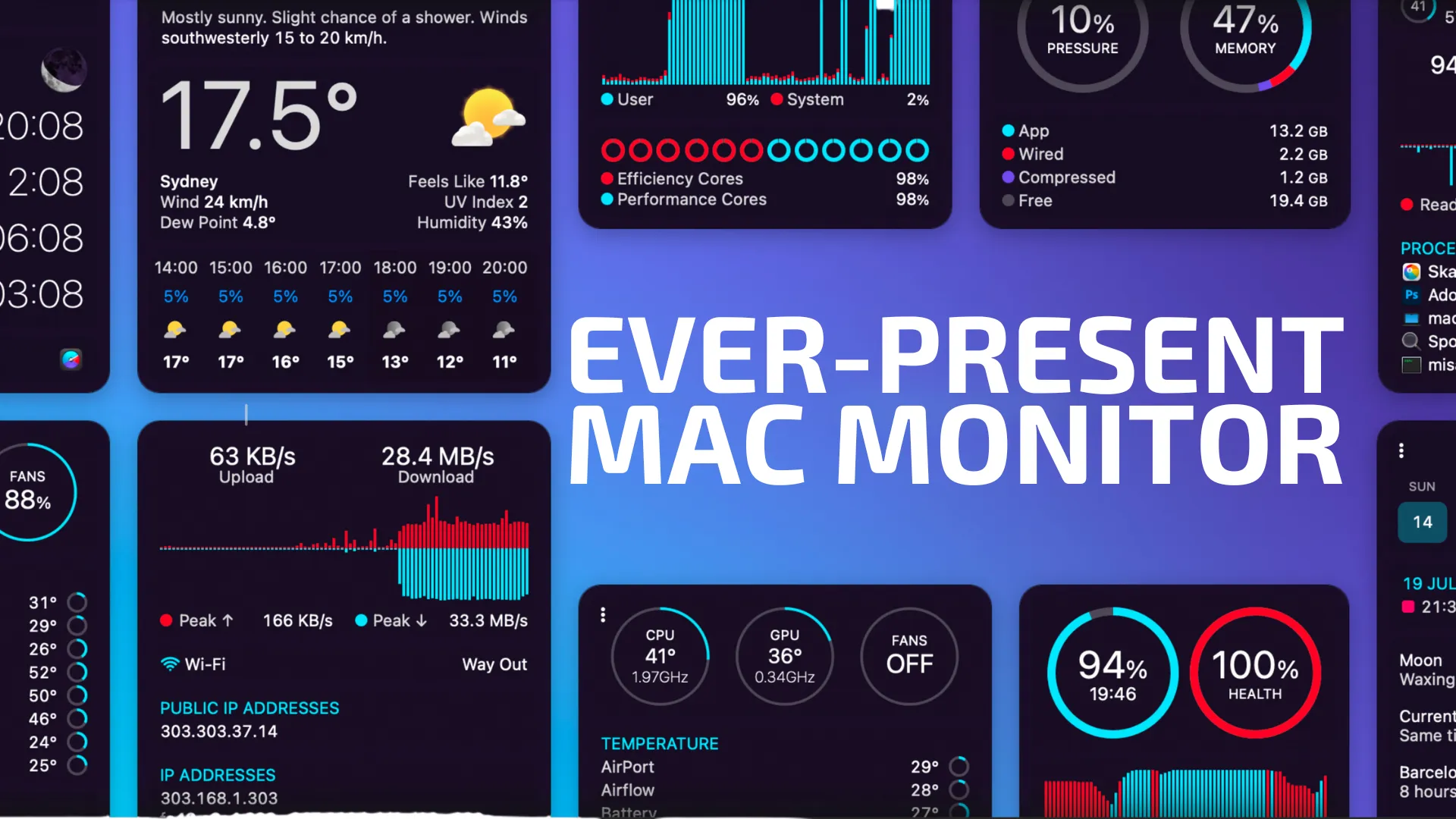
The current version (7.1) represents a complete rewrite with an all-new design. Key features include Apple Silicon-specific monitoring with per-core frequency tracking for both efficiency and performance cores, temperature sensors throughout the system, and detailed memory pressure statistics including compression data. The app covers nine distinct monitoring categories: CPU/GPU (per-core usage, frequency, temperature), memory (usage, pressure, compressed memory, swap), network (bandwidth, connection details, per-app usage), disk activity with S.M.A.R.T. status monitoring, time with world clocks, battery health and power statistics, system sensors, and weather integration.
Customization options include multiple display modes (text, graphs, pie charts), configurable colors and update frequencies, and the ability to reorder menu bar items via Command-drag. A Rules system provides notifications for events such as high CPU usage, connectivity loss, or low disk space.
Resource usage is minimal, typically under 1% CPU and approximately 80-100MB memory while monitoring all metrics continuously. System requirements include macOS 11 Big Sur or newer with support for both Intel and Apple Silicon processors.
Pricing is $18 for a single license or $29 for a family pack (up to 5 members). Upgrade pricing is available for iStat Menus 6 owners. The app is also available through Setapp ($9.99/month). An integrated weather feature requires a separate subscription, with 6 months included free for new purchases.
Limitations include the weather subscription requirement for full functionality and advanced features like manual fan control that require thermal management knowledge.
Suitable for users who need detailed visibility into Mac performance, whether troubleshooting resource issues, monitoring application behavior, or tracking hardware metrics across multiple categories.


