
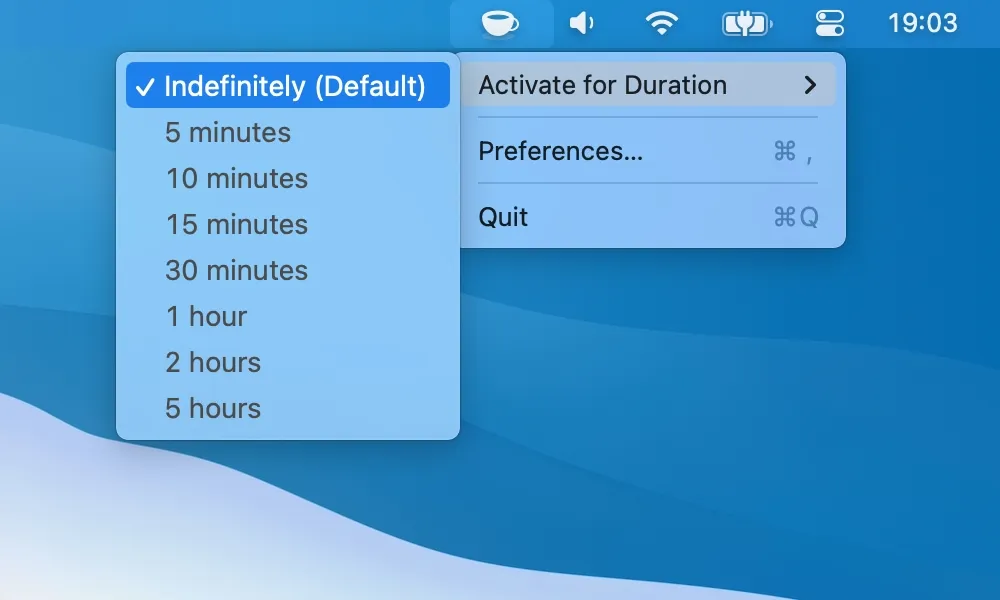
KeepingYouAwake prevents Mac sleep during downloads, backups, or long-running processes through a simple menu bar interface. Inspired by the classic Caffeine utility, the app wraps Apple’s native caffeinate command-line tool, using official macOS functionality rather than workarounds.
The functionality is straightforward: click the menu bar icon to activate sleep prevention, click again to deactivate. Predefined durations include 5 minutes, 10 minutes, 1 hour, or indefinite activation, with support for custom intervals. The icon changes state to indicate active status. Additional features include launch-at-login configuration, customizable menu bar icon appearance, and keyboard shortcuts for quick activation.
Resource usage is minimal at approximately 50MB memory with negligible CPU impact. The app wraps official Apple APIs, ensuring reliable and safe operation.
System requirements include macOS 10.13 High Sierra or newer, with earlier versions available for legacy macOS releases. Installation options include direct download from GitHub or Homebrew via brew install --cask keepingyouawake.
The app is free and open-source under the MIT license. The GitHub repository has accumulated over 6,000 stars with 31 contributors. Developer newmarcel has maintained the project since 2014, with version 1.6.8 as the current release. The codebase is transparent and auditable, avoiding trust concerns with system-level access.
Limitations include the inability to prevent sleep on MacBooks with closed lids. This is by design due to thermal concerns and macOS safety restrictions. Desktop Macs and open-lid laptops function correctly. The app occupies menu bar space, which may concern users with crowded menu bars, though the icon footprint is minimal.
Alternatives include Amphetamine, which offers more advanced features including trigger-based activation.
Suitable for users who need occasional sleep prevention during long-running tasks without enterprise features or complexity, particularly those who prefer open-source solutions with transparent codebases.


