Klack adds mechanical keyboard sounds to any Mac keyboard, transforming silent typing into an audibly satisfying experience through spatial audio technology.
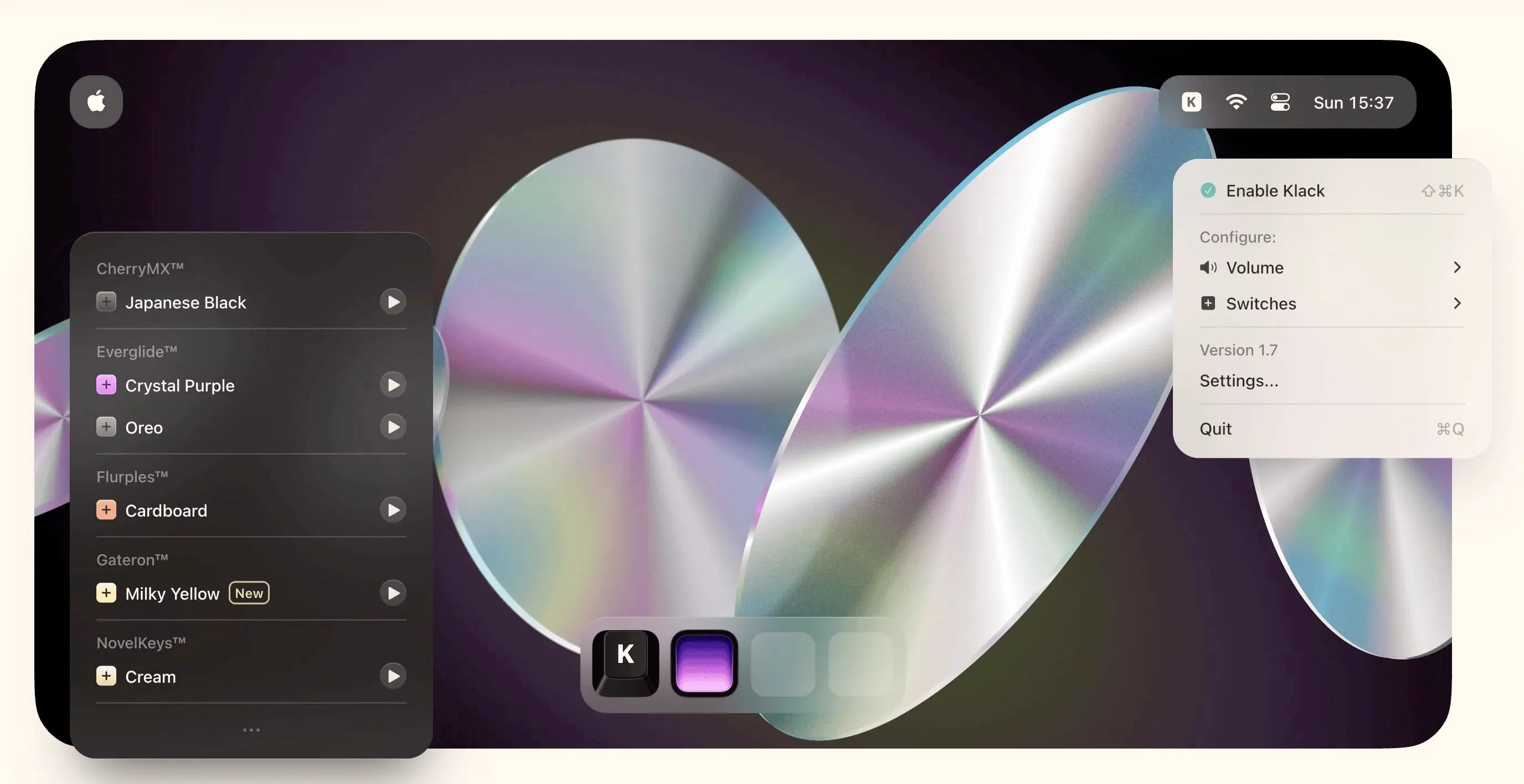
The app provides multiple authentic switch sounds including CherryMX Black, Gateron Milky Yellow, NovelKeys Cream, and Oreo switches. Each sound profile recreates the distinctive acoustic characteristics of real mechanical switches. The spatial audio implementation creates the illusion that sounds originate directly from each key position, enhancing the typing feedback experience.
A notable technical feature is the pitch variation system. Each keystroke produces slightly different audio, preventing the repetitive machine-gun effect common in keyboard sound apps. The app responds with zero perceptible latency between keypress and sound, maintaining typing flow during extended sessions.
Klack runs efficiently with minimal resource usage, sitting unobtrusively in the menu bar. The global keyboard shortcut (Shift+Command+K) enables instant toggling between sound on and off states, allowing quick context switching between quiet environments and regular use.
The app works with various keyboard types including MacBook built-in keyboards, Apple Magic Keyboard, and third-party options. Users should note that pairing Klack with an already mechanical keyboard creates layered audio that some may find excessive.
Limitations include the absence of an in-app volume control. Sound levels adjust through system volume settings, which requires balancing Klack against other audio sources like music or calls. A dedicated volume slider would improve the user experience.
Klack costs $4.99 (one-time purchase) on the Mac App Store. Requires macOS 14 or newer.
Suitable for users who spend extended hours typing and want tactile audio feedback without investing in physical mechanical keyboards.


