
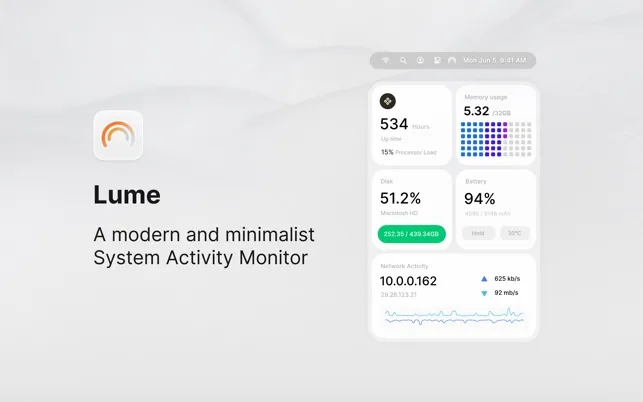
Lume is a minimalist system activity monitor that presents Mac performance metrics in clean, color-coded widgets. The app distills system information into five key areas: CPU usage, memory consumption, disk activity, network throughput, and battery status. Each metric displays in rounded widgets with real-time updates.
The design philosophy prioritizes approachability over technical depth. The CPU widget shows percentage alongside a small graph, memory usage displays with visual breakdown of used versus available RAM, and network activity appears as real-time download and upload speeds. The interface uses gentle gradients and system-appropriate colors that integrate naturally with macOS aesthetics.
Technical specifications: 1.2 MB disk space, requires macOS 14.0 or later. The app runs with negligible system performance impact despite providing real-time monitoring of multiple components. Developed by Boring Design LLC using Claude Code AI in approximately two hours.
The app is completely free with no ads, in-app purchases, or subscription models. Privacy policy confirms no data collection. Available on the Mac App Store.
Limitations center on the high-level overview approach. Lume does not identify specific processes consuming resources or provide deep system analysis. Users requiring detailed diagnostics need Activity Monitor or advanced tools like iStat Menus. The app serves as a quick health check rather than a diagnostic tool.
Alternatives include Activity Monitor (built-in, detailed but complex), iStat Menus (comprehensive, paid), and Stats (open-source, customizable).
Suitable for users who want quick system insights without complexity, prefer clean design over feature density, or need basic performance monitoring during daily use.

