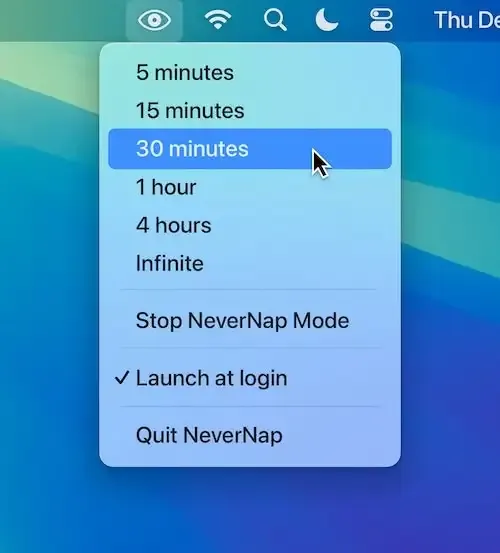
NeverNap provides menu bar control over Mac sleep behavior, offering quick preset selection ranging from 5 minutes to indefinite. The app addresses the common frustration of display dimming or system sleep during presentations, video calls, and long-running tasks without requiring navigation to System Settings.
The free version handles basic sleep prevention. NeverNap Pro (EUR 2.99 on the Mac App Store) adds custom presets with user-defined durations, three prevention modes (full, display only, or system only), smart scheduling until a specific time, and app integration that automatically activates when specified applications launch.
Calendar integration stands out as a practical Pro feature—automatic sleep prevention during calendar events with deactivation upon conclusion removes the mental overhead of manual toggling. Battery protection settings for MacBooks prevent activation when battery falls below a specified level.
Resource usage is approximately 50MB of memory with minimal CPU impact. The app operates silently from the menu bar with an icon showing current preset status. Menu bar display options include preset name, timer, or both.
The app requires macOS 14 (Sonoma) or newer. Developed by Lucas Raggers, the app weighs 5.9 MB and supports family sharing for up to six members.
The interface maintains simplicity—no complicated options or confusing interface elements. The free version handles basic use cases adequately, while the Pro version adds conveniences for users who frequently need fine-grained control over sleep prevention timing.
Alternatives include Amphetamine (free, more feature-rich, available on App Store), Caffeine (free, simpler), and KeepingYouAwake (free, open-source).
Suitable for users who regularly give presentations, participate in video calls, or run long processes that system sleep would interrupt and prefer quick preset-based control over manual system settings adjustment.