
Recess
Break reminder with independent eye and body timers, full-screen guided overlays, smart Focus and call pauses, and 60-day activity logs.
- Price
- Free
- Requires
- macOS 14 or later
- Runs on
- Apple Silicon / Intel
- Size
- 3.1 MB
- Around Since
- 2026
- Open Source
- No
- Last Checked
- 2026-10-31
Free on the Mac App Store, with no in-app purchases.
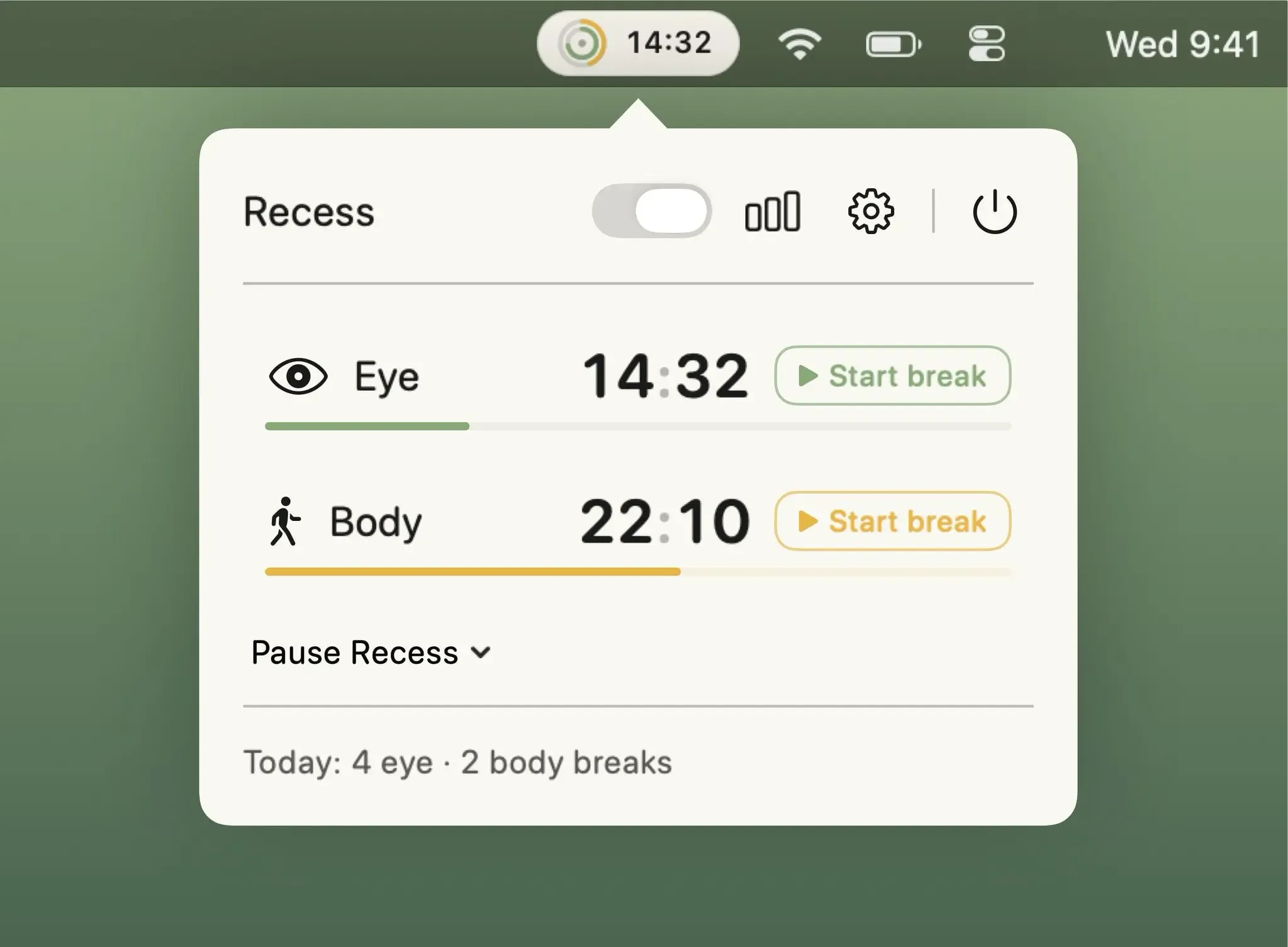
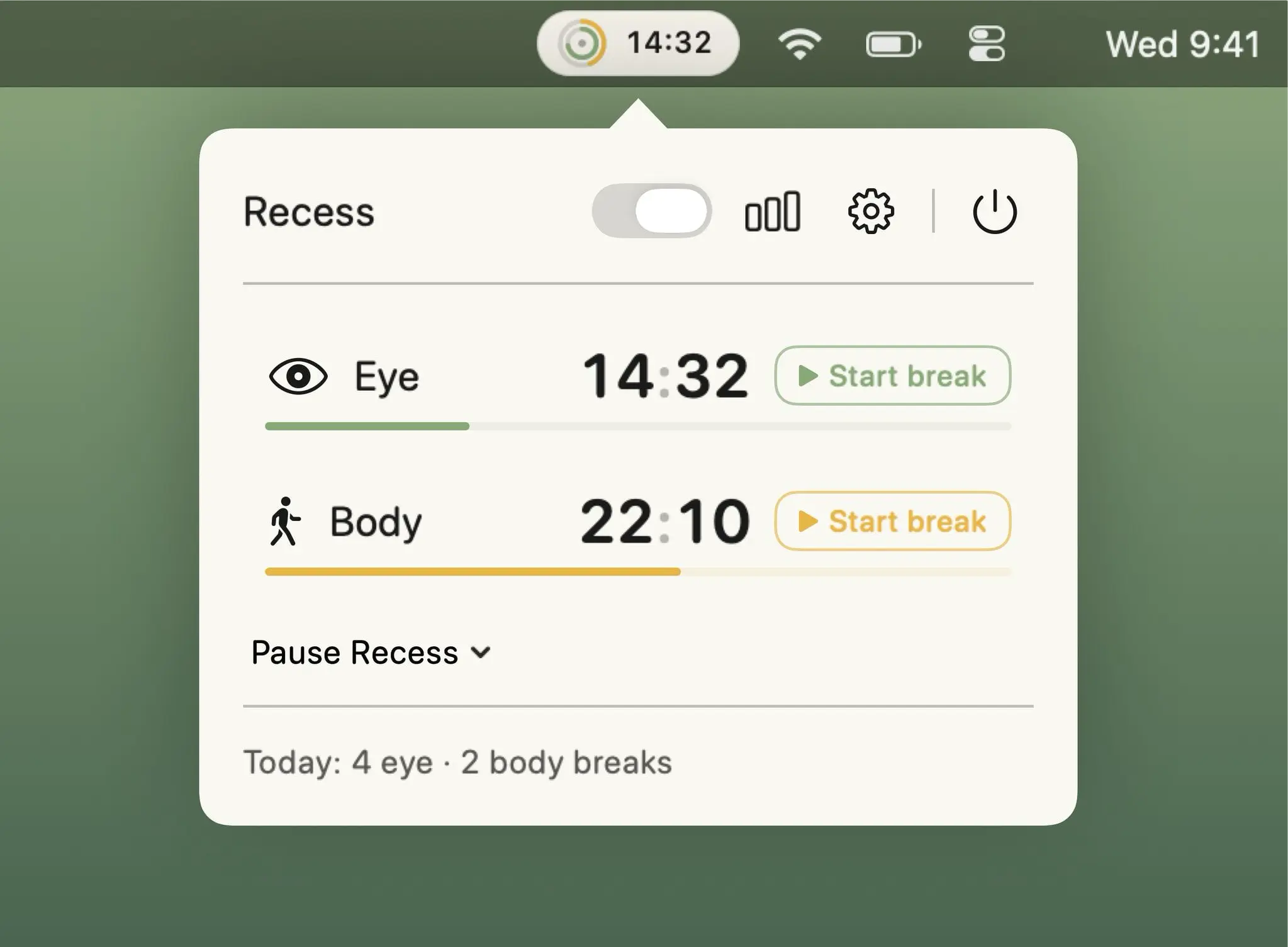 1 screenshot
At a Glance
Best For
Taking eye-rest and stretch breaks on separate, independent timers.
The Catch
Its activity log keeps only the last 60 days, and breaks dim every display.
About Recess
Recess is a break reminder app for macOS that runs independent eye-rest and body-stretch timers on separate cadences, covering all displays with a calm guided overlay when a break is due. (Free, pay-what-you-want)
The app offers five preset intensity levels ranging from Light to Strict, each with configurable skip penalties that increase the cost of dismissing reminders. When the user steps away from the keyboard, Recess detects the absence and automatically credits the break, resuming the countdown without manual input. Automatic pausing activates during macOS Focus modes, active calls, screen recording, and user-specified applications, preventing interruptions during presentations or focused work periods.
Work-hours settings restrict break reminders to defined time windows such as standard business hours. All activity data is retained locally in a 60-day log with weekly summary reports showing break frequency and compliance trends. The app supports four languages — English, Turkish, German, and Spanish — and requires no account.
System requirements: macOS 14 or later; approximately 30 MB. Supports Apple Silicon and Intel.
Pricing: (Free, pay-what-you-want; suggested $3.99, one-time.) Available on the App Store, Lemon Squeezy, and Gumroad. 30-day free trial included with no account required.
Limitations: No integration with Apple Health or third-party fitness tracking platforms. Requires macOS 14, excluding older systems. Break overlay content is a fixed guided animation; custom media or exercise libraries are not supported.
Alternatives: Time Out (macOS break timer with customizable overlays, longer history); Breaks for Eyes (simpler eye-break reminders with no body-break component); Pawodoro (Pomodoro-style timer with cat video breaks rather than guided stretches).
Suitable for users who spend extended periods at a desk and need structured, automatic reminders to rest their eyes and stretch on independent schedules.
FAQ
What does Recess do?+
Recess runs independent eye-rest and body-stretch timers on separate cadences, covering all displays with a guided full-screen overlay when a break is due. It pauses automatically during Focus modes, calls, and user-specified applications.
Is Recess free?+
Recess is pay-what-you-want, with a suggested price of $3.99 (one-time). It can be downloaded for free. A 30-day free trial is available without an account or credit card.
How do I install Recess on macOS?+
Recess is available on the App Store at https://apps.apple.com/app/id6803444204 and as a direct DMG download from swiftfox.studio. Requires macOS 14 or later; approximately 30 MB.
Does Recess run on Apple Silicon?+
Yes. Recess supports Apple Silicon and Intel Macs running macOS 14 or later.
How does Recess detect when I've stepped away from my Mac?+
Recess monitors keyboard and mouse inactivity. When absence is detected during a scheduled break window, it automatically credits the break and resumes the countdown timer afterward without requiring manual input.