
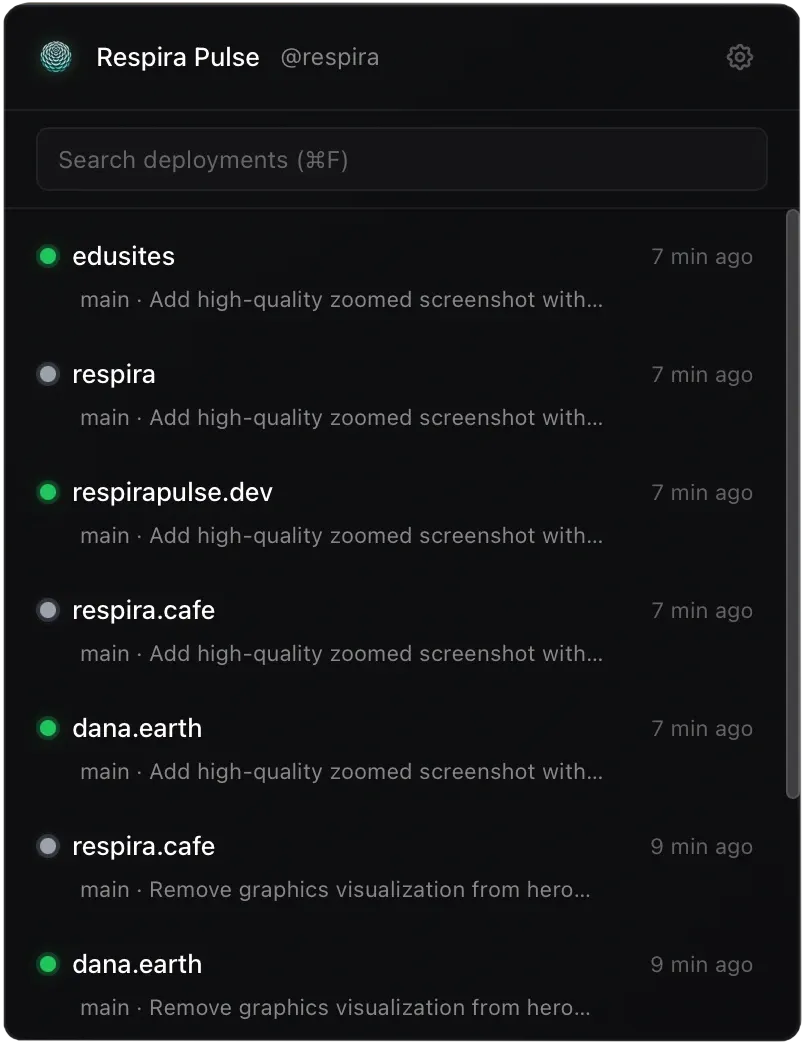
Respira Pulse monitors Vercel deployments directly from the Mac menu bar, providing at-a-glance status updates through a color-coded icon. Green indicates live deployment, yellow signals building, and red shows failed deployment, eliminating the need to check browser tabs for deployment status.
Built with Tauri v2 and Rust, the app runs natively on both Apple Silicon and Intel Macs with efficient resource usage (approximately 1% CPU during active monitoring, 50MB memory). The architecture ensures responsive performance without significant system impact.
A key feature enables one-click error log copying when deployments fail. Users can copy relevant error logs directly from the menu bar dropdown without navigating through Vercel’s dashboard, accelerating debugging workflows. Native macOS notifications alert users when deployments complete.
Setup requires a Vercel API token, which Respira Pulse stores securely in the macOS Keychain. The app integrates directly with Vercel’s REST API for real-time deployment status.
Requirements include macOS 12 Monterey or newer.
Pricing follows a one-time payment model: Starter tier at 4.44 euros (one project, 7-day free trial without credit card), Pro tier at 22.22 euros (up to 10 projects), and Unlimited at 44.44 euros. Tier upgrades automatically refund the difference.
Installation is available via direct DMG download or Homebrew (brew tap webmyc/respira-pulse && brew install --cask respira-pulse). First launch requires right-clicking and selecting Open to bypass Gatekeeper.
Limitations include Vercel-only support; the app does not work with Netlify, Railway, or other deployment platforms. The macOS 12 requirement excludes older systems.
Alternatives include the Vercel CLI with --watch flag, browser-based dashboard monitoring, and custom webhook integrations.
Suitable for users who deploy frequently to Vercel and want ambient deployment awareness without constant browser tab checking.


