ScreenSnapAI provides AI-powered screenshot management that automatically generates meaningful filenames and enables conversational queries about captured content. The app transforms generic timestamp-based screenshot names into descriptive identifiers like “React component error in VS Code” or “Figma mockup for login page”.
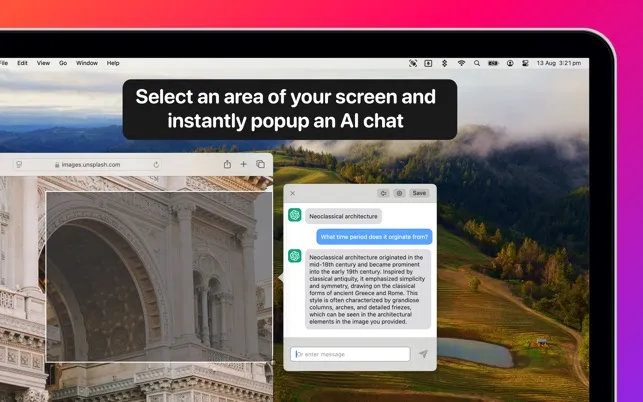
The app integrates with macOS built-in screenshot tools—users press Command+Shift+4 to make selections, and ScreenSnapAI automatically processes the results without requiring workflow changes or new keyboard shortcuts. The instant AI chat feature allows users to ask questions about screenshot content immediately after capture, such as “How do I fix this?” for error messages or “What are the accessibility issues here?” for design screenshots.
Key features include automatic descriptive naming, AI-powered content analysis and Q&A, seamless macOS integration, and support for both OpenAI and Anthropic AI platforms. The app processes screenshots quickly without noticeable system impact, and AI responses appear within seconds.
Developer Aptonic LLC maintains a minimal interface that operates in the background unless users specifically engage with the AI chat feature. The app supports both Intel and Apple Silicon Macs running macOS 13 or newer.
Pricing is $20 as a one-time purchase, available directly from the website or through the Mac App Store. No subscription or recurring fees apply.
Limitations include dependency on external AI platforms (OpenAI or Anthropic) for processing, which requires internet connectivity and may raise privacy considerations for users handling sensitive screenshot content.
Suitable for users who capture frequent screenshots—developers managing code snippets, designers collecting visual references, or anyone who regularly references screen content—and want to eliminate manual organization while gaining AI-assisted insights from their captures.


