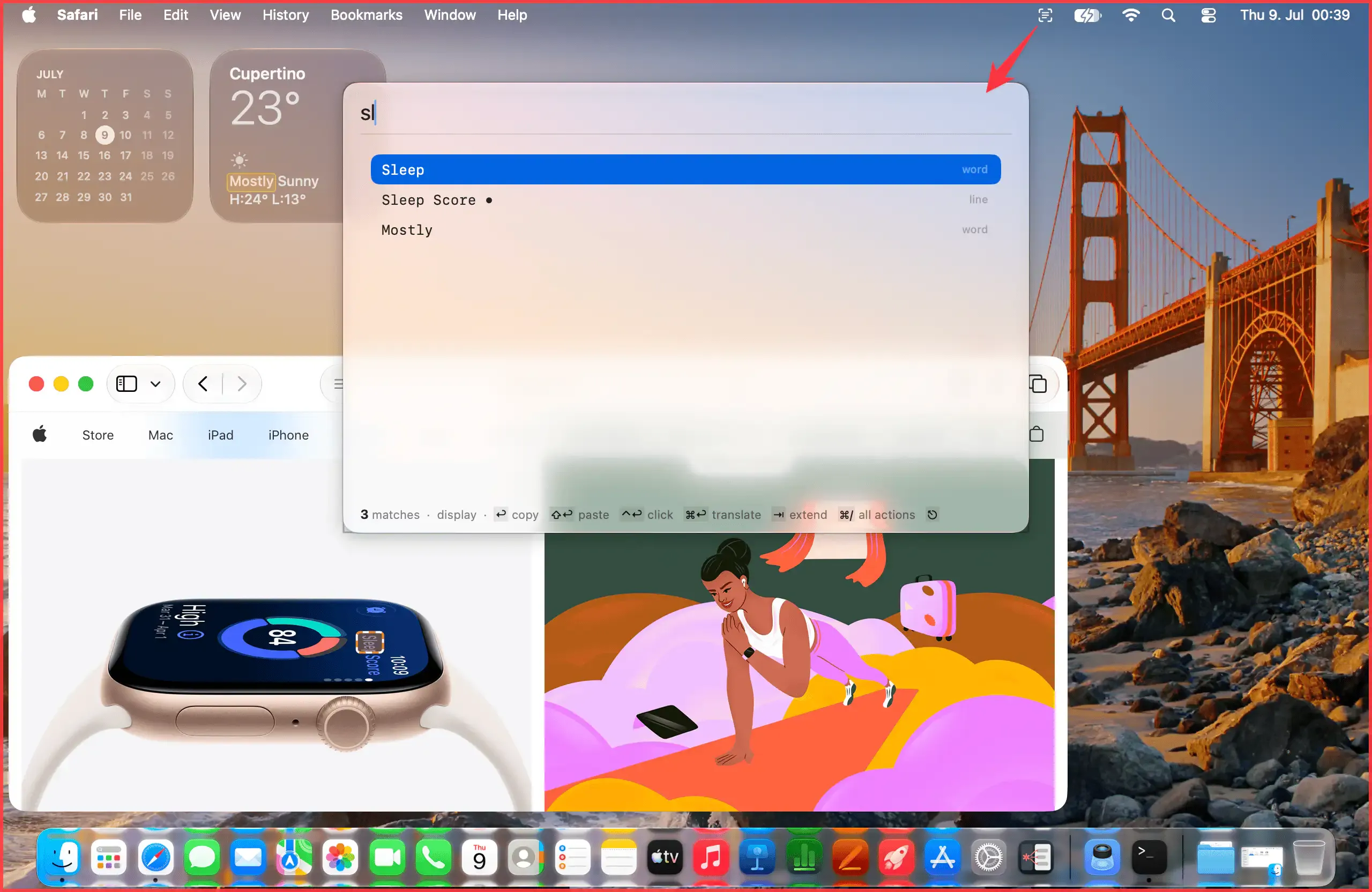

SnapGrep captures visible screen content and enables keyboard-driven interaction with text, links, phone numbers, and other entities — including content in videos, scanned documents, and applications that block standard text selection. All processing is fully on-device with no data transmitted externally. ($29 one-time, introductory price)
The app combines two complementary extraction methods: macOS accessibility APIs for text available in standard interface elements, and on-device OCR for content rendered as pixels — video frames, scanned PDFs, and images. Recognized entities are classified automatically into URLs, phone numbers, email addresses, file paths, QR codes, IP addresses, and custom pattern types defined by the user via regular expressions. Each entity type can have a configurable action: copy to clipboard, open in browser, dial via FaceTime, or trigger a custom URL scheme.
Background alert mode monitors the screen for specific text or patterns without requiring manual activation, notifying users when a keyword becomes visible. Translation of detected text is supported as a built-in action.
Custom entity type definitions allow SnapGrep to recognize application-specific identifiers such as ticket numbers, order IDs, or internal reference codes, making the tool adaptable to domain-specific workflows.
System requirements: macOS 15 (Sequoia) or later. Apple Silicon required; Intel Macs are not supported. Screen Recording permission is required.
Pricing: $29/€29 one-time (introductory; regular $39/€39). Covers three Macs with one year of updates included. Annual renewal $19/€19. Free 14-day trial, no account required.
Limitations: Apple Silicon only — Intel Macs are not supported. Requires macOS 15 or later. DRM-protected content cannot be captured.
Alternatives: TextSniper provides menu bar OCR focused on extracting text from on-screen images. macOS Live Text (built-in) handles OCR within the Photos and Screenshot apps with no additional cost. Gemini Advanced includes on-screen text recognition as part of a broader subscription.
Suitable for users who frequently need to copy or act on text from non-selectable UI elements, video playback, or scanned documents and prioritize fully local, privacy-preserving processing.

