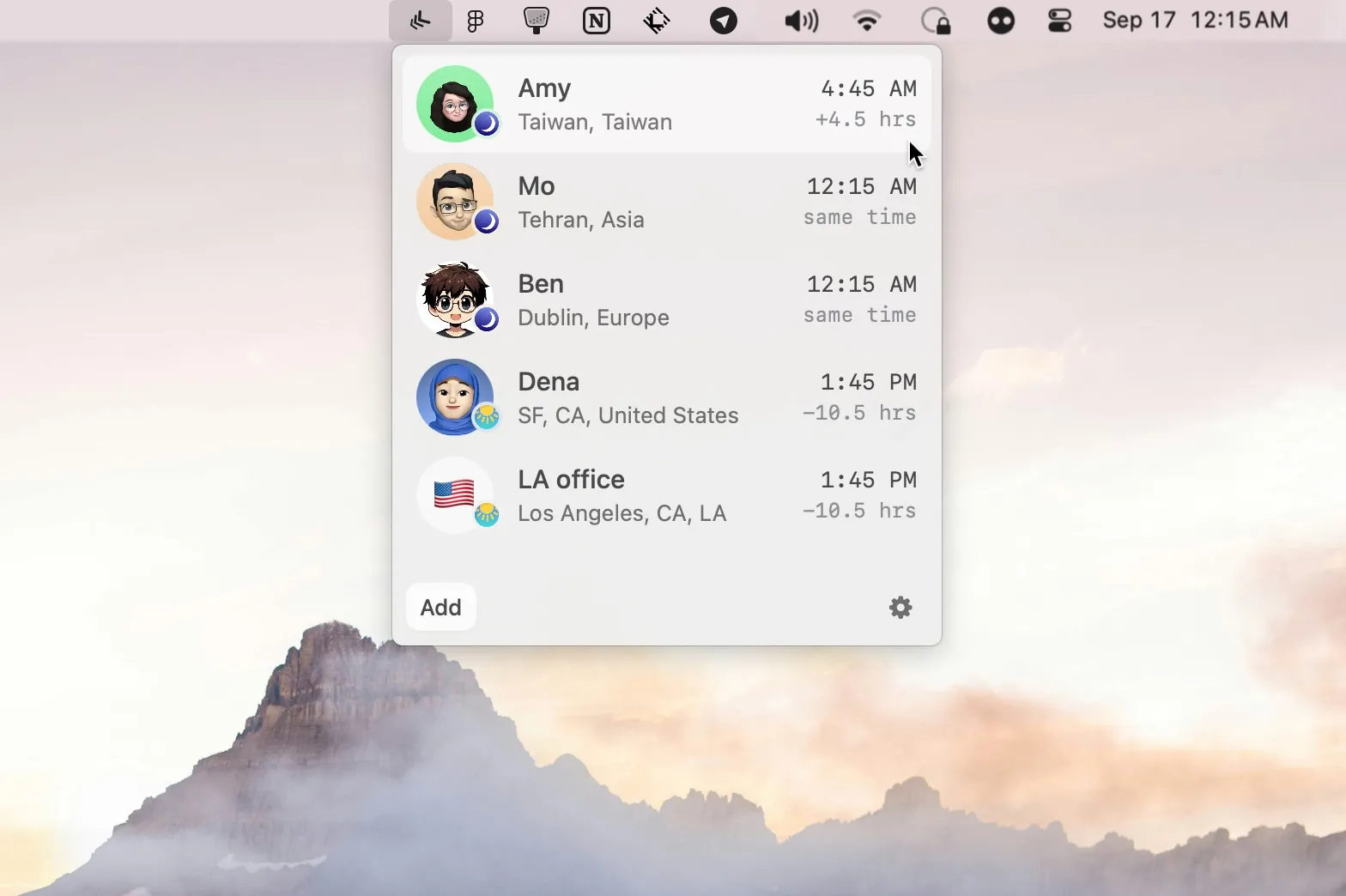
There tracks the local time of specific individuals rather than abstract time zones or cities. The menu bar app associates people by name with their locations and displays their current local time, transforming timezone management into a person-centered interface.
Users add timezones by city, country, abbreviations (PST), or UTC offsets, then personalize each entry with a name and photo. Profile photos can be pulled automatically from X or Telegram handles, or uploaded manually. This visual association makes it easier to think “what time is it where Sarah is” rather than calculating UTC offsets.
Key features include:
- Person-centered timezone display with names and photos
- Social media profile photo integration (X, Telegram)
- Multiple timezone input methods (city, country, abbreviation, UTC offset)
- Completely local data storage with no cloud syncing
- No account creation or sign-up required
The app weighs 4.8 MB and demonstrates efficient native development. All information stays local on the device without third-party data access, making it suitable for adding personal information about teammates and family members.
System requirements include macOS 13 or newer. There is completely free, developed by Dena Sohrabi and Mo Rajabi. Installation is available via direct download from the website or Homebrew (brew install there).
Limitations include visual clutter when managing more than 10-12 people. The photo-pulling feature occasionally fails with private social media profiles, requiring manual image uploads.
Alternatives include Dato for comprehensive menu bar calendar and timezone features, World Clock Pro for traditional city-based timezone tracking, or Clocker for another menu bar timezone utility.
Suitable for users working with international colleagues, managing family across different regions, or anyone wanting a more personal approach to timezone tracking, particularly remote workers maintaining awareness of distributed team members’ local times throughout the workday.