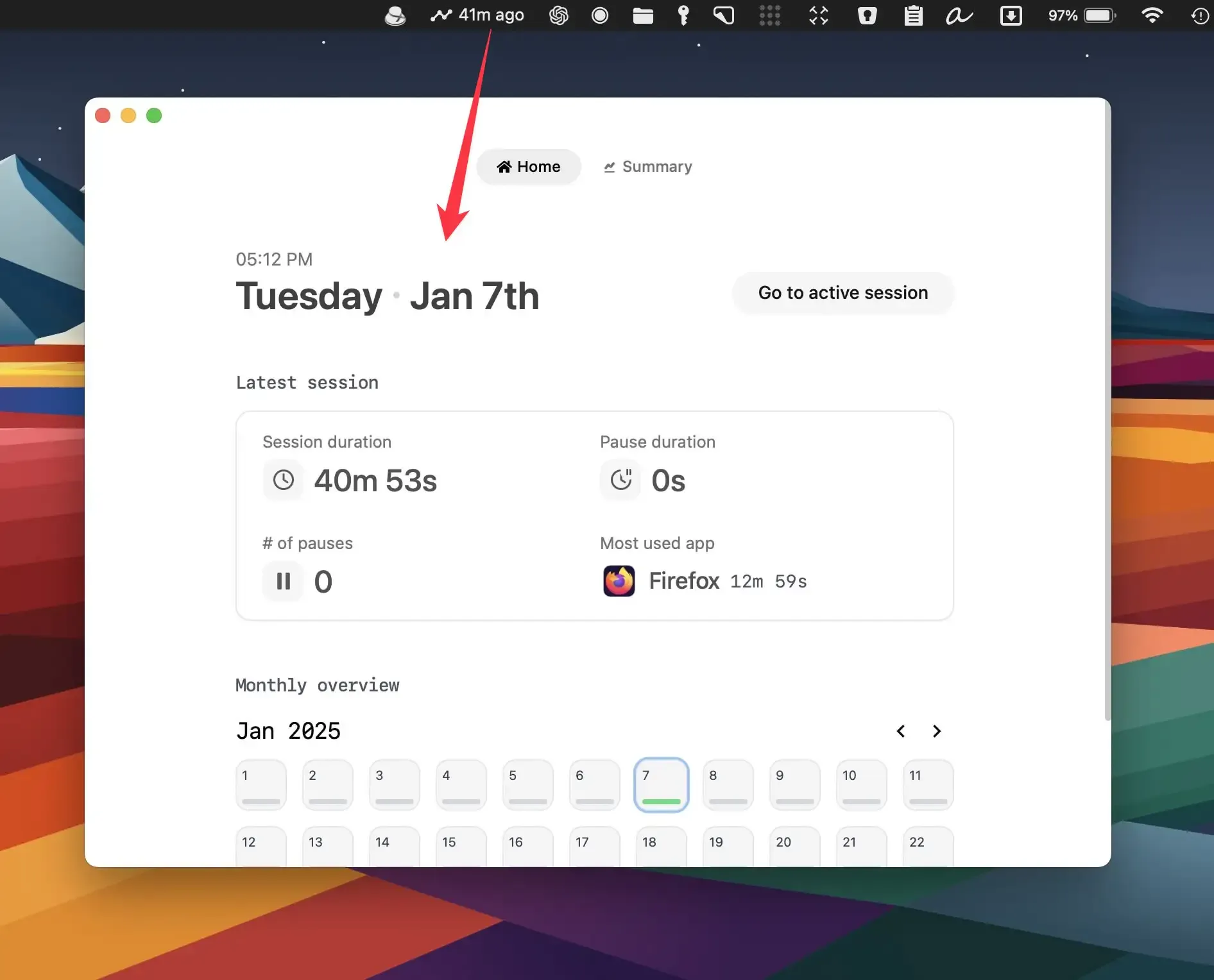
Trace monitors application usage and website activity directly from the menubar without requiring browser plugins or extensions. The app tracks time automatically across Firefox, Safari, Google Chrome, Arc, Brave, and Chromium-based browsers by monitoring system-level activity.
The application presents tracked data through a color-coded timeline interface that visualizes how time distributes across different applications and websites throughout the day. Users can view detailed breakdowns of app usage patterns and website visits to understand where productive time concentrates. During active tracking sessions, the app provides blocking capabilities to prevent access to specified applications or websites.
The tracking system operates at the system level rather than through browser-specific extensions, which means it captures activity across multiple browsers simultaneously without requiring separate setup for each one. This approach provides unified tracking regardless of which browser the user switches between during work sessions.
Trace uses a one-time payment model with two pricing tiers: Standard ($29) for single-device usage and Pro ($65) for up to three macOS devices with priority support. Both plans include all features with perpetual access and no recurring subscription fees. A seven-day free trial allows evaluation before purchase.
The application runs exclusively on macOS and requires system permissions to monitor application activity. Since tracking operates at the system level, users must grant the necessary privacy permissions for the app to function. The app stores tracking data locally on the device, though specific data retention policies and export capabilities are not detailed on the main website.
For users requiring lightweight automatic time tracking without browser-specific setup, Trace provides a unified solution. The one-time payment structure and local-first approach may appeal to users who prefer avoiding subscription services or cloud-based tracking systems. However, users who require cross-platform tracking across macOS, Windows, or Linux systems would need alternative solutions with broader platform support.


