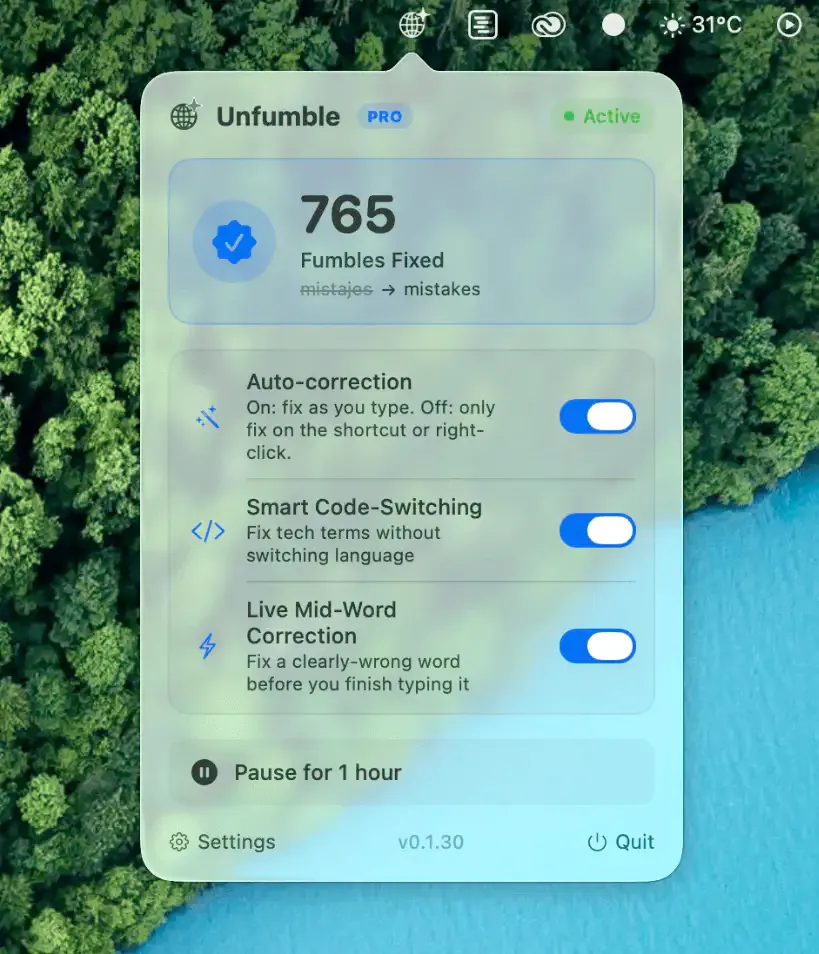
Unfumble automatically detects and corrects text typed in the wrong keyboard layout, switching the input source and rewriting the content in real time without requiring the user to delete and retype. ($14.99, one-time)
The correction engine fires mid-word as soon as Unfumble recognizes the intended language. A word started in the wrong layout — Russian characters appearing when English was intended, for example — is rewritten the instant the pattern is identified, without waiting for a space or punctuation. Supported language pairs span 14 scripts including Cyrillic, Arabic, Hebrew, Thai, and Latin-based languages, covering the most common multilingual typing scenarios.
Unfumble is app-aware, distinguishing between contexts where rewriting is appropriate and where it is not. In terminal applications, it recovers commands entered in a non-Latin layout while preserving terminal behavior; in messaging and text editors, it rewrites text in place. Users can press ⌘Z to undo a correction and train Unfumble’s preferences over time. A manual mode is also available, applying fixes on demand via keyboard shortcut or right-click menu rather than automatically.
The app runs from the menu bar and requires one macOS Accessibility permission to monitor and intercept keystroke streams. No cloud processing is involved; corrections occur entirely on-device.
System requirements: macOS 13 Ventura or later. Apple Silicon and Intel Macs supported. Requires Accessibility permission. Available direct from unfumble.app.
Pricing: ($14.99, one-time, up to 2 Macs; Team $74.99/year for 5 seats)
Limitations: Password and secure input fields are excluded from correction by design. The Individual license is limited to 2 Macs simultaneously. macOS only; a Windows version is listed as on the waitlist. The Accessibility permission requirement may be a concern in high-security environments.
Alternatives: Input Source Pro (manual input source switching, no auto-correction); macOS built-in keyboard switching (manual only); Typeeto (remote keyboard, no layout correction). No direct equivalent provides real-time multilingual correction on macOS.
Suitable for users who regularly type across multiple languages and experience frequent layout-mismatch errors, particularly those working with Cyrillic, Arabic, Hebrew, or other non-Latin scripts alongside English.

